
What is Google Workspace? The Guide to Collaborate with Your Team

Google Workspace is Google’s cloud-based suite that brings Gmail, Drive, Docs, Meet, and more into one platform for seamless team collaboration. This guide covers how it works, its features, pricing, and alternatives.
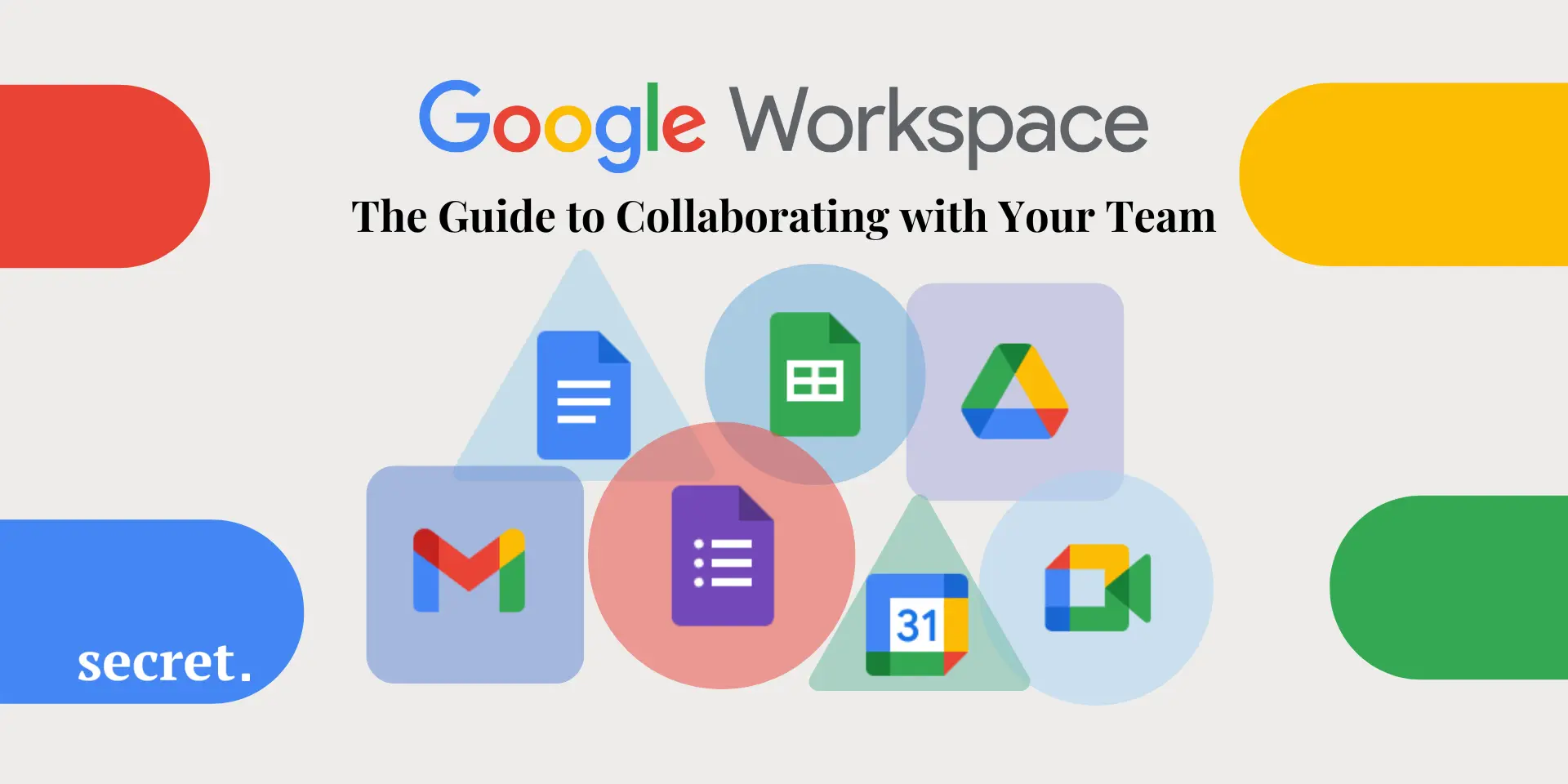
From Gmail to Google Meet: Discover how Google Workspace can support your team’s productivity every day.
Google Workspace, formerly known as G Suite, is Google's unified solution of cloud-based tools designed to enhance team communication, collaboration, and productivity. With popular services such as Gmail, Google Drive, Docs, Sheets and Google Meet unified into a single suite, Google Workspace has become an essential productivity platform for modern businesses.
It’s used by companies of all sizes, from small startups to global enterprises, who need reliable tools to streamline work and stay connected across locations.
In this guide, you'll discover what exactly Google Workspace is, how it works, its top features, pros and cons, pricing plans, and possible alternatives. We'll also help you decide whether it fits your business requirements.
What is Google Workspace?
Google Workspace is a comprehensive suite of productivity tools created by Google to help businesses and teams collaborate effectively and in real time. It brings together cloud-based applications, including:
- Gmail for secure and professional email services
- Google Drive for storage and secure file-sharing
- Docs, Sheets, and Slides for creating documents, spreadsheets, and presentations
- Google Meet and Chat for advanced communication and videoconferencing
- Google Calendar for scheduling, organizing events, and meetings
These tools combined give your team a unified solution for collaboration, saving time spent switching between separate apps and improving workflows significantly.

How does it work?
Google Workspace leverages cloud technology that allows multiple users to access, edit, and collaborate on shared documents and data in real time, from anywhere and on any connected device. Here's precisely how this works:
Centralized workspace environment
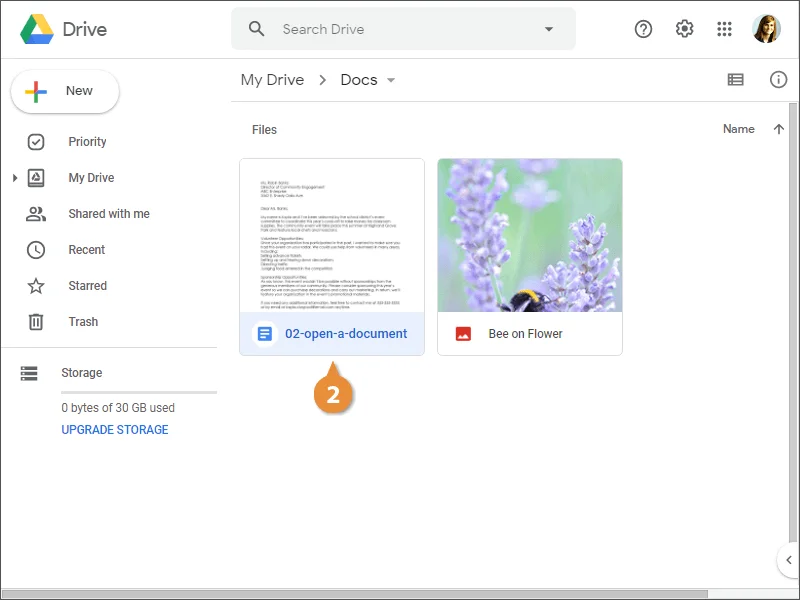
All your essential productivity tools and documents are accessible from a unified interface, streamlining your workflow. Imagine you're working remotely on a collaborative report—your team can easily access a shared Google Doc via Drive and make real-time updates, eliminating confusing email chains and version-control headaches.
Real-time collaboration features
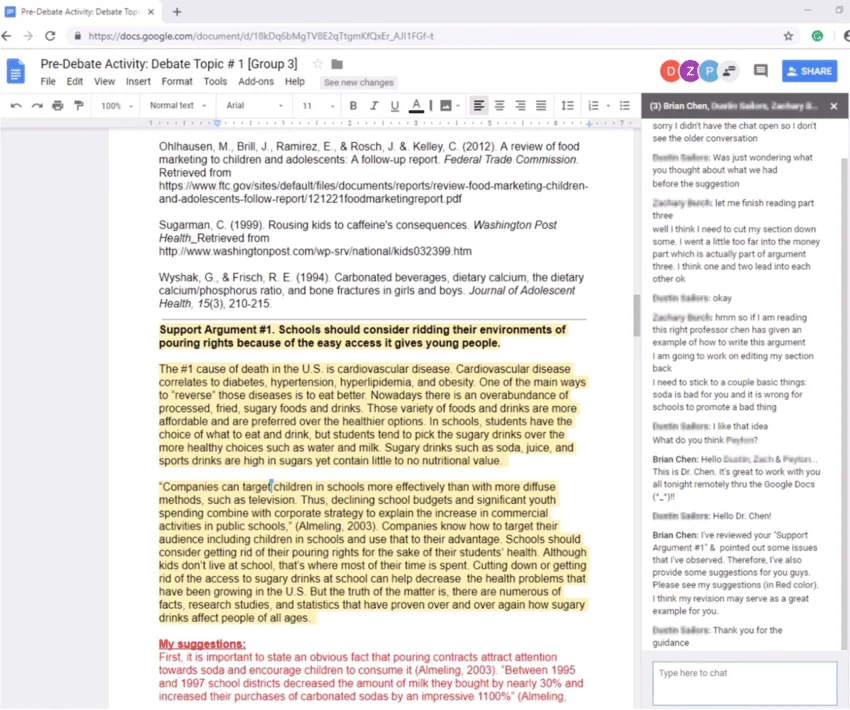
With real-time editing, multiple team members can simultaneously collaborate on documents, spreadsheets, or presentations. Each user's changes are instantly updated, allowing faster, efficient teamwork and preventing version conflicts.
Enhanced team communication
Integrated communication tools make interactions within your team smooth and immediate. Google Meet enables team meetings through high-quality video calls, and Google Chat lets you interact quickly through instant messaging.


Top Google Workspace features and benefits
Google Workspace packs a robust feature set to empower teams and streamline collaboration. Here’s a rundown of its most valuable features and corresponding benefits.
Real-time document editing (Docs, Sheets & Slides)
- Instantaneous collaborative editing on documents
- Comments and suggestions for clearer feedback
- Easy revision history and restoration of previous document versions
Google Drive Cloud Storage
- Secure cloud-based data storage
- User-level permission control and easy file sharing
- Seamless synchronization across multiple devices
Seamless integration between apps
- Connect Gmail, Meet, Calendar, and Drive effortlessly
- Schedule meetings, share documents, and communicate within a single interface
- Maintain productivity by reducing app-switching distractions
Altogether, these features highlight why Google Workspace has become a go-to choice for teams of all sizes. From editing files together in real time to managing schedules and sharing resources in one connected space, it’s designed to make daily work more efficient and less fragmented.
Is Google Workspace right for your business? Pros and cons
Let's weigh Google Workspace's main advantages and disadvantages to evaluate if it's a good match for your business needs.
Pros:
- Simple user interface and no steep learning curve
- Real-time collaboration and productivity improvements
- Reliable security protocols and real-time backups
- Flexible and scalable plans according to business size
Cons:
- Dependence on reliable internet connectivity
- Pricing can become slightly expensive as team size grows
- Some individuals or organizations might prefer offline functionality (e.g., Microsoft Office desktop software)
When you weigh it up, Google Workspace delivers a straightforward, reliable environment for collaboration that suits many modern teams.
Pricing plans
Google Workspace offers multiple subscription plans to suit various businesses:
- Business Starter: $7 per user/month (30GB cloud storage, standard video conferencing)
- Business Standard: $14 per user/month (2TB cloud storage, enhanced video conferencing, and recording features)
- Business Plus: $22 per user/month (5TB storage, advanced security measures, attendance tracking for video calls)
- Enterprise Plans: Customized pricing for large-scale organizations needing unlimited storage, priority support, and advanced security compliance.
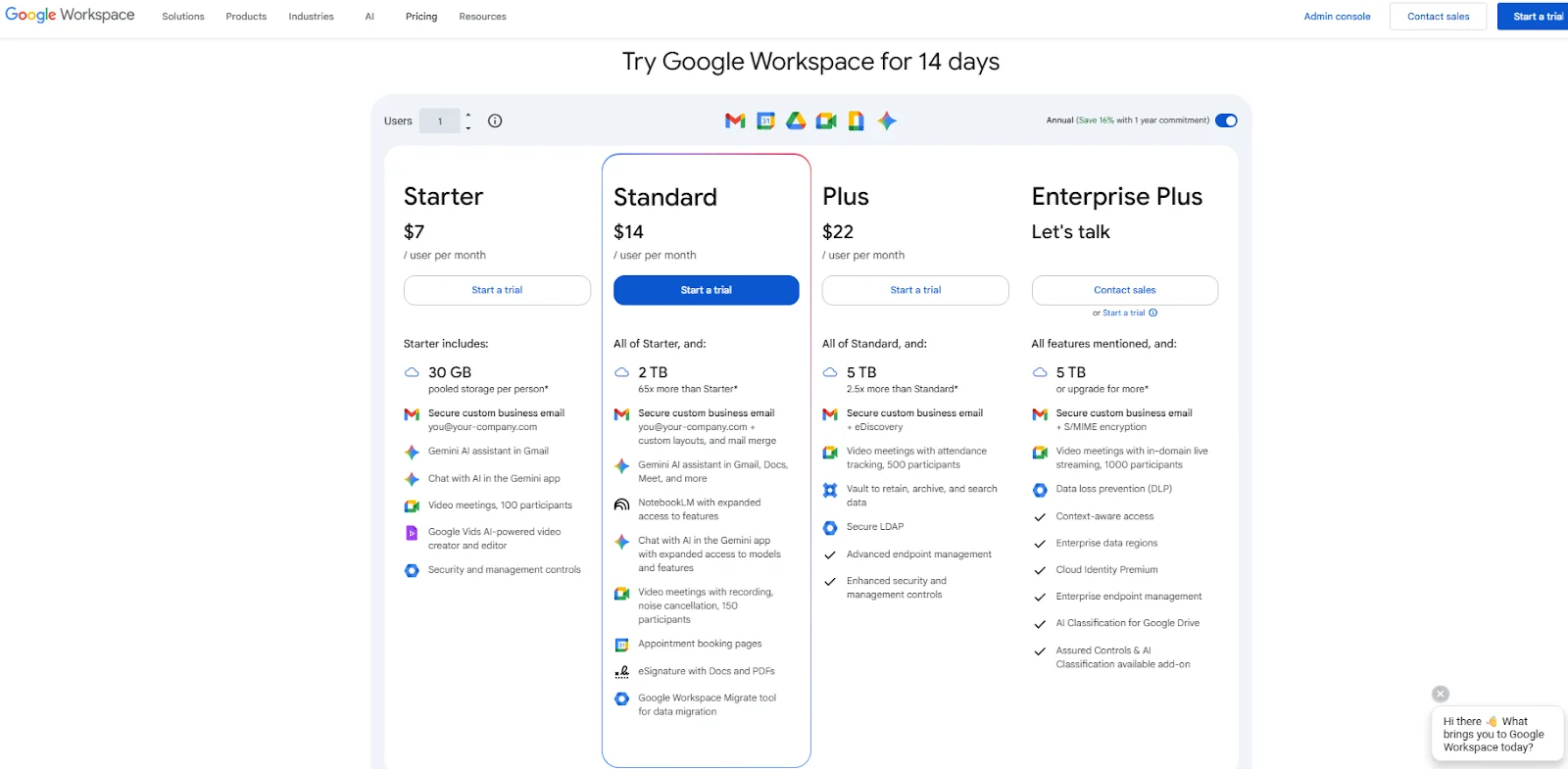
The tiered pricing makes it easier for businesses to choose a plan that matches their sizes and priorities, whether it’s keeping costs down as a small team or unlocking advanced security and support at the enterprise level.
Save up on Google Workspace with our exclusive promo code
We've partnered with Google Workspace to offer you an exclusive deal. Benefit today from our promo code and make collaboration affordable, efficient, and seamless for your business!
What is the best alternative to Google Workspace for team collaboration?
While Google Workspace offers significant advantages, businesses might find interest in other solutions. Popular alternatives include:
- Microsoft 365: A stronger offline work capability with similar productivity apps.
- Zoho Workplace: Great budget-friendly and feature-rich productivity suite for small businesses.
- Slack + Dropbox or Trello: A good option if your business requires specialized team communication or project management tools combined with external cloud storage.
Choosing the right platform often depends on how your team prefers to work. Exploring these alternatives gives you a clearer picture of what best fits your workflow and long-term goals.
What customers say about Google Workspace
Thousands of businesses around the world choose Google Workspace to enhance productivity. Users commonly highlight:
- Easier team collaboration and real-time editing benefits
- Increased work-from-home productivity
- Simplified workflows due to strong integration between apps
Taken together, customer feedback points to the same theme: Google Workspace makes teamwork feel more connected and less complicated.
FAQ
What is the main purpose of Google Workspace?
Google Workspace helps businesses and teams collaborate, communicate, and improve productivity using secure, cloud-based productivity tools.
Is Google Workspace the same as Microsoft Office?
No, Google Workspace is cloud-based, emphasizing real-time collaboration, while Microsoft Office traditionally relies on desktop-based applications but now also offers cloud-based Microsoft 365.
Can I use Google Workspace for personal purposes?
Though designed primarily for businesses, Google Workspace can fit personal use, offering dedicated professional email and productivity tools.
Is there a free version of Google Workspace?
Google Workspace no longer offers fully free versions, but there's a free 14-day trial available. Individual services such as Gmail, Docs, Sheets, and Drive remain freely accessible with standard Google accounts but with limited storage and fewer business-oriented features.
Conclusion - Our verdict
As a dedicated Google Workspace user, I can comfortably endorse it for most businesses wanting to realize productivity gains, enhance collaboration, and simplify workplace communication. Its practical ease-of-use and real-time editing tools elevate it in the cloud workspace, as it gives teams that work predominantly in the cloud a distinct competitive advantage over users of alternate collaboration and productivity suites, particularly for distributed and remote teams.
That said, if your organization requires a lot of offline editing capability, or if you have very limited internet access, other productivity suites, such as Microsoft 365 and others may work better.
In conclusion:
- Best for: Startups, SMBs, remote working teams and any businesses requiring cloud collaboration rather than desktop-based workflows.
- Not so good if: You need a lot of offline access or want a heavily desktop-based workflow.
Google Workspace is one of the top choices for organizations that are looking to streamline their workflows, grow real-time collaboration, and enhance productivity through a set of easily accessible and familiar digital tools. Over time, teams often appreciate having everything together in one connected ecosystem because it ends up feeling easier than switching between separate apps and logins.
{{cta-marketplace="/blog-elements"}}