
Top 10 Collaboration Software Discounts for Startups

This guide breaks down the best collaboration software discounts for startups, helping founders lock in scalable tools that improve execution while keeping burn rate under control.
Maximize your startup’s runway by securing preferred pricing on the essential messaging, documentation, and project tools that turn a group of individuals into a synchronized team.
When you're launching a new startup, collaboration software isn't "a nice-to-have" , it's part of how your business operates. The right collaboration software will help shorten the cycle of making decisions, reduce the number of times your team has to switch between different contexts and ensure your team executes quickly and efficiently regardless of whether they are working remotely, from home, or working at a rapid pace with multiple processes. Conversely, if you use the wrong collaboration software, or make the wrong plans, your team's time will slowly be drained away through handoffs, duplicated effort, unnecessary meeting time that should have taken place via email comments or instant messaging and through other means of collaboration (i.e., via direct messaging). At this stage, you are essentially building the nervous system of your company, and any friction in how information moves will eventually show up as a line item in your burn rate.
In this guide, I’m focusing on collaboration software discounts for startups: practical ways to reduce spend without downgrading your workflows. You’ll find a curated list of tools, a comparison table, and concrete selection tips, because in the early days, you don’t just want “cheap.” You want adoptable, scalable, and defensible choices.
It's also worth mentioning that price increases are common; for instance, Reuters recently reported that Microsoft will begin increasing its Microsoft 365 prices for commercial users beginning in July 2026. This is one reason why locking-in the correct plan and taking advantage of any available deals now is not only being cost conscious, but also smart business planning. Source (Reuters)
How we chose the best collaboration software discounts (for startups)
I did not rank the collaboration tools by their popularity. I ranked them by the factors that are typically most important in actual startup settings: speed to get up-and-running, how well cross-function teams use it, and if the discount will help as the head count goes from 8 people to 35 people.
- Time-to-adoption: Can a new user be up-and-productive within days rather than weeks?
- Coverage of key collaboration layers: Messaging; docs/knowledge; tasks/projects; meetings; & light-weight databases.
- Integration depth: Google Workspace / Microsoft 365; Slack; GitHub/Jira; Zoom/Meet..
- Admin + security maturity: Permissions, guest access, audit logs, SSO/SAML (especially post-Series A).
- Pricing scalability: What happens when adding another 10 users? Are there pay walls?
- Discount clarity: Eligibility, duration, is this really a startup program vs. is this just a promotion?
Note: Discounts tend to change all the time. When referencing a specific discount I am providing a link to the source or official website whenever possible , always check for yourself to verify before using.
These criteria are designed to help you avoid the “success tax” that many founders face when they realize their cheap, early tools cannot handle the complexity of a growing team. By looking at specific layers, you can choose a setup that stays out of your way and lets you focus on building your product instead of constantly troubleshooting your internal workflows.
Top collaboration software discounts (detailed list)
Below is a detailed list of 10 top collaboration software products that will help your startup with all five "layers" of collaboration: communication, documentation, project execution, meetings, and collaborative use of operational data.
For each product I'll focus on its application, potential pitfalls, pricing model, and places to find your promo code or startup discount.
1) Notion, startup program (docs, wiki, lightweight projects)
What it is: Many startups view Notion as their "connected workplace" as it serves as a wiki, docs central repository, meeting note system, and an incredibly effective lightweight project management platform.
Key features that matter for startups:
- Team wiki + documentation with flexible page structure
- Databases (tables/boards) for roadmaps, hiring pipelines, OKRs
- Templates for onboarding, fundraising rooms, product specs
- Permissioning for internal/external collaboration (investors, advisors)
Benefits: If your startup is struggling with "where is the last decision?", Notion can be used as your singular source of operational truth in which you can establish conventions around meeting notes + decision logs.
Limitations: Without establishing some sort of conventions, Notion can quickly turn into a jungle (duplicates pages, inconsistent names). To avoid this, you need to develop a minimum level of information architecture.
Pricing: Notion is freemium; paid plans unlock more advanced controls and scaling features.
Discount Notion has a startup offer via its startup program ecosystem.
Ideal for: early-stage to scaling teams that want a strong documentation spine: product, engineering, ops, and leadership.

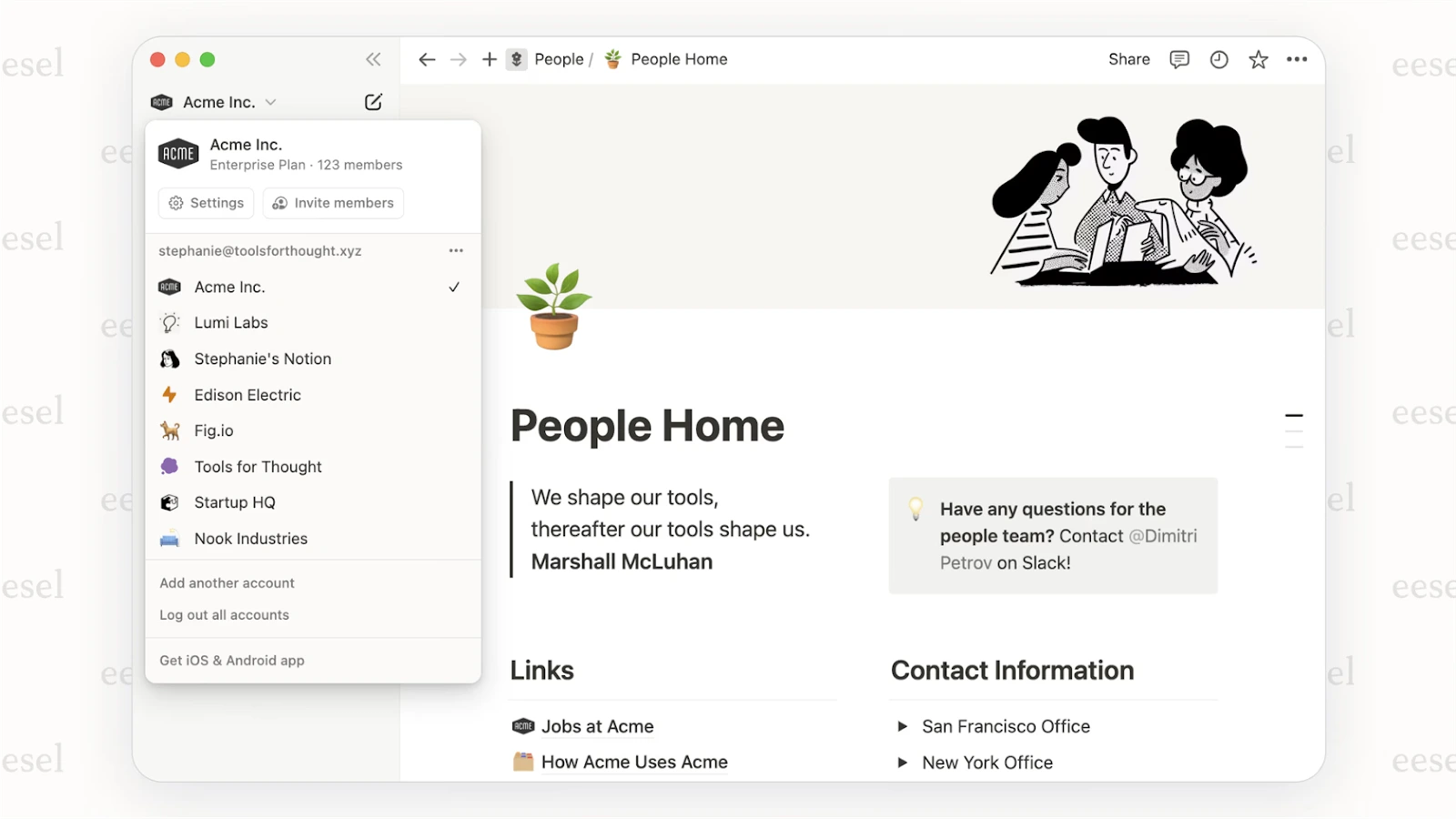
If you decide to go this route, focus on setting up a few core folders or databases early on rather than letting every team member create pages at random. Taking advantage of the startup discount gives you enough time to see if the platform fits your team’s natural habits before the full costs kick in.
2) Slack, team messaging (fast execution, fewer meetings)
What it is: Slack is generally the "Communication Layer" of most startup environments; channels, threaded conversations, fast coordination, and an enormous library of integrations.
Ideal for: remote/hybrid teams that need a fast, reliable communication backbone.
Key features:
- Channel-based communication with threads (reduces chaos)
- Integrations (incident alerts, GitHub updates, CRM notifications)
- Huddles for quick ad-hoc calls
- Workflow automations (depending on plan)
Benefits: The concrete benefit of Slack is that a well-run Slack channel replaces dozens of status meetings. An example would be creating a #shipping channel, where PRs merge, deploy, and have automatic customer impact notes. The benefit is that the team is kept in sync, but there are no 'one more sync' meetings.
Limitations: Slack is NOT a knowledge base. If all the decision-making exists solely in Slack, then you'll ultimately lose those decisions. Use a wiki/docs tool (many use Notion), as a way to pair Slack together.
Pricing: freemium + paid plans. See Slack pricing plans
Discount: Slack has well-known discounting in specific programs (e.g., nonprofits). For startups, discounts are more partner/marketplace-driven and can vary. As a baseline, Slack’s own discount documentation is clear for nonprofits.

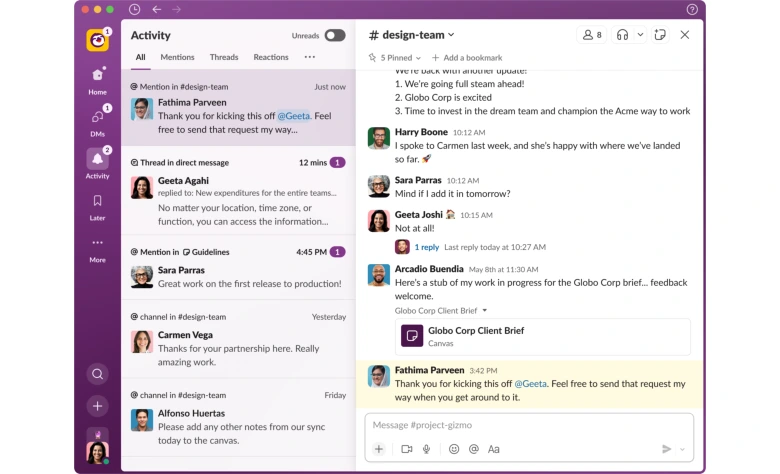
While Slack is often the first tool a team installs, the cost per user adds up as you scale. Securing a discount early allows you to integrate your entire tech stack into your conversations without the price becoming a barrier to your team’s coordination.
3) Google Workspace, docs + email + calendar (Google-native stack)
What it is: Gmail, Calendar, Drive, Docs/Sheets, and Meet as one product line. This is the most basic default "stack" for many new ventures.
Ideal for: startups that live in Google Docs/Sheets and want minimal overhead.
Key features:
- Real-time collaboration in Docs/Sheets
- Drive for shared storage with permission controls
- Meet for internal calls; Calendar for scheduling hygiene
- Admin console (security policies, access management)
Benefits: for lean teams, a Google-native workflow is frictionless: a doc, a sheet, and a calendar invite is often all you need to run a project.
Limitations: There may be limitations to the discounts available for flexible month to month pricing and discounts are typically found when committing to annual contracts which limits flexibility on the number of seats you have.
Pricing: See Google Workspace pricing plans
Discount: Google’s discounts depend heavily on program and segment, and startup discounts are often via partners/resellers/accelerators.

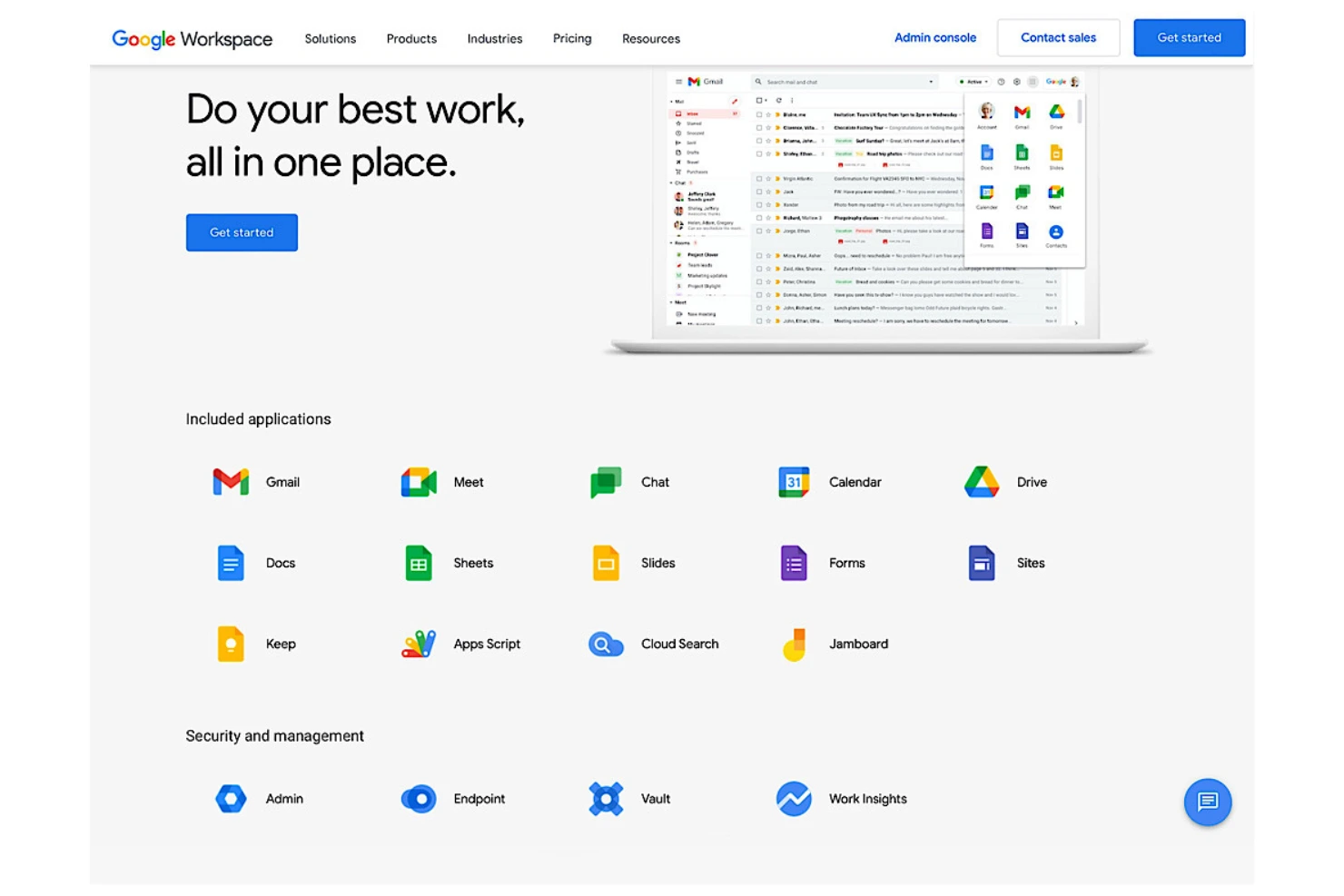
Since Google is often the core of your identity and file management, getting your plan right from day one is vital. Using a startup offer helps you access professional email and shared drives immediately, providing a professional appearance to investors and customers while you keep your early expenses under control.
4) Microsoft 365, productivity suite (enterprise-ready controls)
What it is: Microsoft's comprehensive suite for Email, Calendar, Office Apps and Administrative/Security Controls, typically used when Governance is a concern or you are working within an Ecosystem heavily invested in Microsoft products.
Ideal for: startups that need stronger governance, or that run sales/ops in a Microsoft-first environment.
Key features:
- Office apps + cloud collaboration
- Admin controls, identity, device/security options (plan-dependent)
- Integrations across the Microsoft ecosystem
benefits: If you are selling into Enterprise environments, the fact that your company uses Microsoft 365 may provide a "quiet" credibility factor because Microsoft-fluent buyers expect a level of governance and compatibility with their own Microsoft based systems.
Limitations: Microsoft Licensing is complex and requires a well-defined Policy to determine which SKU(s) will be required by which Users.
Pricing: See Microsoft 365 pricing
Discount: Microsoft runs time-bound promotions. For example, Microsoft published a 50% upgrade discount for Microsoft 365 Premium for eligible subscribers during a defined window (Dec 9, 2025 – Mar 31, 2026).

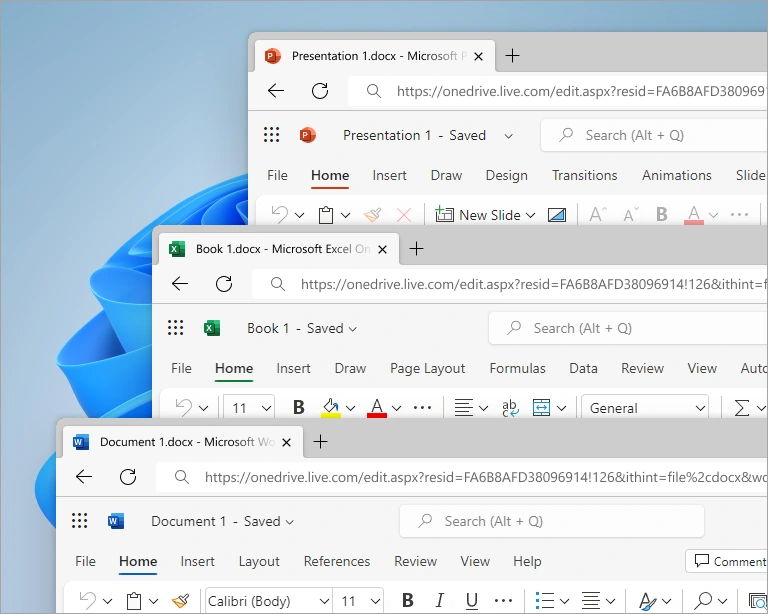
Choosing this path helps you meet the security expectations of larger corporate clients before you even begin the sales process. Leveraging a current promotion allows you to implement these high-level controls early without the typical upfront cost associated with enterprise-grade software.
5) Microsoft Teams, meetings + chat (Microsoft ecosystem collaboration)
What it is: Microsoft Teams is a combination of meeting, chat and collaboration functionality, where Teams performs best as part of an existing Microsoft 365 Company.
Ideal for: Microsoft-first startups, or teams that want meetings + collaboration under one admin umbrella.
Key features:
- Meetings + calendar integration (especially with Microsoft 365)
- Chat and channels for structured comms
- Enterprise-grade admin and compliance features (plan-dependent)
benefits: If your company has an existing Microsoft license, Teams may also help simplify the complexity of other tools used in the "stack", by having another tool to justify and administer.
Limitations: Teams may be too "heavy" for very small teams that desire extremely lightweight chat functionality; Teams will only succeed if the organization's culture supports this type of usage.
Pricing: See Microsoft Teams pricing

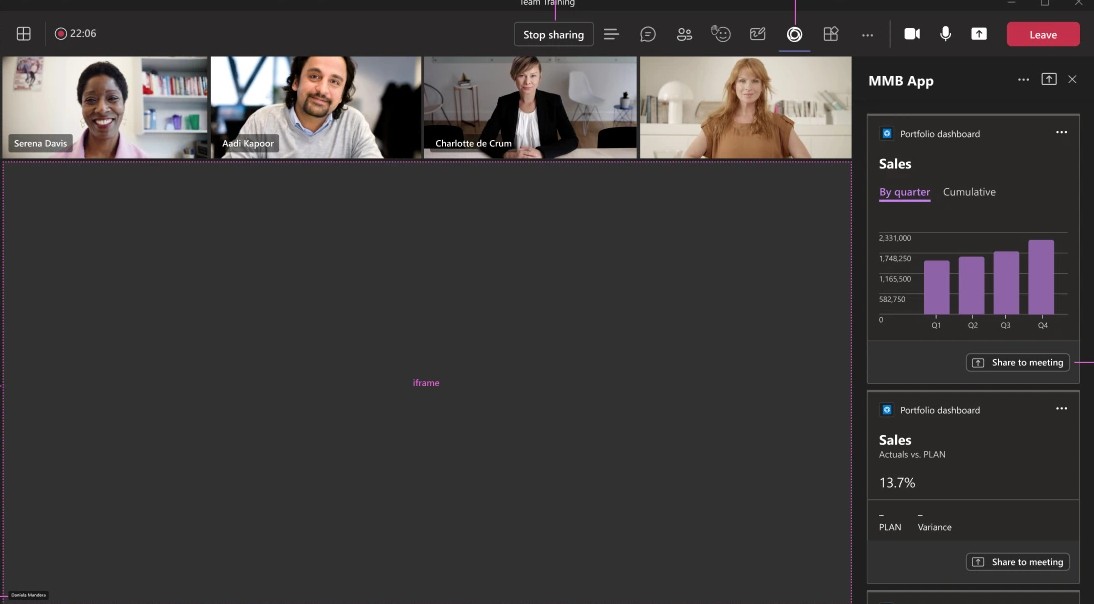
If you are already committed to the Microsoft ecosystem, using Teams allows you to keep your communication and security policies under a single dashboard. Securing a bundled discount now is a practical move to get ahead of the price updates scheduled for mid-2026, ensuring you have a unified meeting and chat platform that scales without the need for additional standalone subscriptions.
6) Zoom Meetings, video meetings (reliability + integrations)
What it is: The same old reliable call system that has been an essential for all of our customer facing teams for years. Sales demo calls, Customer Success QBRs, Investor calls, we all need something that can be relied on to perform when you have to make a good impression.
Ideal for: customer-facing teams, sales-led startups, distributed teams with lots of external
meetings.
Key features:
- High reliability for external-facing calls
- Scheduling and integrations (calendars, CRMs, etc.)
- Webinars/events capabilities (plan-dependent)
Benefits: If you are running daily revenue calls, your meeting tool is now part of your customers experience. The fact that zoom works reliably is a major selling point.
Pricing: See Zoom pricing plans
Limitations: Zoom is a meeting tool, do not use it as a collaboration hub. Do not confuse it with other tools like Slack or Trello.
Discount: We've partnered with Zoom to provide an exclusive $20 promo for annual One Pro plan, saving you up to $20.
%201.svg)

Since your video quality directly reflects your brand during sales pitches and investor updates, having a dependable tool is a necessity. Securing a discount here ensures you have the professional features needed for external calls without overpaying for what is essentially a single-purpose utility.
7) ClickUp , all-in-one work management (tasks, docs, dashboards)
What it is: ClickUp is a "work operating system" type of platform: tasks, docs, views (list/board/calendar), dashboards. This has become popular with many early stage companies as a way to limit "tool sprawl".
Ideal for: cross-functional teams that want one execution hub (and are willing to define workflows).
Key features:
- Multiple views for the same work (board for standups, list for ops)
- Docs tightly linked to tasks (good for specs + execution)
- Automations and templates
- Dashboards for delivery visibility
Benefits: clickup will be a great option for you if you are looking to have a single place where specs and execution meet. Specifically, it could help you run successful product + marketing launches.
Limitations: while clickup is powerful, that power comes at a cost. The configuration required to take full advantage of clickup can slow teams down if not done correctly.
Pricing: See ClickUp pricing plans
Discount: We’ve teamed up with ClickUp to bring you this promo code: 20% off Unlimited and Business plans for 1 year, saving you up to $1,000
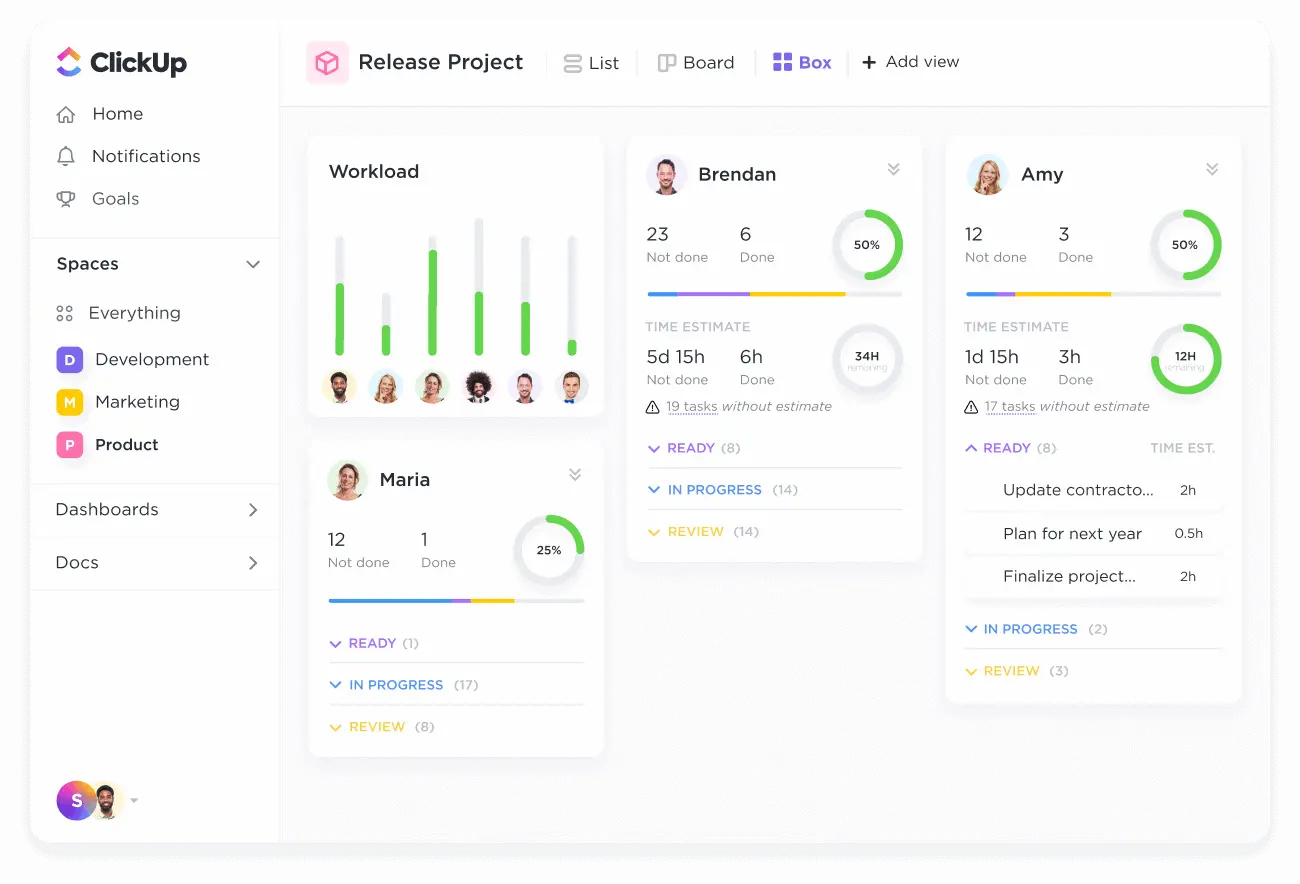
Opting for a platform that consolidates several tools into one can drastically simplify your billing and onboarding. Using a startup discount allows you to explore these complex features and build out your custom dashboards while your team is still small enough to pivot easily.
8) Asana, project management (clarity, ownership, timelines)
What it is: Asana is a structured project management tool designed for clear ownership, timelines, and cross-team visibility.
Ideal for: teams managing complex launches, dependencies, and multi-stakeholder work.
Key features:
- Task ownership + due dates + dependencies
- Timeline views for launch planning
- Rules/automation for reducing manual admin
Benefits: Asana is excellent when you want a crisp answer to: “Who owns this?” and “What’s blocking it?” without running an interrogation every Monday.
Limitations: if your team prefers ultra-light Kanban and resists structure, adoption can be slower than Trello.
Pricing: link internally.
Discount: We've teamed up with Asana to bring an exclusive discount code to startups looking to elevate their project management game: 75% off the annual Starter or Advanced plans for 1 year.

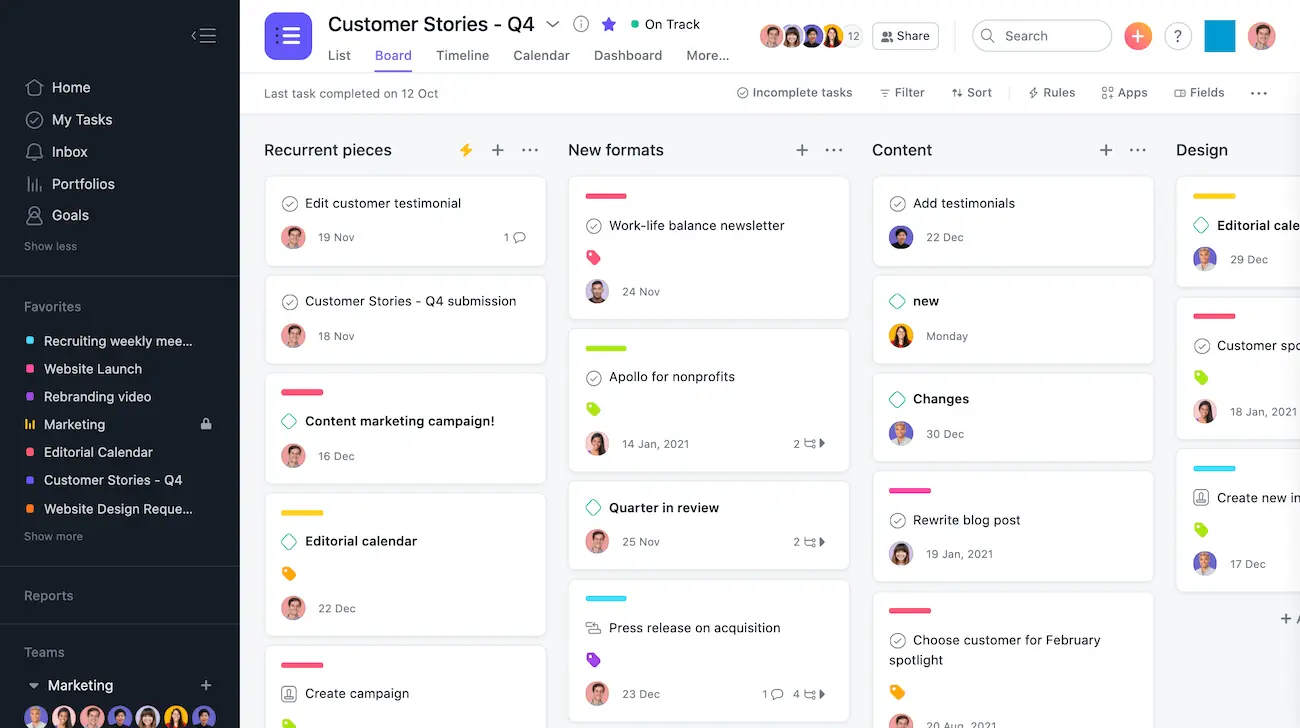
Asana is particularly helpful when you need to move from informal chats to accountable workflows. The startup discount allows you to introduce this level of coordination early, ensuring that as your team grows, the responsibility for every task remains transparent and documented. If you’re comparing task-first platforms, this may help: Asana vs nTask
9) Trello, Kanban boards (simple, fast, lightweight)
What it is: Trello is the classic Kanban board: columns, cards, quick collaboration. It’s often the fastest to roll out.
Ideal for: early-stage startups, small teams, and simple workflows that value speed over structure.
Key features:
- Boards, lists, cards (easy mental model)
- Power-ups / integrations (depending on plan)
- Great for lightweight workflows and visibility
Benefits: Trello is perfect for “we need something today.” Example: a content calendar board, a hiring pipeline board, or a simple customer feedback triage board.
Limitations: when ops complexity grows (dependencies, reporting, permissions), Trello can become a ceiling.
Pricing: See Trello pricing plans
Discount: Get this Trello promo code to save up to $600

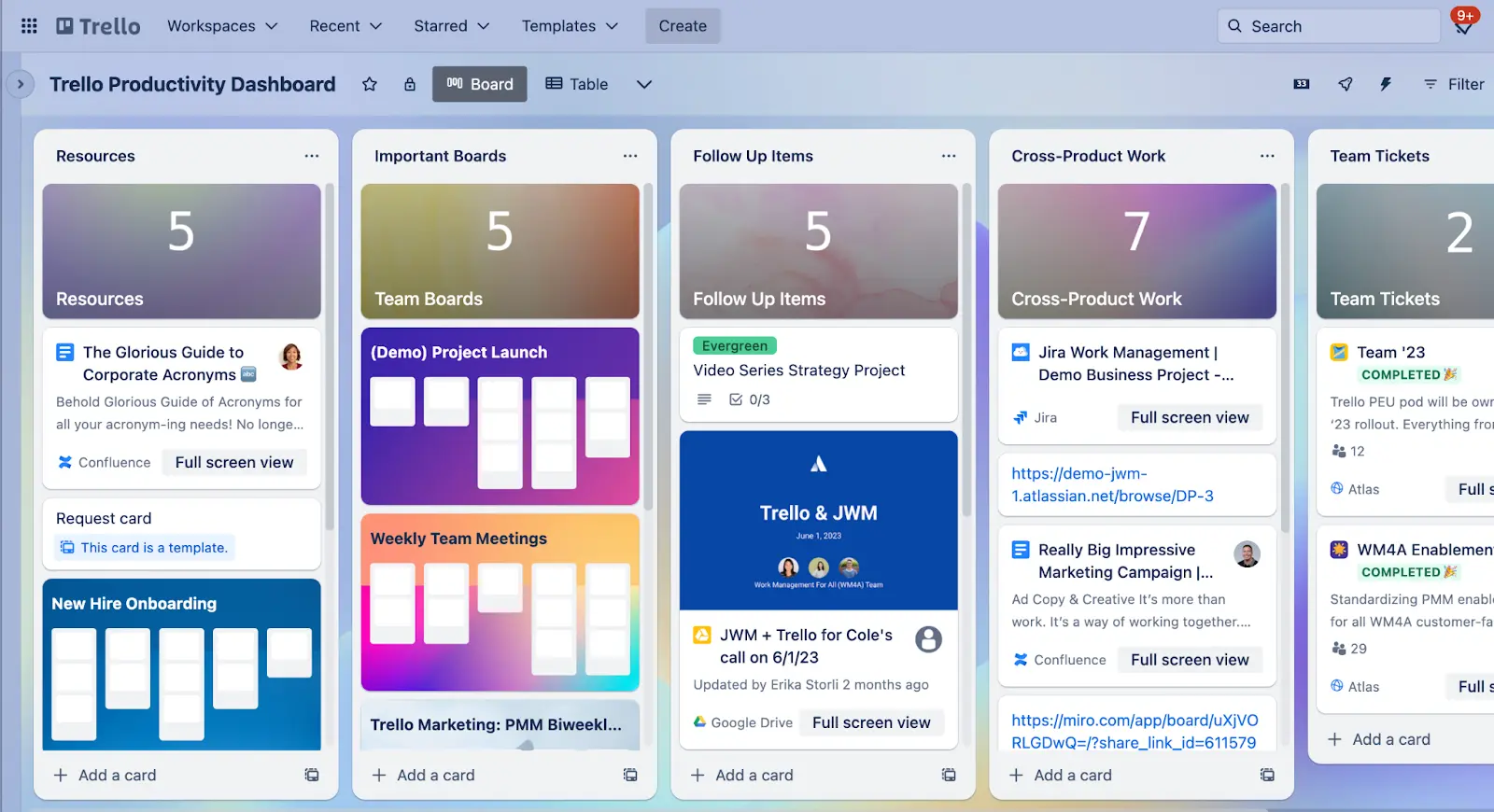
Because it is so easy to adopt, Trello is often the fastest way to get your ideas out of your head and into a shared space. Locking in a promo code now ensures that as you add more power-ups and integrations, you can keep your processes visual and accessible without the cost scaling faster than your usage.
10) Airtable, collaborative databases (ops, planning, pipelines)
What it is: Airtable sits between spreadsheets and databases. It’s widely used for operational collaboration: pipelines, catalogs, and structured tracking where spreadsheets start to creak.
Ideal for: ops-heavy startups, marketing ops, partnerships, and teams that need structured collaboration.
Key features:
- Relational-ish tables with views (grid, kanban, calendar)
- Automation and integrations (plan-dependent)
- Useful for internal tools and structured operations
Benefits: Airtable shines when “the truth” is structured. Example: partner CRM, content production pipeline, inventory/catalog tracking, or a customer feedback database connected to product decisions.
Limitations: governance and permissions can be tricky at scale; be intentional about who can edit what.
Pricing: See Airtable pricing plans
Discount: We’ve partnered with Airtable to offer your startup an exclusive promo code: $1,000 in Airtable credits for one year, designed to help you streamline operations and enhance collaboration

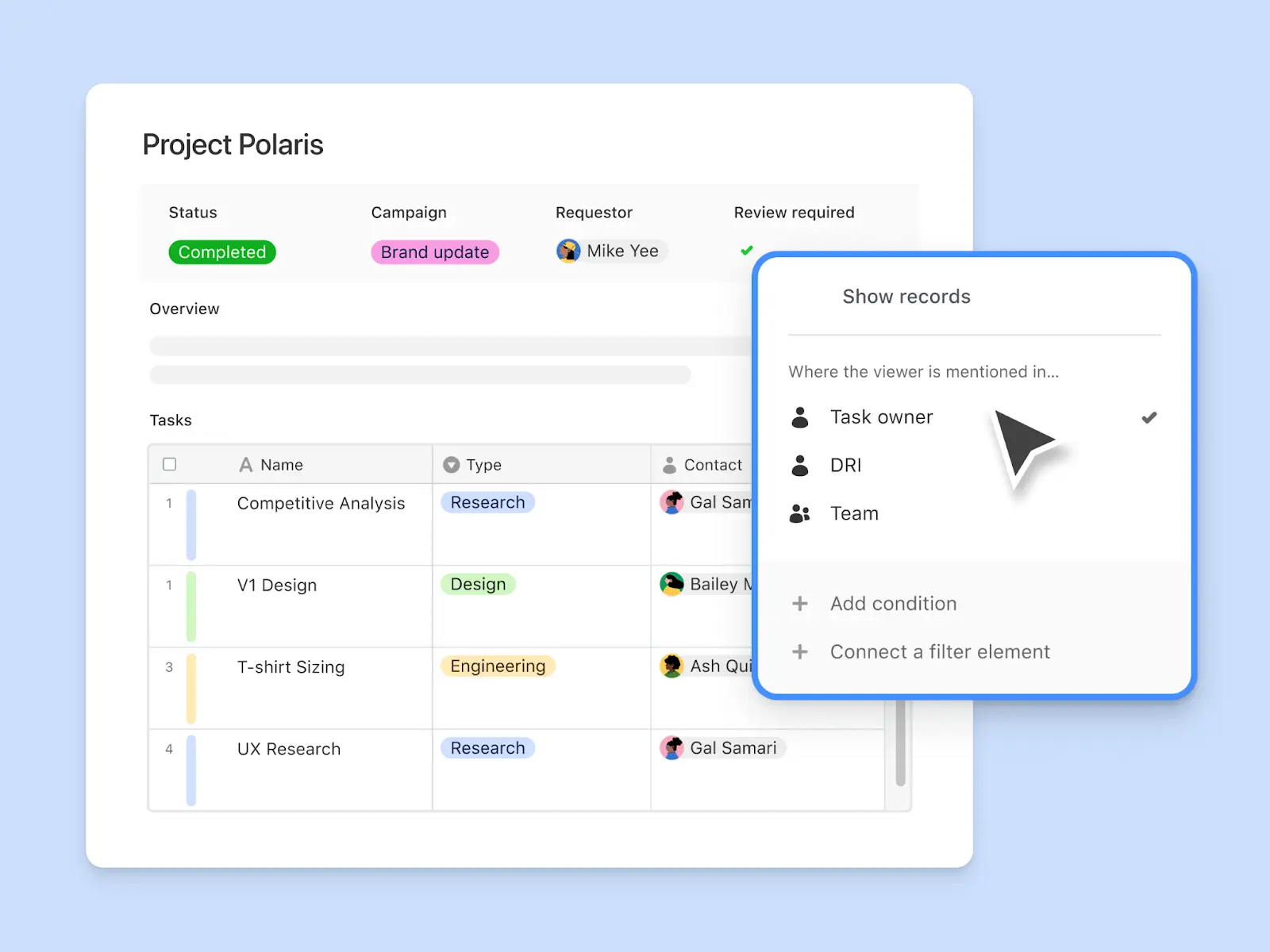
Airtable is the right choice when your team needs more organization than a simple spreadsheet can provide. Using a startup offer allows you to build out these custom operational tools early, giving you a high level of data organization that usually requires much more expensive enterprise software.
Collaboration software discounts comparison table
Expert tips for choosing collaboration software (and maximizing discounts)
Adoption & change management: avoid tool sprawl (and “Slack archaeology”)
Start-ups do not fail at collaboration due to selecting the wrong tools. They fail because the team never defines how the tool will be used. After six months of usage, on-boarding becomes a treasure hunt with links to documents in Slack, spreadsheets in Drive, and a partially updated board somewhere else.
- Make one tool your documentation spine. For many teams, that’s Notion.
- Define a decision-log habit. If a decision matters, it gets written down (owner + date + rationale).
- Keep Slack for velocity, not memory. Use Slack to move; use Notion to remember.
Notion, excellent for onboarding hubs, process docs, and decision logs.
Slack, amazing for execution, weak for long-term knowledge retention.
When you want a sharper breakdown of “communication-first” vs “workspace-first,” this comparison helps: ClickUp vs Slack (use it as a proxy for collaboration philosophy: messaging vs centralized work hub).
Stack fit: pick your suite first (Google Workspace vs Microsoft 365)
The biggest collaboration decision many founders accidentally postpone is the suite choice. Email + calendar + storage is the foundation that everything integrates with, identity, invites, permissions, and sharing rules.
- If you’re Google-native, Workspace keeps workflows lightweight and real-time.
- If you need enterprise-grade governance or sell into Microsoft-heavy buyers, Microsoft 365 can be the safer long-term bet.
Best when you’re Google-native: Google Workspace
Less ideal in that scenario: Microsoft 365 (fantastic suite, but can be overkill if your team lives in Google Docs)
Execution maturity: Trello vs ClickUp vs Asana (don’t overbuy, don’t underbuy)
Here’s the uncomfortable truth: “simple” is not always cheaper. A simple tool that forces manual reporting, manual follow-ups, and manual coordination can become expensive in hidden labor.
- Trello is ideal for quick, lightweight boards.
- Asana shines when you need accountability, dependencies, and timelines.
- ClickUp is great when you want a configurable work OS, tasks + docs + dashboards.
Best for flexible all-in-one execution: ClickUp
Not the best once complexity grows: Trello
Security & access control: get serious before you “suddenly” have 40 people
Security usually becomes urgent at the worst possible time, right when you’re hiring fast or selling into bigger customers. Collaboration tools are full of sensitive data: customer conversations, product roadmaps, contracts, incident notes.
- SSO/Identity: reduces offboarding risk and credential sprawl.
- Guest controls: essential when working with agencies, contractors, and clients.
- Permission design: prevents accidental “everyone can edit everything” disasters.
Best if governance is a priority): Microsoft Teams (especially in Microsoft ecosystems)
Not the best for governance-heavy environments): Trello (often used as lightweight, may not match stricter admin expectations depending on plan)
FAQ: collaboration software discounts for startups
What’s the best collaboration software for a startup team?
Top collaboration platforms include those that your team uses on a regular basis. If you create a lot of documentation, begin by using Notion. If you have cross functional teams and have many deadlines, use ClickUp or Asana to provide more structure. If you want to focus on speed and coordination, use Slack as your "communications layer." Most startups operate a combination of these tools including: chat; docs; projects; and meeting planning.
What’s the best SaaS for collaboration in a remote-first startup?
Remote First teams require a high level of asynchronous collaboration. This generally includes: a doc/wiki hub (Notion); a project execution tool (ClickUp/Asana); a communications layer (Slack) with rules such as "decisions are documented" and "all updates are posted in thread format"; and add Zoom if you are a sales or customer heavy business.
Should I prioritize a startup discount or a free plan?
Free plans are ideal for assessing whether your team will adopt a new collaboration platform, however most businesses will reach their limitations on the free version of a collaboration platform very quickly. For instance: message history may be capped; permissions may be limited; there may be no automation capabilities; and admin controls may be limited. Discounts are often valuable when they allow your team to access the full functionality of the tool, which is critical as your team scales.
How can I stack multiple collaboration deals without creating tool sprawl?
Use the "one tool per layer" rule. For example: Slack (messaging); Notion (doc/wiki); ClickUp (project execution); Zoom (meeting planning); and either Google Workspace or Microsoft 365 as your core suite. If two tools perform the same function, select the one that performs better and stick with it, otherwise you will pay twice for both tools and still have a sense of being uncoordinated.
What should founders check before committing to an annual collaboration software deal?
Before signing an annual contract, confirm the following: (1) what is the minimum number of seats required; (2) how will upgrades and downgrades occur; (3) what are the data export options; (4) what admin/security features will you require within 6-12 months; and (5) what is the price of renewal. The best discount is the one that allows you to avoid being stuck in the wrong collaboration platform decision.
The smartest collaboration deals to grab first
If I were to pick a "startup-safe" way to get started, I would begin with the suite (either Google Workspace or Microsoft 365) and build on top of the suite using collaboration tools that will support how your team works together. For many early stage startups, the biggest bang-for-your-buck combination is Slack + Notion: Slack to increase communication velocity, Notion to provide knowledge retention. This pairing works because it addresses the two most common ways information is lost: in unsearchable chat history and in static documents that no one ever opens.
If you feel you are experiencing enough of a disconnect between teams and functions as it relates to executing a project in unison, add a Work Management Tool like ClickUp, or Asana to the mix; continue to use Trello only if you really need simple Kanban Boards.
Before making a purchase, I suggest you read some of my reviews of each product to assist in validating whether or not a product fits your needs, and also the price; for instance, the Slack Review and Notion Review.
And yes, when you have a budget you should also consider negotiating prices and do not be afraid to ask for discount codes on the promotional code pages of each product prior to purchasing. It is rare in the startup community to pay the full retail price of a product. Even if you do not see an active coupon, reaching out to a sales representative to mention your current funding stage can often result in a localized offer that isn’t listed on their public pricing page.
{{cta-marketplace="/blog-elements"}}