
What Are the Simplest Collaboration Software for Teams in 2026?

In 2026, collaboration breaks down less from a lack of tools and more from tool overload—so the simplest platforms are the ones that keep teams aligned without adding extra friction.

Too many tools can slow teams down. This guide breaks down the simplest collaboration software that helps teams stay aligned without adding overhead.
In 2026, “collaboration” doesn’t fail because teams lack tools—but because of an abundance of technology and as such, too many tools to manage. Teams that have all the capabilities they need to collaborate can easily spend hours per week on "scattered" conversations, duplicated documentation and "what's the most current version?" and so forth. Over time, this kind of friction quietly slows decisions, weakens accountability, and makes otherwise capable teams feel less aligned than they should be.
This guide is built for people who want simple, low-friction collaboration software. This includes small and mid-sized business owners, start-up owners, agency owners and remote workers that desire to be able to move quickly through projects without having to make managing their tools another full-time job. The guide will provide you with the best and lowest friction collaboration platforms, a comparative chart and some practical information to help you determine what collaboration platform or tools are best suited for your project workflow. This focus is on reducing cognitive overhead so collaboration supports the work instead of competing with it.
And yes, the market is huge: Microsoft Teams alone has been reported at 320+ million monthly users, which is a good signal that collaboration platforms are now a default layer of modern work. Source: Desk365
How we selected the easiest collaboration software
“Simple” isn’t the same as “limited.” For this article, I focused on tools that make it easy to reach productive use quickly—and stay productive as the team grows.
- Fast onboarding: How quickly does a new user need to be able to logon, find his way around the UI and accomplish a meaningful task.
- Low cognitive load: Is the UI clean? Are there obvious patterns? Do the settings of the tool require a consultant?
- Communication fundamentals: Are there channels or threads? Can you mention someone? Can guests come into your workspace? Is the search powerful?
- Collaboration depth: Do they have docs? Comments? Task handoff? Lightweight knowledge management?
- Integrations: Native integrations with Google/Microsoft ecosystems plus common business tools.
- Security basics: Permissions, workspace controls, and enterprise options (SSO, retention) when needed.
- Pricing clarity: Useful free tiers and predictable paid plans.
Best (and simplest) collaboration software for teams in 2026
The majority of tools below come from your Collaboration-category selection: Google Workspace, Notion, Slack, Asana, and Microsoft Teams.
1) Google Workspace
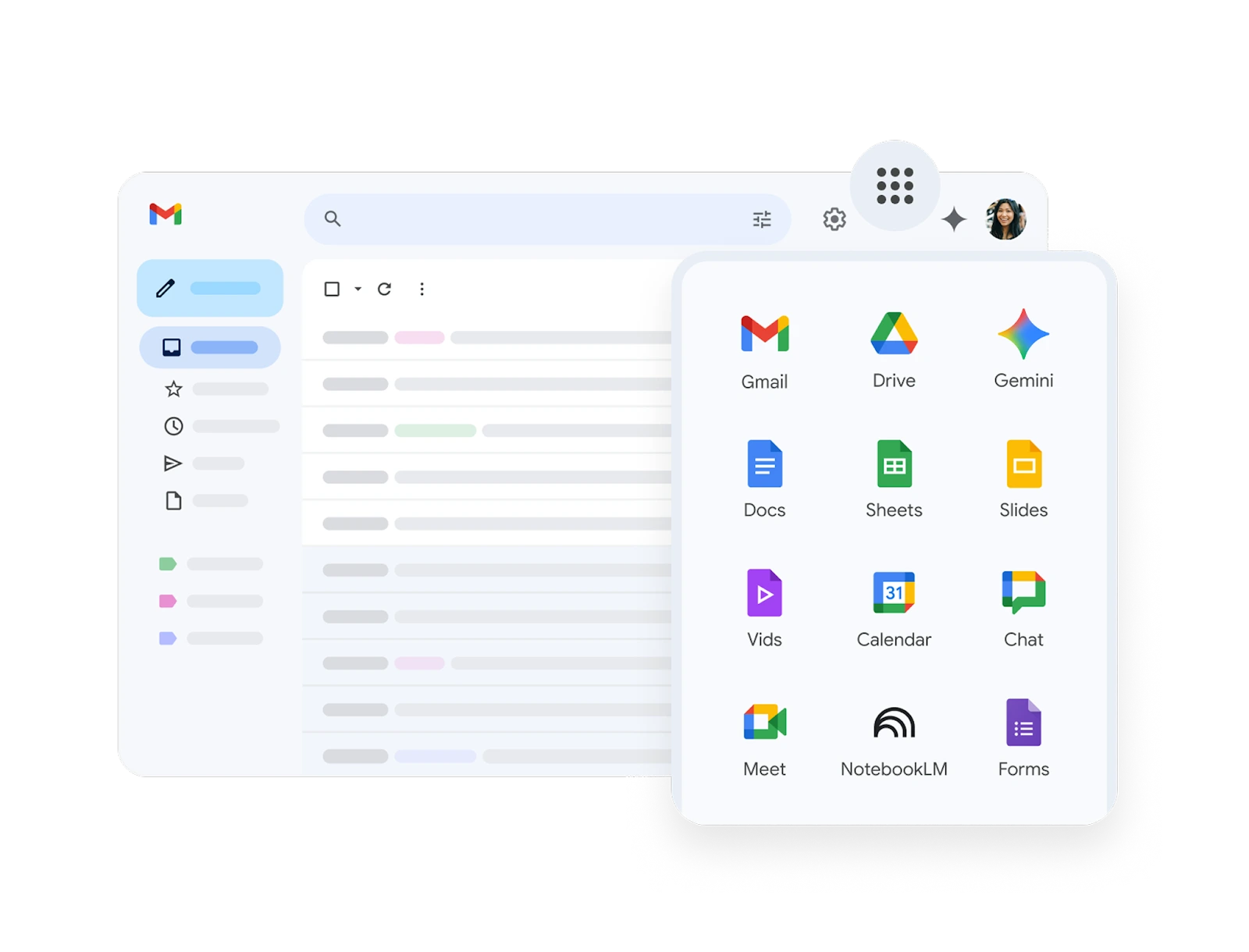
Best for: teams who want "one suite that just works" for docs + email + calendar + meeting needs.
When your collaboration issues are primarily centered around documents, common drives, and meeting planning, then Google Workspace is probably the least complicated solution available.While there are few ways to match the speed of real time collaborative editing found within Docs/Sheets and how comments can be converted into an asynchronous workflow; it's also difficult to find another platform that is easier to use than Google Workspace.
Key features
- Real-time collaboration in Docs/Sheets/Slides with granular sharing permissions
- Google Drive for file storage + team folders
- Google Meet for quick video calls (especially strong for external invites)
- Google Calendar for scheduling and visibility across teams
Concrete benefits
- Fewer “version wars”: one link, one doc, one source of truth
- Async-friendly: comments + suggestions reduce the need for status meetings
- Low training overhead: most people already know the interface
Limitations / watch-outs
- If you need advanced enterprise governance, you may need admin expertise to configure it well.
- Teams heavily invested in Microsoft Office formats may face friction with file compatibility workflows.
Ideal for: agencies, client-facing teams, startups that want to centralize docs + meetings quickly.
Pricing: Available as paid plans (with admin controls). Google Workspace pricing.

2) Notion
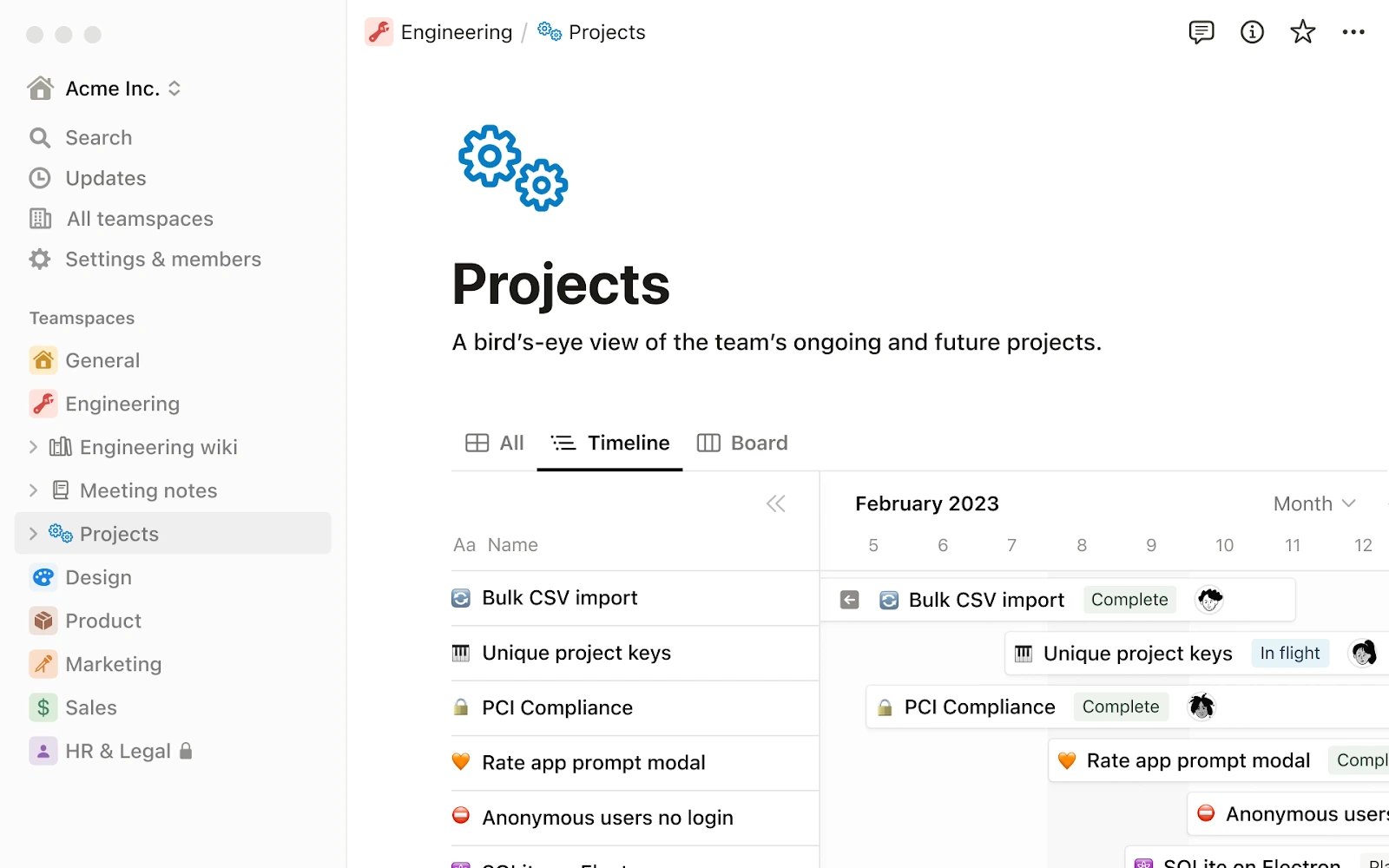
Best for: teams which need a straightforward "base of operations" for storing and organizing company knowledge, documentation and for light weight project management.
Notion may appear as an empty sheet of paper but this is what makes it so versatile as a blank slate - and the reason you can have such simplicity as well, if you begin with a good template. Notion can become the "Company Brain": onboarding documents; standard operating procedures; decision logs; product specifications; meeting minutes; and simple task boards.
Key features
- Docs + wiki pages with rich formatting and internal linking
- Databases (tables/boards/calendars) to organize projects, content, CRM-lite lists
- Templates for meeting notes, roadmaps, onboarding, knowledge bases
- Powerful search across your workspace
Concrete benefits
- One place for context: reduces “what are we doing and why?” confusion
- Great for async teams: decisions and specs live next to tasks and notes
- Flexible without heavy configuration (if you keep it disciplined)
Limitations / watch-outs
- Without naming conventions and ownership, workspaces can become messy over time.
- It’s not a chat-first tool—pair it with Slack or Teams for fast communication.
Ideal for: product teams, ops teams, founders, and anyone building a knowledge-first culture.
Pricing: Free and paid tiers depending on features and scale. Notion's pricing.

3) Slack
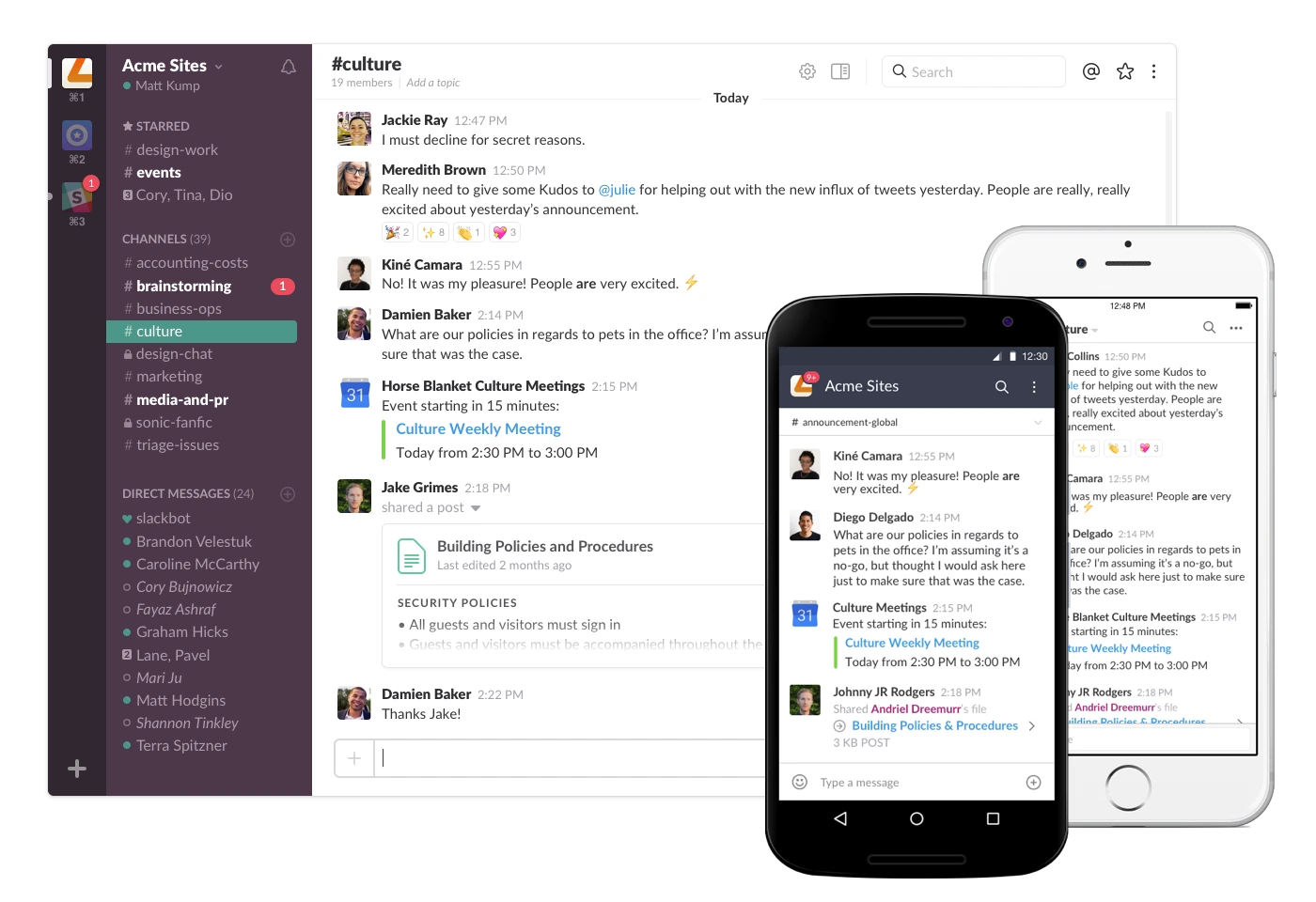
Best for: Teams that need simple and fast communication with great integration options.
Slack is great at being fast when you use it as a communication layer versus an archival system of all things. The fastest use case for slack are quick questions, simple coordination, rapid response to incidents and getting integrations to update the relevant channels.
Key features
- Channels, threads, mentions, and robust search
- Huddles for quick “two-minute calls” without calendar overhead
- Integrations with Google Workspace, Asana, Notion, Zoom, and hundreds more
- Guest access and external collaboration options (depending on plan)
Concrete benefits
- Fewer meetings: many clarifications happen async in threads
- Better responsiveness: the right people get pinged with context
- Automation-friendly: notifications and workflow shortcuts reduce manual follow-ups
Limitations / watch-outs
- Slack can become noisy fast—simplicity depends on channel discipline.
- It’s not a project management tool; it’s best paired with one.
Ideal for: cross-functional teams, support/ops, engineering teams, and fast-moving agencies.
Pricing: Free and paid plans. Slack's pricing.

4) Microsoft Teams

Best for: Organizations that already have Microsoft 365 standardized
Microsoft Teams is generally the easiest solution if you are currently operating within a Microsoft 365 environment. Since all aspects of identity, calendar, file sharing and meetings are integrated into Microsoft 365, it makes Teams an attractive solution to remove any possible integration problems that may occur by selecting a different tool. However, Teams can be somewhat "Enterprise Heavy" for very small teams. But for most businesses, Teams will provide the same functionality as other collaboration platforms and eliminate any potential integration issues since it is their standard platform.
Key features
- Chat + channels + threaded conversations
- Meetings, scheduling, recording options (plan-dependent)
- Microsoft 365 integration (Outlook, OneDrive/SharePoint, Office apps)
- Admin and compliance controls for larger environments
Concrete benefits
- Ecosystem consistency: fewer “two tools for the same thing” conflicts
- Strong for meetings: especially when working with Microsoft-native clients
- Good governance options: useful as you scale
Limitations / watch-outs
- File workflows depend heavily on SharePoint/OneDrive setup—configure it well or it won’t feel simple.
- If your team is Google-native, adoption can feel like swimming upstream.
Ideal for: SMB-to-enterprise teams using Microsoft 365, regulated industries, IT-managed environments.
Pricing: typically part of Microsoft 365 tiers. Microsoft Teams pricing.

5) Asana
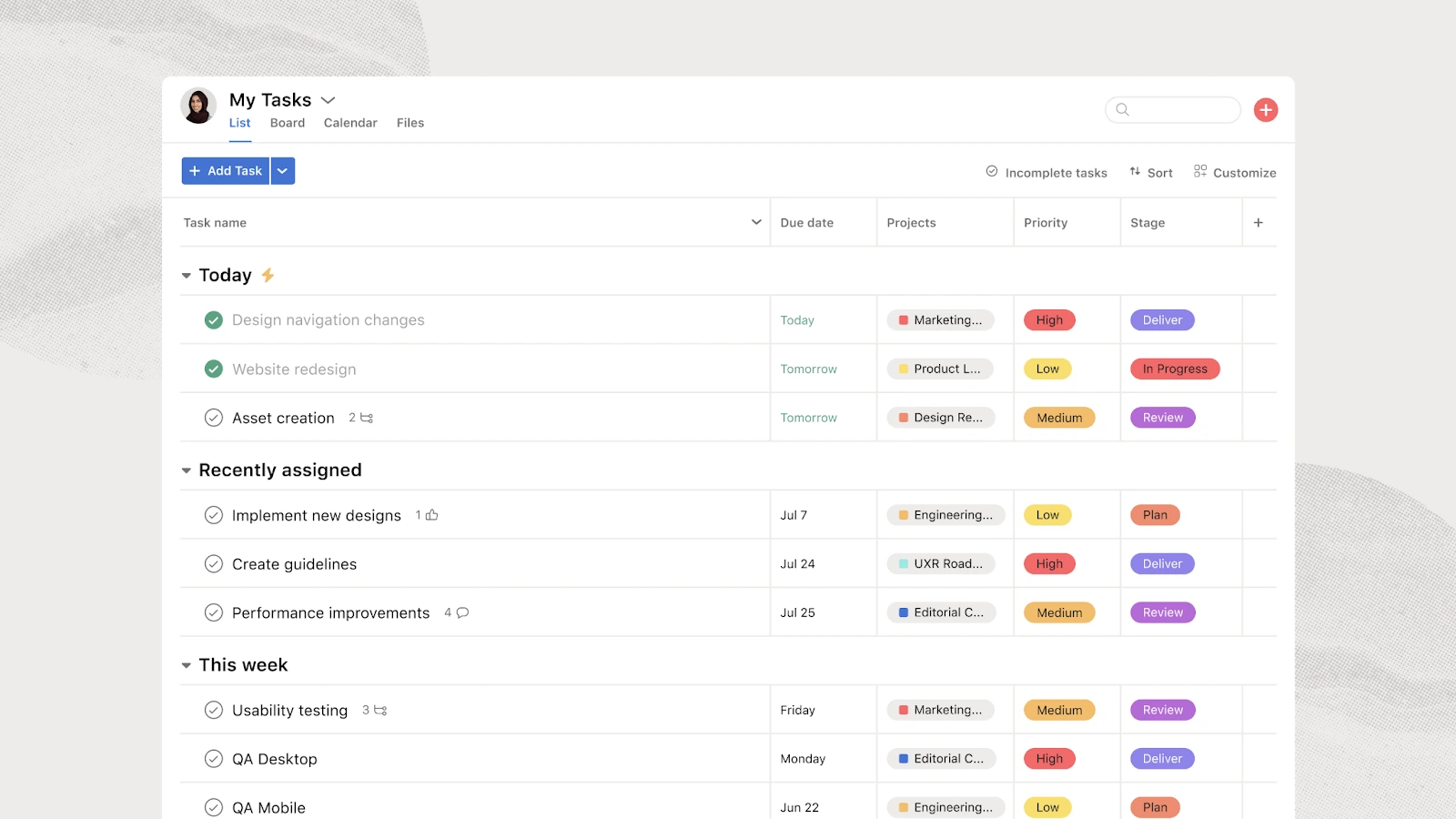
Best for: The right choice for teams that need to understand where things stand (ownership), when they will be completed (deadlines), and how they will get done (execution).
Asana is about creating accountability through collaboration. Teams that experience "we talk a lot, but nothing happens," may find an assignment-based tool like Asana is much simpler to collaborate with as it turns discussions into assignments of specific work to be completed.
Key features
- Tasks with assignees, due dates, dependencies, and status
- List/Board/Timeline views for different working styles
- Project templates for marketing launches, onboarding, and operations
- Integrations with Slack and Google Workspace
Concrete benefits
- Less “who owns this?” ambiguity
- Better handoffs: tasks capture context, not just requests
- Predictable execution: deadlines are visible, not hidden in chat logs
Limitations / watch-outs
- If you over-customize workflows early, it can feel heavier than necessary.
- It complements chat and docs—it doesn’t replace them.
Ideal for: marketing teams, ops teams, agencies managing multiple clients, and any deadline-driven workflow.
Pricing: Free and paid plans. Asana pricing.

6) Zoom

Best for: Simple, reliable external video meetings
While your team may use Slack or Teams, Zoom is often a "Clean Default" for client calls/webinars, as most people are familiar with it and tend to have minimal call set-up friction.
Key features
- Fast meeting creation and joining
- Strong performance across varied networks
- Recording and webinar options (plan-dependent)
Ideal for: sales demos, customer onboarding, training sessions, external collaboration.
Pricing: Zoom pricing.
%201.svg)
7) Miro
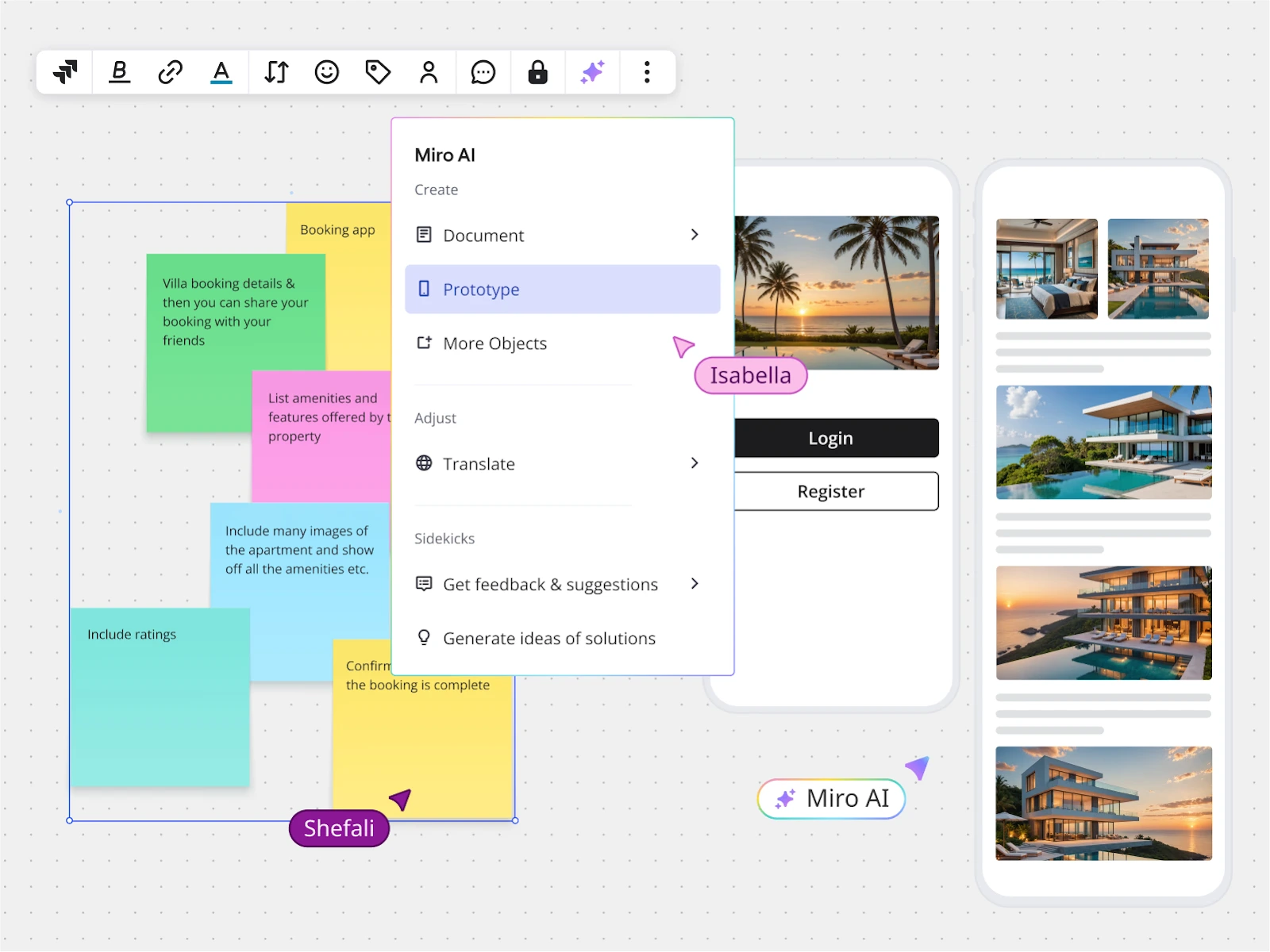
Best for: Visual collaboration that eliminates unorganized whiteboard screenshots and ideas in multiple places
If your team is doing conceptual work—workshops, strategy development, product exploration, etc., then Miro simplifies it by providing you with an infinite visual space where everyone on your team can add their thoughts and ideas without having to use multiple tools.
Key features
- Infinite canvas with templates for workshops, mapping, and brainstorming
- Real-time cursors and commenting
- Easy share links for stakeholders
Ideal for: product teams, UX, agencies, leadership offsites, remote workshops.
Pricing: Miro pricing.

Collaboration tools comparison table (pricing, strengths & best use cases)
Below is a practical snapshot. Replace prices with your current values during publishing (SaaS pricing moves).
How to choose a simple collaboration platform in 2026
Keep communication simple: choose one primary chat tool (and enforce a few rules)
Simplify communication: select one major chat tool (and set a couple of rules). If your desire is to have a simple experience then do not allow the team "to chat anywhere." Select one chat tool as your default for all quick conversations. Most teams will find Slack to be an effective solution as it is easy to work with and easily integrates with most other tools.
Best for this: Slack
Slack’s strength is fast coordination. A clean channel structure can replace a surprising number of meetings, especially when you keep discussions in threads and reserve @mentions for decisions or blockers.
Not the best for this specific need: Notion
Notion is superb for documentation, but it’s not where you want “urgent-but-small” conversations to live. It tends to slow down quick back-and-forth.
Example workflow: use Slack for daily coordination, but when a decision impacts the team, capture it in Notion (decision log page) and link it back in the Slack thread.
Replace meetings with async docs (and decision logs)
Meetings aren’t an issue – it’s unnecessary meetings that are the problem. Some of the best teams I have worked with were "docs first". That means that they all proposed things, documented their specifications and made their decisions in a shared space that allowed people to comment on those documents asynchronously.
Best for this: Google Workspace
Comments, suggestions and Docs create an efficient and clean asynchronous review process. Add a "Decision" section at the top of the Doc and you will greatly reduce the number of follow up meetings.
Less ideal here: Microsoft Teams
Teams is great for meetings; however, when it comes to document flows and how you design your SharePoint structure and permissions it can get confusing.
Example workflow: publish a one-page project brief in Google Docs, request comments within 24 hours, then run a short 15-minute decision meeting only if there are unresolved disagreements.
Make ownership obvious with lightweight task management
The simplest way to stop work from being un-coordinated is to have all actions assigned to a person, have an actionable deadline, and have the definitions for completion clearly defined as part of a task list.
Best for this: Asana
Asana does very well when you want predictable results (execution) across multiple people. The "next step?" becomes apparent without having to go through the entire conversation history in order to determine who needs to do something first.
Less strong on this: Trello
Trello will do for ultra-simplistic boards, but as soon as you need to track dependencies, create reports across projects, or implement more complex workflows, the team will typically grow beyond its capabilities.
Example workflow: after a client call, capture the deliverables in Asana, assign owners, and post the Asana project link in Slack—so questions don’t turn into scattered DMs.
Avoid “two ecosystems”: choose Google or Microsoft early
Don’t "double-up" on two different ecosystems: Choose one of them – either Microsoft or Google – early
The honest truth: Running two ecosystems, Google Workspace and Microsoft 365 at the same time, can create an invisible mess with duplicate documents; permission mismatching; calendar problems; and conflicting meeting links.
Best if you’re Microsoft-native: Microsoft Teams (with Microsoft 365)
If your organization has already transitioned to using Microsoft Office products like Outlook, SharePoint/OneDrive & other office applications, Microsoft Teams is generally the easiest option. These integrations were built together, they weren't added as an afterthought.
Less ideal if Microsoft-native: Google Workspace
Google Workspace is an excellent product, however it's rarely easy when converting to Google Workspace requires: User training; File migration; Document format changes.
To choose pragmatically, ask: Where are your email + calendars today? That’s often the best predictor of which ecosystem will feel effortless.
FAQ: simple collaboration software for teams in 2026
What’s the best collaboration tool for a small team in 2026?
The easiest way to get started as a small team in 2026 is to choose an all-in-one solution (a "suite"). A suite includes everything you will need for team collaboration; i.e. docs, calendar, email, storage, and meetings. Google Workspace is typically the easiest suite for small teams to set up as it integrates docs, calendar, email, storage, and meetings.
When you need more than just collaboration and want to focus on getting things done, then add an execution layer. Add Slack as your communication layer and/or Asana as your execution/accountability layer. Do not add both execution layers unless you have a compelling reason to do so. Typically, I recommend adding no more than two additional layers to your "suite."
Which collaboration platform is the most widely used at work?
"Most used" collaboration platform varies greatly depending upon the organization's industry and geographic location. However, many organizations use either Microsoft Teams or Google Workspace as their primary collaboration ecosystem. Microsoft Teams was reported to be used by over 320 million people each month (Source: Desk365)
Does Microsoft have a collaboration tool for teams?
Yes! Microsoft Teams is Microsoft’s core collaboration product for chat, meetings, and teamwork, and it’s designed to work tightly with Microsoft 365 apps (Outlook, OneDrive/SharePoint, Office).
Is Google collaboration software free?
While Google does offer free consumer-grade collaboration tools (i.e., Docs/Drive using a personal Google account), Google Workspace is Google's business suite of collaboration tools. In addition to collaboration tools, Google Workspace provides an administrative layer for managing access, enforcing security policies, and enabling companies to manage their own domain names. The administrative layer typically becomes the major factor when determining whether the free collaboration tools can be relied upon as a workplace collaboration solution.
Can a team use Google tools instead of Microsoft 365?
Yes! Many teams run solely on Google Workspace. When deciding which collaboration suite is right for your team, consider factors including:
- Document format: Are your teams already working in Office documents, or are they comfortable with Docs-first workflows?
- Client Requirements : Are there specific clients or partners that require certain collaboration solutions?
- Governance and Compliance Expectations : What compliance and governance requirements does your team need to meet?
You can test different collaboration suites with your team by piloting Google Workspace or Microsoft 365 within one department for 2-4 weeks and measure how much friction there is (e.g., opening office files in Google Drive, joining meetings, accessing shared content)
If you're still unsure about which collaboration suite is right for your team, you may find this comparison helpful: Google Workspace vs Microsoft 365.
My simplest collaboration software picks for 2026
In order to create something that’s as simply stated as it is easy to use; i.e., as opposed to being an "ecosystem," or as some would say, "a collection of tools", I could design on a minimalistic and straightforward set of products. In practice, this means choosing tools that disappear into the background once teams understand where work lives and how decisions are made.
So I would have three top-of-the-line collaborative product recommendations:
1) Google Workspace; if your organization is docs-centric (i.e., where your docs and meetings live together in one place) and you are fine with a docs-first culture.
2) Microsoft Teams; if your organization has already committed to using Microsoft 365 and you want everything to exist within the same environment, including your compliance and governance features.
3) Slack; if speed, quality, and frequency of communication are your biggest bottleneck.
And lastly, I would recommend:
4) Notion; if your organization is looking for a more permanent, written history of your organizational knowledge base, and if you're currently struggling to add written contextual information about your work.
5 Asana; if your team is trying to find ways to execute projects more effectively and with less lost productivity.
Final advice based upon experience: First determine your system of record (e.g. documents, tasks, etc.) and then determine your communications layer. Most teams add friction when they reverse this order and try to fix execution problems with more conversation instead of clearer ownership. Once both of these are determined, then collaboration will become a process which is almost boring, in a good way.
For more detail, you can also read our tool reviews here: Slack review and Notion review.
You can also browse our full range of collaboration tools and explore any available discounts.
{{cta-marketplace="/blog-elements"}}