
What CRM is Best for Small Business?

Choosing the best CRM for small business can save time, cut costs, and strengthen client relationships. Explore top options to see which fits your goals.
Choosing the right CRM can transform how you manage customers. Discover which options work best for small businesses.
Implementing a powerful Customer Relationship Management (CRM) system can make a real difference in managing your customer interactions and business growth. Choosing the right CRM is especially critical for small businesses, effective tools help boost productivity, nurture client relationships, and accelerate growth efficiently within tight budget constraints. The right choice can also free up valuable hours each week by automating repetitive tasks, allowing you to focus more on strategy and client engagement rather than administrative work.
In this article, designed especially for SMEs, entrepreneurs, and freelancers, I will detail how to choose the perfect CRM software by examining pricing, intuitive usage, key features, integration capacities, user support, and scalability. You’ll also discover a list of the best small business CRM systems recommended specifically based on real performance insights, alongside practical tips to confidently adopt CRM technologies.
How I've Selected the Best CRM for Small Businesses?
A mindful selection process ensures each tool listed is small-business tested and delivers authentic results.
My analysis included criteria such as:
- Ease-of-use: Practical, intuitive interfaces requiring minimal onboarding.
- Pricing & ROI: Affordable with clear, predictable costs.
- Features & Personalization: Flexible options aligned to common small-business needs.
- Integration Capabilities: Smooth integrations with popular tools (e.g., email providers, productivity suites).
- Security & Compliance: Robust data security & GDPR-friendliness.
- User Testimonials: Verified reviews from actual small-business CRM customers.
This approach ensures the CRMs featured here aren’t just theoretically good but have been proven to work well for small businesses in real scenarios. Now let's explore the hand-picked CRM solutions that excel against these criteria:
Detailed List of the Best CRM Tools For Small Businesses
HubSpot CRM
HubSpot CRM delivers a free, all-in-one solution specifically created to streamline customer relationship workflows for small companies.
Important Features:
- Easy lead management and intuitive dashboard
- Deep integration with marketing automation—HubSpot Suite
- Free base product with scalable add-ons
Advantages:
- Robust and totally free entry-level package
- Superb ease-of-use, ideal for non-technical staff
- Native Gmail / Outlook plug‑ins that let reps work directly from their inbox
- Free API and sandbox give developers room to experiment without extra cost
Limitations:
- Key sales‑automation tools (sequences, playbooks, predictive scoring) locked behind paid tiers
- Strict data‑storage and marketing‑email caps on the free plan push teams to upgrade early
- Per‑seat pricing rises steeply as the sales team grows
- Advanced analytics and forecasting only arrive at Professional tier and above
Pricing: Access detailed HubSpot CRM Pricing plans
Ideal For: Startups and firms experimenting with CRM without initial budgetary commitment.
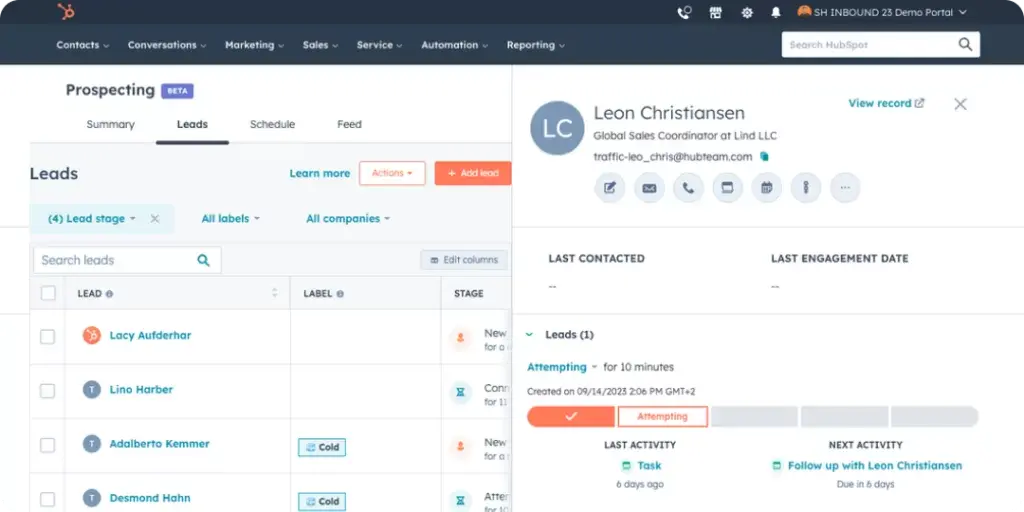
HubSpot CRM provides remarkable value given its powerful yet cost-free package. Personally, I believe it is the perfect springboard for small businesses seeking robust CRM basics, lead nurturing and integrated sales-marketing capabilities right out-of-the-box. Despite increased monetary demands at higher feature sets, it remains unparalleled as a starter CRM.

Salesforce Essentials
Salesforce Essentials adapts enterprise-level features specifically to the needs and budgets of a growing small business.
Important Features:
- Automated sales funnels and accessible customer data management
- Seamless email and productivity tools integrations
- Excellent reporting for accurate performance tracking
Advantages:
- Superior scalability potential compared to competitors
- Lightning-fast customer support and training resources
- Intuitive Lightning interface (desktop & mobile) that shortens the learning curve
- Vast AppExchange marketplace to add niche features without heavy development
Limitations:
- 10‑user cap—must upgrade to grow
- Fewer automation / customisation tools than full Salesforce
- Add‑ons can inflate overall cost
- Setup still complex for very small teams
Pricing: Check detailed Salesforce CRM Pricing
Ideal For: Ambitious small businesses planning substantial future scale-up.
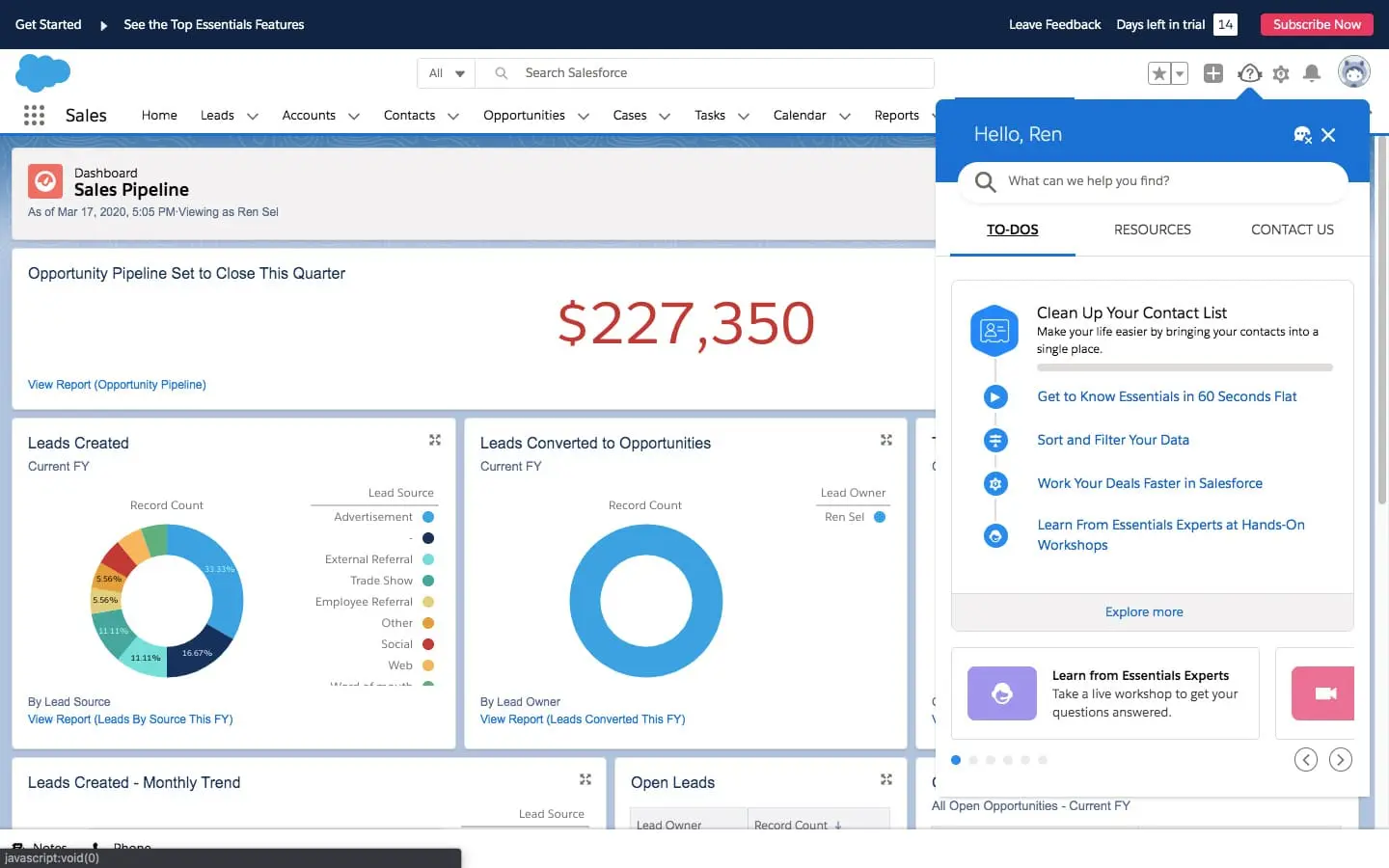
Salesforce remains unbeatable when it comes to scalability and personalization possibilities. Small companies determined to expand aggressively should seriously evaluate it as a top contender, though the initial complexity demands a dedicated onboard training effort.

Zoho CRM
Zoho CRM presents attractive mid-range pricing combined with extensive, practical CRM functionalities suitable for the modern small or midsize business.
Important Features:
- Automation seamlessly tailored for sales, marketing and sales outreach campaigns
- Multiple practical integrations like email clients (Outlook, Gmail) and work tools
- Customization options available from lower-tier subscriptions
Advantages:
- Competitive, transparent pricing and easily understandable pricing scale.
- Convenient scalability and load handling even at lower subscription plans.
Limitations:
- Given the range of features and customisation considered possible, new users can sometimes feel overwhelmed, and in some cases it requires time or technical ability to get set up correctly.
- Some advanced options like Google Ads integration, Zia AI, and some marketplace extensions are only available on more expensive subscription tiers or as paid extras, which means the overall spend can quickly become high.
- The free edition supports just three users and offers modest storage and email quotas, which can constrain expanding teams.
Pricing: Explore details on Zoho CRM Pricing
Ideal For: Cost-conscious SMEs requiring professional CRM services at a reasonable price.
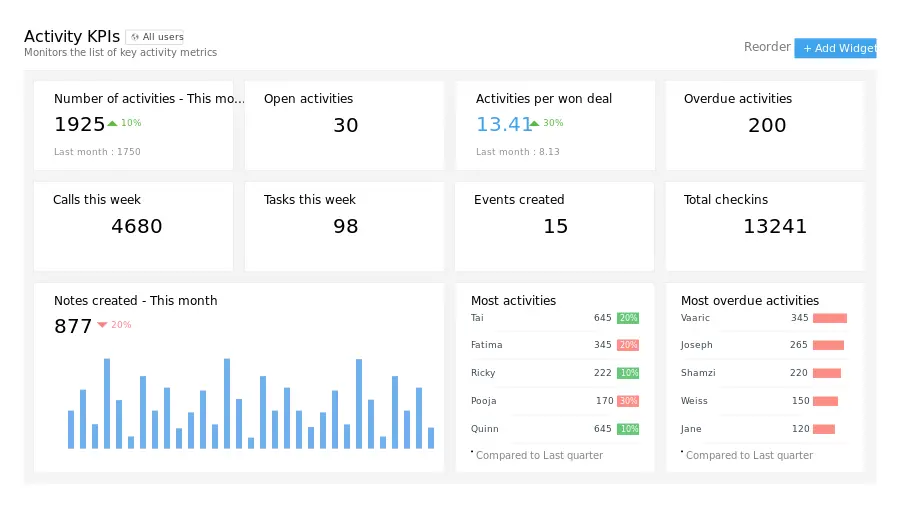
Zoho matches high-value features against attractive price metrics. Personally, I admire Zoho's ability to scale and adapt smoothly as the business grows. Though occasionally slower customer service responses could frustrate instantaneous-resolution-minded entrepreneurs, it is undeniably great value overall.

Freshsales (Freshworks CRM)
Focusing specifically on maximum flexibility and user accessibility, this CRM solution combines affordability and rich toolkits.
Major features:
- Freddy AI includes predictive lead scoring, deal-insight tags and revenue forecasts on every paid tier.
- Native VoIP calling, email tracking and SMS/WhatsApp sync maintain the same timeline to keep every conversation aligned.
- 24/7 AI chatbots plus web forms record and pre-qualify leads directly into the CRM.
- Drag-and-drop Kanban pipelines (MULTIPLE pipelines from Pro onwards) with list segmentation makes it easy to filter leads quickly.
Pros:
- Free for three users, only US$9 per user/month on the Growth plan, one of the lowest entry prices of any mainstream CRMs.
- Oh, and it automatically logs all calls, emails and chats on the multichannel log; you can eliminate both manual data entry and tool-switching!
- Freddy AI predictive insights are bundled, meaning there are no additional costs to unlock core AI features.
- The Growth tier allows unlimited contacts meaning your database can grow, without requiring an expensive upgrade evasive action or additional contacts payment.
Cons:
- Deep customization (e.g. custom modules, territory management, workflow approvals) is limited to Enterprise plan only.
- Customer support is 24 x 5 meaning global teams may miss some weekends.
- Integrated telephony is limited to acknowledge call routing (extra costs once included call/chatbot credits reach zero) and chatbot routing.
- Free edition has no integrations with third parties; you will need at least a Growth plan upgrade to connect your Gmail, Slack, or accounting tools.
Pricing: Choose the best plan on Freshworks pricing page
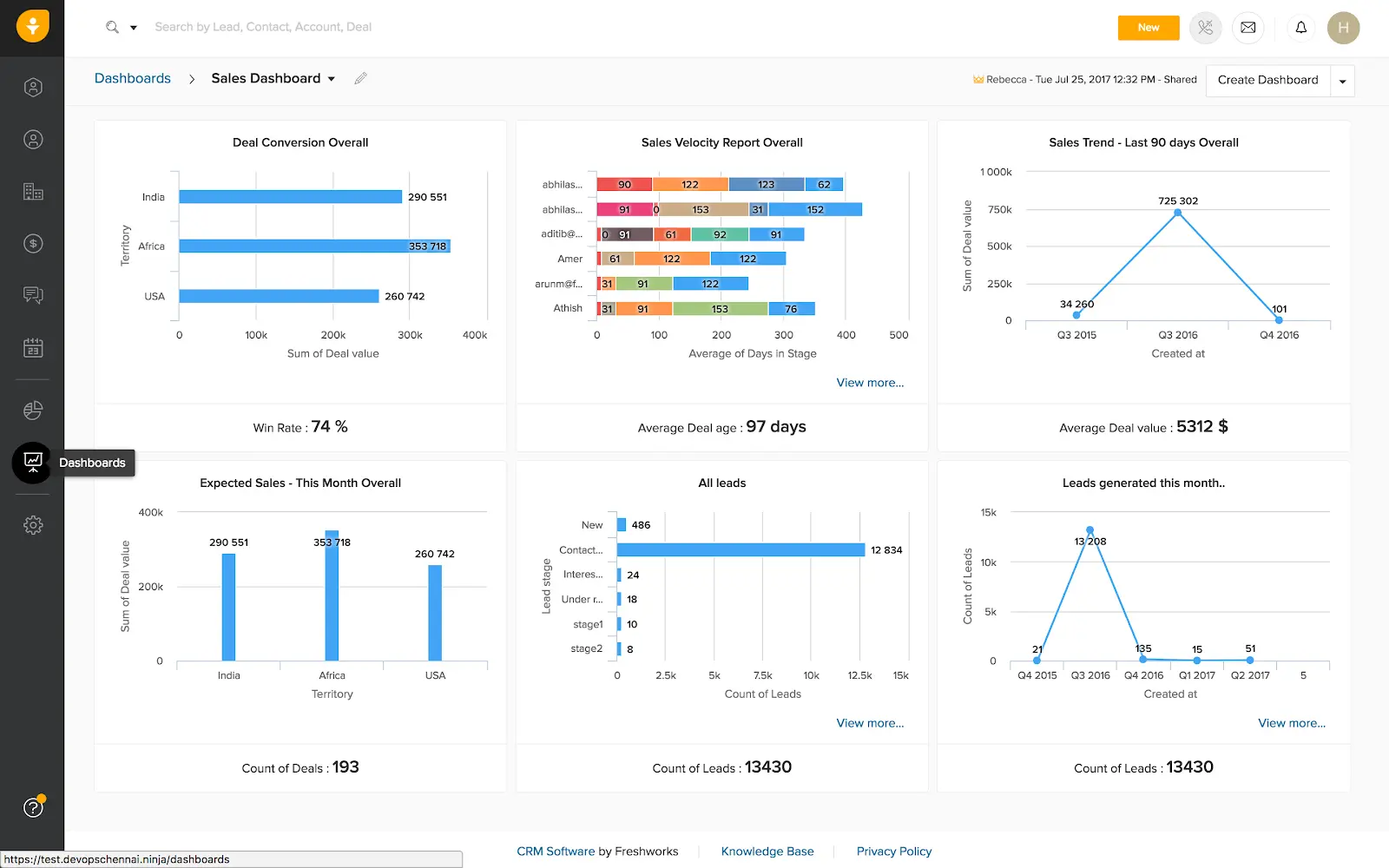
Freshsales offers an extremely affordable entry point to modern CRM: AI insights and multichannel logging are built in from the first paid plan, and they speed up prospecting without raising the price. But if your team needs deep customization or 24/7 support, you'll want to prepare for the higher plans.

Pipedrive
Pipedrive puts extreme simplicity and overall sales efficiency at the forefront, perfect for small company sales teams that depend heavily on clear visuals and time-saving automation.
Features:
- Unlimited drag-and-drop visual pipelines provide teams a quick and easy way to see all deals.
- A no-code workflow builder with ~40 templates automates follow-ups, task assignments, and stage changes.
- Two-way email sync (with tracking, templates, and built-in calendar) is available at the Advanced tier.
- An AI-powered Sales Assistant predicts win probability and flags which actions are impactful.
Pros:
- The ultra-intuitive interface lets reps onboard in minutes.
- Unlimited pipelines in all plans means no limits to growth.
- The base price starts at $24 per user/month, with all other tiers increasing linearly.
- native integrations (Slack, Xero, Zapier, Mailchimp, etc.) cover nearly every sales stack.
Cons:
- No permanent free plan, but it does have a 14-day free trial.
- No built-in marketing automation; external paid tool or add-on required.
- Advanced reporting, email sync, and other key features are behind higher tier plans.
- Optional paid modules such as Lead Boostr and Campaigns add up quickly.
Ideal for:
- Small and midsize sales teams that want a highly visual, pipeline‑centric CRM without heavy IT overhead.
- Organisations that need fast onboarding and rich integrations while keeping upfront costs predictable.
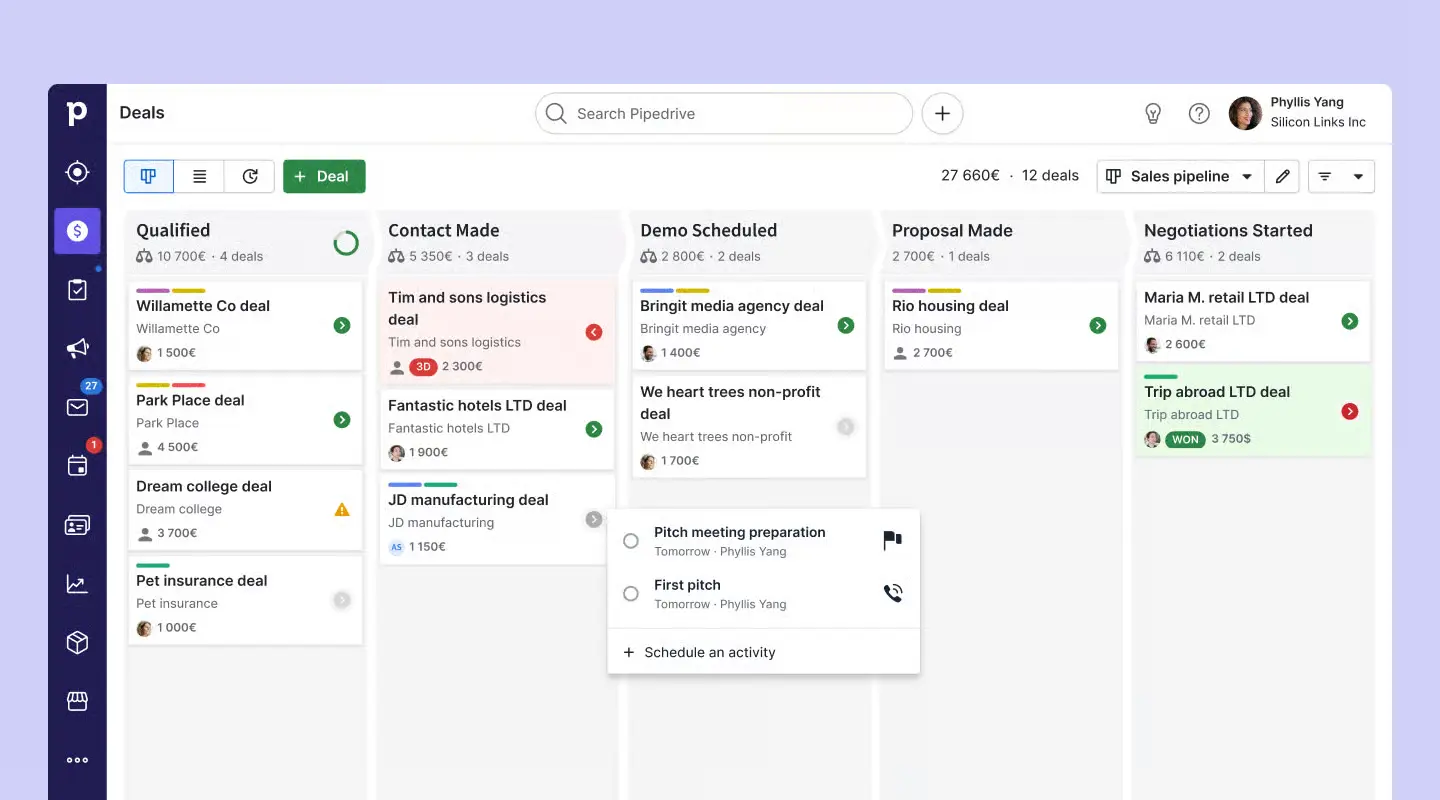
Pipedrive is a simplistic CRM with a focus on selling. We love it for displaying the visual pipelines and its usability: it is an excellent option for lean teams that excel in deal clarity and automation, but growing businesses may find it worth spending on add-ons or higher tiers to fully reap its benefits.

Alternative Tools to Consider
Aside from core CRM suggestions, additional niche-focused alternatives might intrigue some small businesses.
- Insightly: Combines traditional CRM activities with exceptional team project management.
- Streak CRM: Best integrated with Gmail suite, offering unique CRM takes such as email inbox-driven lead tracking.
CRM Comparison Table For Small Businesses
Practical Recommendations for CRM Adoption by Small Businesses
To help ensure a successful launch of a CRM solution in your little business, we will focus on these criteria which directly affect your day to day business. Here is a complete list of advice from my experience:
Ease of Use & Rapid Onboarding
Ease of use is vital the first time you pick a CRM. If it is complex, you could overwhelm your team, especially if they have never been responsible for sales and client relationships in a sales tracking system such as a CRM before.
If ease of use and rapid onboarding is what you are looking for, I firmly recommend HubSpot:
- Exceptionally intuitive user interface with no steep learning curve to start.
- Fastest possible onboarding, allowing your team to become fully operational within hours, not weeks.
- Perfect starter solution, enabling quick familiarity with CRM dynamics.
Some solutions such as Salesforce Essentials require more patience and training initially. Because of the initial complexity and customizations, you also must be willing to devote time and enable reliance from your team on their CRM. So make sure to plan accordingly.
Consider you are a small consultancy that wants to switch from tracking manually (spreadsheets, email conversations) to a CRM after clients receive a contract. HubSpot CRM can make this transition nearly seamless, in a few hours of the previous day.
ROI Performance & Pricing Flexibility
Small businesses are often price-sensitive, so it’s critical to seek exceptional value that delivers real return on investment (ROI) without heavy upfront costs or opaque pricing structures.
For best price-to-value balance, I strongly advise focusing on Zoho CRM:
- Clear, affordable, and predictable pricing plans tailored specifically for small business realities.
- Exceptional flexibility allows you to scale features progressively as your budget and requirements allow.
- Includes a comprehensive toolkit at each price-point ensuring no critical business activities get neglected.
Tools such as Freshworks CRM may feature transparent entry-level pricing, yet they often limit customization and important advanced capabilities at lower-priced options, potentially diminishing your ROI long-term.
If you're a small online retail business with a very defined CRM budget, Zoho CRM allows affordable experimentation, while comfortably scaling upwards as operations (and profits) grow.
Scalability & Long-term Feature Extension Capabilities
If you envision significant future business expansion, you'll need a CRM solution capable of long-term growth. Choosing otherwise could cause bottlenecks down the line as your requirements become more sophisticated.
Hands-down, I suggest you consider Salesforce Essentials for assured robust growth capability:
- Immense scalability, well-suited for ambitious small companies and startups repeatedly evolving and adapting rapidly.
- Countless integrations, extensions, and advanced automation processes designed to support your business as it grows over the long term.
However, lightweight solutions like Pipedrive CRM, despite being superb for small team day-to-day sales needs, may reach cost or feature ceilings once your requirements expand, forcing an uncomfortable platform switch later on. If you’re already sensing that risk, take a look at my guide to Pipedrive alternatives for a clearer view of what else scales better over time.
Example of a scenario: You are currently operating a boutique agency with 2 or 3 employees, but you confidently plan to grow to more than a dozen. Salesforce Essentials will flexibly amplify alongside your expansion strategy, whereas simpler-focused tools could feel limiting and frustrating at scale.
In the end, align your CRM solution tightly with realistic long-term operational forecasts, immediate budget flexibility, and ease-of-adoption factors for confident, clear decision making.
FAQ About Small Business CRM Tools
What factors should small businesses consider when choosing CRM systems?
Consider ease of implementation, affordability, integrations and practical features tailored towards SMB operations.
Are Free CRMs truly suitable for small businesses?
Tools like HubSpot CRM provide robust enough features completely free of charge for startup-level CRM deployment tests and exploration.
Should a small business use a CRM?
Yes, improved contact relationships, organized leads, workflow efficiency directly contribute towards growth.
Which CRM is simplest to use?
HubSpot and Pipedrive are among the simplest offerings, crafted specifically with maximum ease of access.
In short, small businesses should look for a CRM that’s easy to adopt, fits the budget, and connects seamlessly with the tools they already use.
Conclusion & Final Recommendation
Choosing to adopt a CRM is a significant strategic decision that will impact customer management, productivity, and proactive selling processes. Personally, I've gotten amazing results with 'beginner' solopreneurs adopting HubSpot CRM quickly, and with little to no risk. For businesses that are committed and going 'all-in,' and need to scale fast, I would suggest forward-investing in Salesforce Essentials, despite onboarding initial efforts. HubSpot will have a smoother learning curve, while Salesforce will give the depth and customization required from a CRM that can support complex sales processes with a variety of teams. If you can take the time to map out your workflow and future needs ahead of making a decision, you can avoid making costly transitions down the road.
We encourage you to continue reading our in-depth review of HubSpot CRM; as well, our article on Salesforce Essentials Insights to make sure you are aligned with your specific needs and growth areas—you'll be able to make an informed decision!
{{cta-marketplace="/blog-elements"}}