
CRM Pricing and Software Guide for 2025

Choosing the right CRM in 2025 goes beyond picking features; it’s about understanding pricing models, hidden costs, and long-term value.
Understand how CRM pricing works in 2025 and find the software that delivers real value for your business
By 2025, Customer Relationship Management (CRM) systems are expected to shift from a “nice-to-have” to an essential tool for organizations serious about customer focus and operational excellence. At their core, CRMs are more or less the engines of efficient sales cycles, unhindered marketing outreach, and targeted customer care across your globe. But with this exploding demand, the features and price points have diversified, leaving prospects guessing about which option delivers true ROI.
There’s a simple version of this reality: while many teams can begin on generous free plans, it is not uncommon for many teams to unlock tactical insight and competitive advantage by ultimately purchasing and using SaaS in paid tiers. These are not trivial choices and any failure to accurately assess needs here will only lead to more complex operating models and potentially higher expenses. Put simply, only serious SMBs scaling workflows, enterprise sales forces unable to tolerate outages, or startups that can go all in on professionalizing entire migration strategies could be described as "free" CRM customers. When you make the best choice, a CRM can be an actual lever for profit or growth.
The case for urgency is increasingly evidenced: with global CRM revenue predicted to exceed $80 billion by 2025 (Gartner), my aim in this guide is to cut through some pricing confusion, establish how leading CRMs effectively compare against one another and ultimately provide a measure of reciprocity to help readers identify criteria and purchase wisely - no pressure, operational headaches, or buyer's remorse. Taking the time now to compare options carefully can save months of disruption later, especially if your CRM becomes the backbone for every sales, marketing, and customer service process you run.
What Really Drives CRM Pricing?
Why do two CRMs, both promising to revolutionize your pipeline, quote such different rates? Frankly, each price tag hides a stack of variables:
- User count: CRM platforms almost universally charge per user per month. A small team can skate by affordably, but bring in your whole salesforce and the math changes, fast.
- Core vs. premium features: Most solutions offer tiered plans: basic tiers may only suit elementary contact management, while sophisticated sales automation or granular analytics are unlocked at costlier levels.
- Data volume and API usage: Teams working with large datasets or heavy integrations (think: e-commerce syncing or real-time lead assignment) often hit usage caps, triggering overage costs.
- Integrations and extensibility: Connecting your CRM to marketing automation, accounting, or support tools is essential for modern workflows, but seamless integrations typically reside behind a paywall.
- Support quality: Basic email support is standard; 24/7 live chat, dedicated success managers, or consultative onboarding command serious premiums.
- Billing cadence: Committing annually can shave 10%–30% off your effective rate compared to paying month-to-month, but it does lock you in.
- Flexibility & roles: Advanced permissions for multi-branch teams serve large orgs but elevate costs accordingly.
Pricing isn’t arbitrary, it’s a mirror of true business needs. Clarify yours and you’ll see where spending is fuel and where it’s just friction.
The CRM Pricing Models You’ll Encounter
Vendors have gotten creative. Here’s what you’ll spot while comparing platforms:
Always consult the vendor’s own CRM pricing comparison tables and run scenarios tailored to your actual user and feature needs before signing up. It’s painfully easy to underestimate your required capacity and get stuck with costly add-ons or surprise overages.
What to Really Weigh When Choosing Your CRM
Forget the feature fluff for a moment, what matters in everyday business reality?
- Scalability and user management: Will this platform absorb your growth, or choke at scale?
- Breadth and depth of integrations: Does it mesh with your essential software, or will your stack become a patchwork of dodgy hacks?
- Workflow automation: Can the CRM complete sales, assign leads, or send follow-ups without manual action at every turn?
- Reporting and intelligence: Do its dashboards tell you something actionable, or just display vanity stats?
- Data liberation: Vendor lock-in is real, ensure easy imports/exports and robust backups.
- Mobile and accessibility: Out-in-the-field sales reps need a responsive app, not a desktop-only dinosaur.
- Onboarding/implementation :Ask “Will my team actually use this?” Request onboarding sessions, not just documentation.
- Security & compliance: GDPR, SOC2, role-based controls, you know the drill.
Don’t buy blind. Pilot your short-list with real data and real users. Surface usability issues and integration snags before you sign any annual agreement.
CRM Software Comparison Table: Top Picks for 2025
Here’s how to read the prices on the table below: the Monthly / user figure represents the vendor’s price, and thus, the cost if you pay month‑to‑month for the first paid tier above the free plan, while the Annual / user figure represents the cost of the same tier, pre‑paid for twelve months in advance, with any annual discounts (usually 10 %‑25 %) already applied. Bitrix24 is slightly different because its “Basic” plan is priced per organization (up to five users) rather than per seat, so you will only see an amount that is representative of the five‑user pack.
All prices are in U.S. dollars and do not include any local taxes or temporary offers. Prices change frequently, so you must always verify the current price on each SaaS’s pricing page before processing any sale.
Which CRM Features Really Drive Up the Price?
Advanced Sales Automation
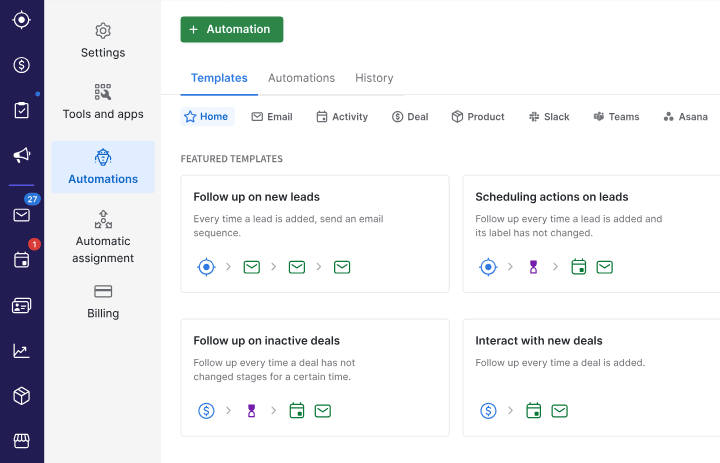
Let’s not kid ourselves: not every CRM is going to replace hours of sales admin with automated features overnight. Top notch sales automation can. Pipedrive stands out, especially with the ability to have dynamic deal routing, auto-scheduling, triggered multi-step drip campaigns based on movement in a sales pipeline, and to be able to allow reps to keep selling instead of spending countless hours on spreadsheets. A recent client reduced manual sales admin by as much as 40%, and hopes to get rid of any “drop dead” points by adding automation in their sales processes.

Deep Marketing Integration
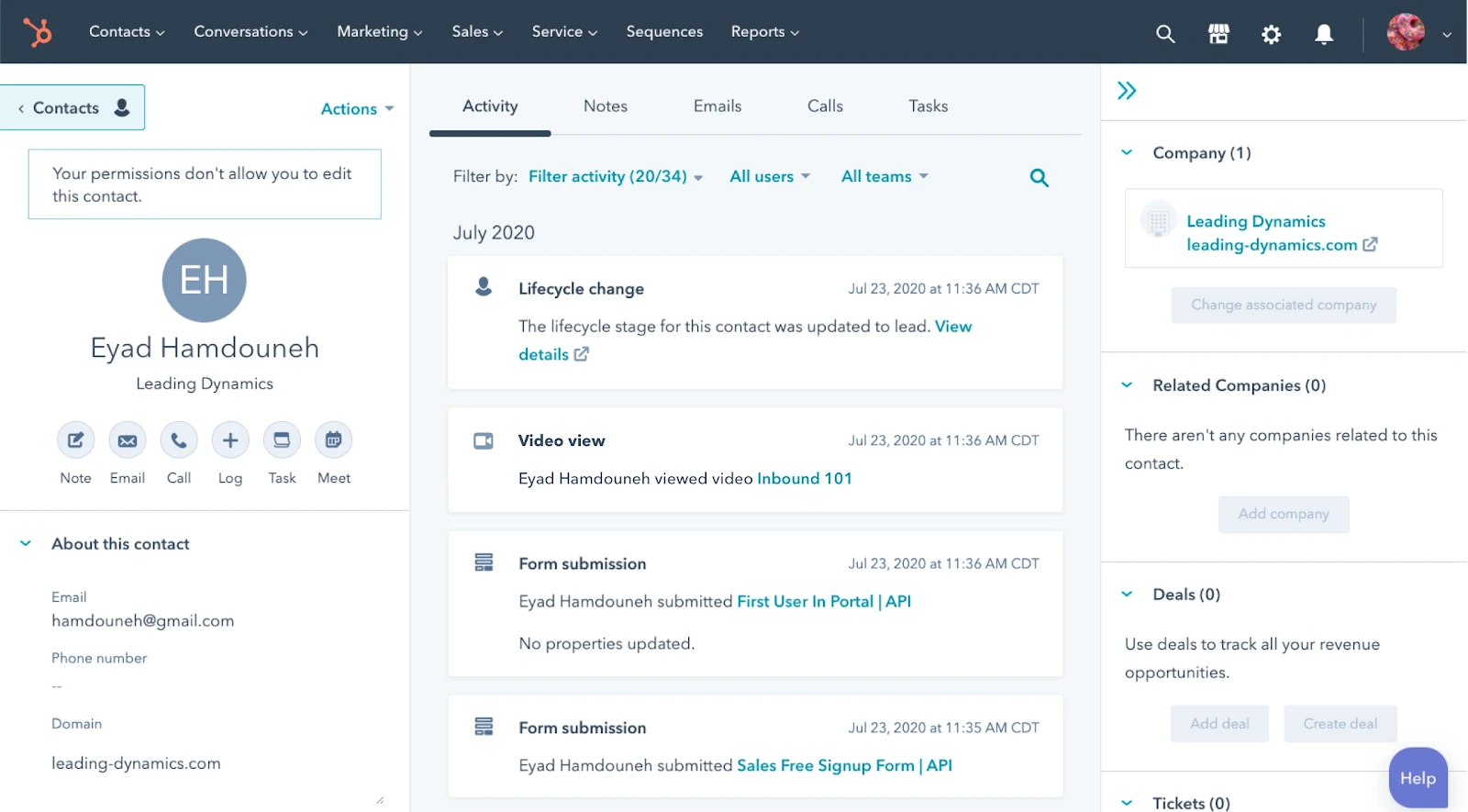
The ability for marketing teams to fully collaborate on the entire marketing/sales funnel isn’t just a “nice to have” for modern go-to-market organizations - it’s critical. HubSpot CRM has reigned as king by intermingling emails, websites, ads, and analytics in one clearly visible ecosystem. For marketing teams that have been managing a Data Frankenstein, Hubspot CRM is a game changer. Its seamless syncing and integrations bring marketing and sales into a lockstep, protecting both your sanity and your budget.

Custom Analytics & Reporting
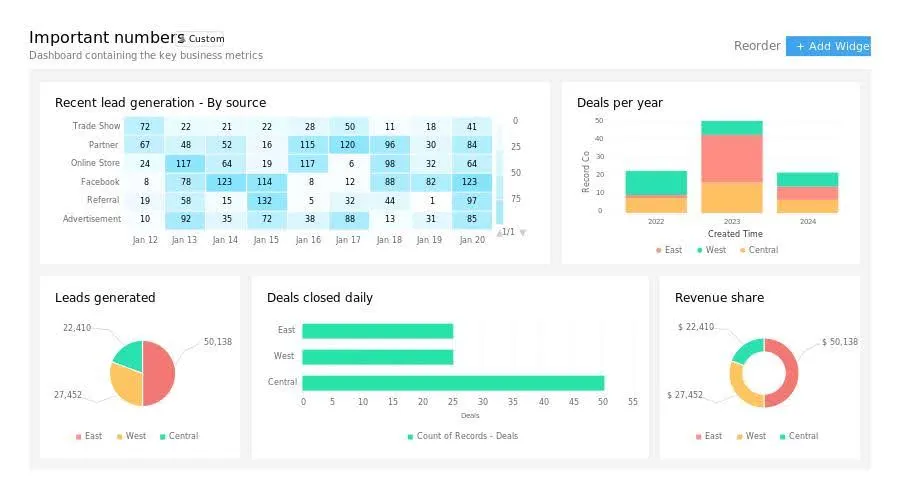
Visibility is power - canned reporting is just noise. Zoho CRM delivers in this area by advocating for a more granular segmentation, filters, and predictive modeling that can alter your sales process immeasurably. For companies managing multiple customer types (B2B+retail) this sort of analytical metric isn’t just a “nice to have”, it’s potentially a matter of existing in the near future.

AI-Powered Lead Scoring
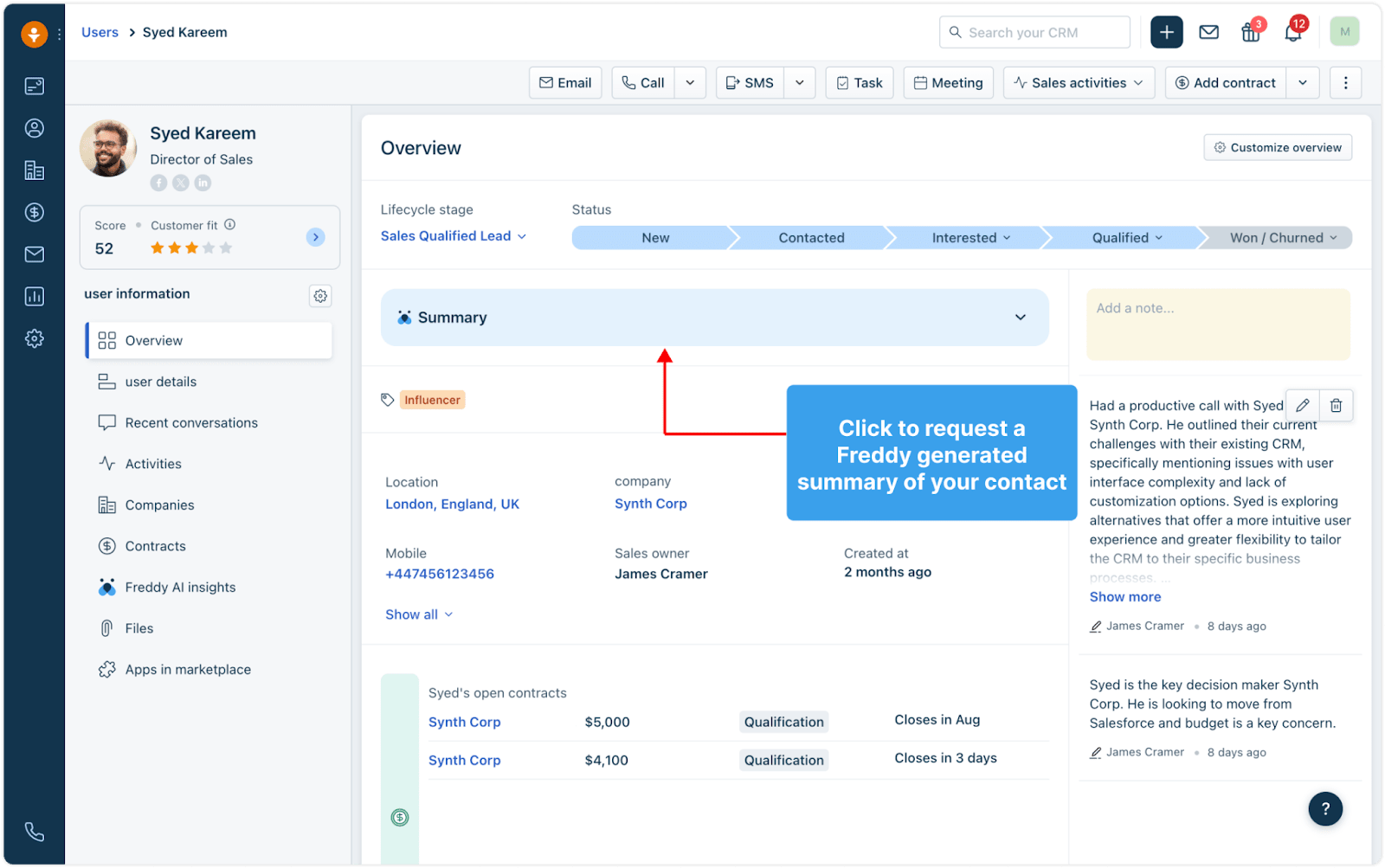
Determining which leads are worth pursuit should not consist of guesswork. AI-enabled CRMs like Freshsales examine engagement, previous conversions, and channel behaviors to unearth the hidden treasure. One SaaS company saw a 30% lift in the amount of closed deals tied to AI promises, allowing sales reps to spend more time pursuing the right people instead of just the easy leads.

Tactics for Keeping CRM Costs Under Control
To keep CRM costs under control, start by auditing your actual usage so you’re not paying premium rates for dormant accounts or unused modules. Take full advantage of free tiers or extended trials and stress‑test features in real‑world conditions rather than demo sandboxes. Once the honeymoon phase has passed and you know the platform is a good fit, negotiate for annual pricing. Vendors are far more flexible when longer commitments are on the table. Stay alert for hidden extras such as support upgrades, additional API requests, or expanded storage that often lurk beyond the public pricing page. Whenever possible, consolidate overlapping SaaS tools; a CRM that replaces both your helpdesk and email platform can be a net cost saver.
Classic Mistakes That Sink CRM ROI
CRM ROI often plummets when companies lock themselves into long‑term contracts before validating real adoption, without running a pilot first. Overlooking onboarding and integration expenses can also turn seemingly inexpensive SaaS into an unexpected budget drain. Choosing the most bare‑bones plan may feel prudent, but hitting feature walls just as your team gains momentum stalls growth and adds costs. Finally, never underestimate the financial and operational pain of switching platforms later; misjudging that hurdle can wipe out any early savings you thought you’d secured.
CRM FAQs for 2025
How much should I budget for a CRM in 2025?
Expect $15–$50 per user per month for most professional-grade tools on annual plans, plus extras depending on storage, integrations, or enterprise support.
What’s usually included in a standard CRM subscription?
Contact and deal management, templates, basic analytics, some automation, and standard email support. Advanced features, like AI, deep integrations, or phone support, require higher tiers.
Why do prices jump so much for some CRMs?
It’s about scale, flexibility, and customizability. Enterprise plans fund robust APIs, infinite integrations, and guarantees of uptime or dedicated support.
Can a small team truly run on a free CRM?
Absolutely, especially if workflows are simple. HubSpot CRM, Zoho CRM, and Bitrix24 all offer robust free versions perfect for piloting your workflow. For an up-to-date list, bookmark our guide to free CRM offers.
Annual or monthly billing, what’s smarter?
Annual is cheaper per user (by up to 25%), but only go annual once you know the platform will truly work for the long haul. Trial first, commit later.
Final Thoughts – The Right CRM Choice is Your Secret Growth Weapon
In my opinion, the best CRM is not the flashiest or the cheapest, but rather the CRM that your business is actually going to use that will grow with you and that will produce business results, not just boxes checked. For scrappy founders a good free tier can get you to a positive early growth explosion. For scaling teams spending on automation and analytics is worth every dollar. Consider how your team will actually use the tool on a day-to-day basis. A fully featured CRM that your team doesn’t adopt - or it takes months to onboard - can become more of a millstone than a measure of benefit.
Do your due diligence: trial, negotiate, and look for the best CRM discounts and deals before signing. If you are looking to build a starting point or be able to benchmark your options, I recommend following our CRM offerings page or some other reputable comparisons, like Tech.co’s CRM pricing comparison. And don’t forget, the "right" choice today does not have to remain your "right" choice for all time. Most businesses will see a shift in their CRM needs every 18 to 24 months, so creating some wiggle room within your criterion will be beneficial in freeing you from a costly and painful migration later on.
Choose boldly, your next stage of growth may depend on it.
{{cta-marketplace="/blog-elements"}}