
The 5 Best Free Website Builders for Beginners

Building your first website doesn’t have to be costly or complicated. Free website builders give beginners easy drag-and-drop tools, templates, and hosting to get online fast.
Create a professional-looking site without spending money or learning to code. This guide shows you the best free options for beginners.
Starting any kind of website building process can both be exciting and overwhelming if you're a beginner or lack a technical background. Free website builders may be helpful to get past that initial hurdle. Primarily aimed at beginners, solopreneurs, small business startups, and hobbyists, free website builders are another way to have a digital presence, no coding or design experience is necessary.
When selecting the best free website builder, consider user-friendliness, design flexibility, and future-proofing, as these are important factors in the decision. Recent research shows a clear upward trend toward easy-to-build website tools, with potentially far-reaching implications that they have gained critical mass acceptance at least at some level. This growing adoption is also driving innovation, with more platforms offering features like e-commerce integration and SEO tools. For beginners, this means the gap between free and paid options is narrowing, giving you more room to experiment and grow without immediate financial pressure.
How We Assembled the Best Free Website Builders for Beginners
Determining which free website builders to include here came down to comparing many feature sets that are meant for beginners, without a technical background. The process of evaluation concluded with the following criteria:
- User-friendliness: Critical for total beginners with no coding possibilities.
- Free version features: Think about things like storage allowed, maximum pages created, maximum elements created, and maximum themes.
- Support Networks: Do they have simple and clear tutorials or support documentation for the frustrated first-time user?
- Integration Capabilities: Does the free website offer the user an opportunity to connect their free site to third-party apps or social media platforms to escalate their digital presence?
- User Reviews: Presented by our JoinSecret community, so you know you're making decisions based on real user input. Every criteria represents what virtually every beginner will expect, soon to help determine a boost for their online projects to a level of comfort and confidence.
We focused on free website builders that are beginner-friendly, offer useful features without hidden barriers, and come recommended by real users.
A Comprehensive Review of the 5 Best Free Website Builders for Beginners
1. Wix
Of all the website builders, Wix is perhaps best known for their crazy number of good looking templates that span many types of websites and content formats.
- Brief Overview: You can use it for almost anything from blogs, to business.
- Key Free Features: TONS of templates, plenty of storage space, and a good amount of design flexibility.
- Who is it most relevant to?: Freelancers, entrepreneurs, and creatives like filmmakers, visual artists, and videographers
- Pros: Very flexible and a drag- drop interface- no learning curve!
- Cons: The free version will be branded with Wix. Upgrading to the premium version includes features to use eCommerce features (with a custom domain)
- Pricing: See Wix's pricing page.
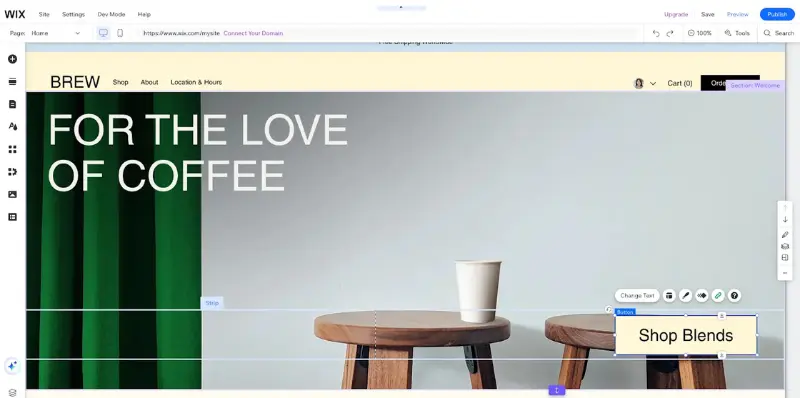
Wix is a flexible builder with a huge selection of templates, making it a good fit for creatives and freelancers. The free version carries Wix branding, but upgrading unlocks eCommerce tools and a custom domain.

2. Google Sites
Google Sites is an option to quickly and easily create a very basic site and the process is very simple.
- Brief Overview: Excellent for groups, collaborative project sites and personal portfolios (for school or for personal).
- Key Free Features: Integrate all of your other google applications like docs and sheets into your site.
- Who is it most relevant to?: People that want to integrate their documents and sheets into their site.
- Pros: Editing your site is so similar to editing in Google Workspace or apps, that there is essentially NO thought involved as you build it; everything flows.
- Cons: You have less ability to customize versus the other builders. Premium versions and applications can make it a more attractive user experience.
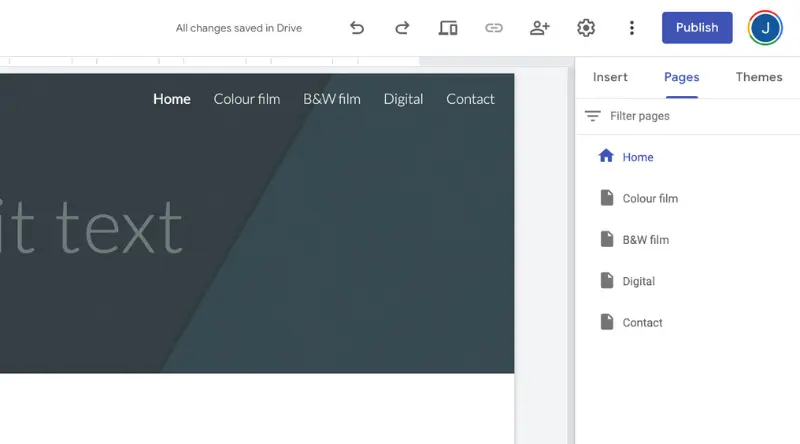
Google Sites works best for quick, simple projects where collaboration and document sharing matter more than design. It’s easy to use, though customization is limited compared to other builders.
3.WordPress
WordPress powers millions of websites and blogs that are hosted around the globe, making it one of the most widely used platforms for publishing content online.
- Brief Summary: Mostly used for heavy content and blogging sites.
- Key Free Features: Basic hosting and many powerful themes to choose from.
- Best For: Best for bloggers that would use the monetization opportunities and WordPress network.
- Pros: Many popular blogging tools and support options in the network.
- Cons: Free hosting will have WordPress ads. Premium versions will include SEO tools, extra storage, and more design possibilities.
- Pricing: Check Wordpress's pricing page
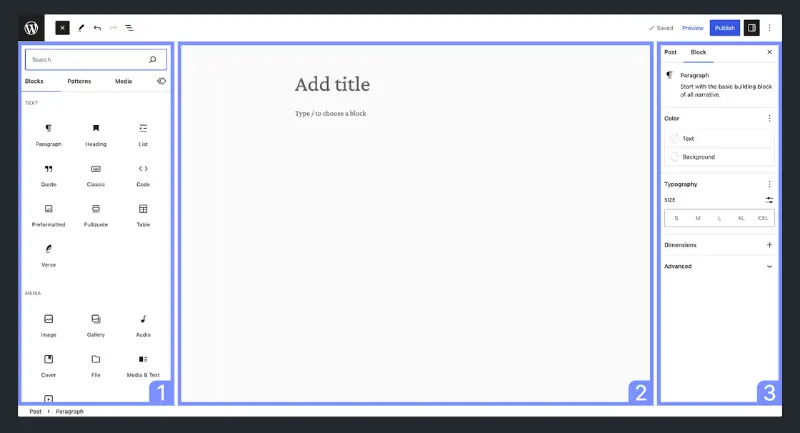
WordPress is built for blogs and content-heavy sites, offering strong publishing tools and community support. The free plan has ads, but paid options expand design and SEO features.

4.Site123
Site123 focuses on making it easy to create a working website without unnecessary complexity.
- Brief Summary: Good for getting up and running with a web presence quickly.
- Key Free Features: Mobile-responsive design options for the site.
- Best For: Best suited for small projects or simple announcement pages that don’t require frequent updates.
- Pros: Fast to launch using pre-designed templates and an intuitive editor.
- Cons: Upgrading unlocks additional features and removes the platform’s branding logo.
- Pricing: Check the premium plan on Site123's pricing page
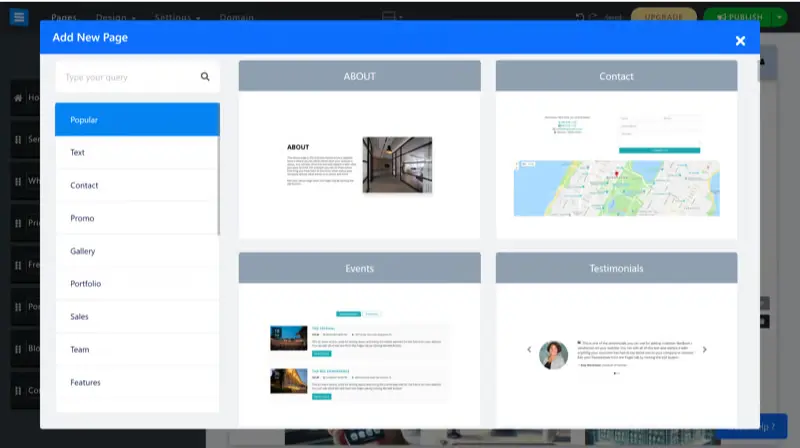
Site123 makes it easy to launch a basic, mobile-ready site quickly. It’s great for smaller projects, though the free plan includes platform branding that upgrading removes.
5. Webflow
- Brief Overview: A powerful visual “no‑code” builder with true design control and a built‑in CMS—ideal for polished, animated, highly customized sites.
- Key Free Features: Full access to the designer, hosting on a .webflow.io subdomain, a limited number of projects, and a basic CMS (with collection limits).
- Who is it most relevant to?: Designers, freelancers, and agencies wanting fine‑grained layout/interaction control plus a flexible CMS, minus heavy front‑end coding.
- Pros: Exceptional design freedom, native animations/interactions, clean exportable code, pro workflow (staging, backups).
- Cons: Steeper learning curve than Wix/Google Sites/SITE123, no custom domain on the free plan, CMS/project limits hit quickly, and premium hosting is pricier.
- Pricing: See Webflow’s pricing page.
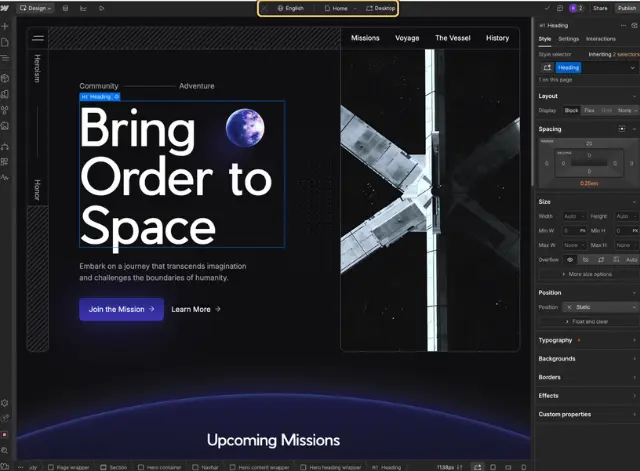
Webflow appeals to designers and agencies who want detailed control and advanced features. It takes longer to learn, and the free plan has limits, but it delivers professional results.

Comparative Study of Free Best Beginner-Friendly Website Builders
Real World Best Practices to Get the Most Out of Your Free Site Builder
As a first-time, inexperienced website builder, you want to see useful results quickly without having to worry about costs right away.
Free Templates With Real Nice Visuals - Wix
Wix’s huge library of polished, ready‑made templates lets you launch a standout site without spending a cent, perfect for a quick portfolio or MVP. But the free plan comes with Wix ads, a .wixsite.com subdomain, limited storage/bandwidth, and no e‑commerce or advanced analytics. Upgrading removes the branding, connects your custom domain, boosts storage and performance, and unlocks features like online payments, marketing/SEO tools, and deeper analytics, so your “quick start” can grow into a credible, fully fledged business site.
Unlock a discounted Wix subscription with our exclusive promo code!
Google Apps Integrated into the Google Sites - Google Sites
Google sites makes it really easy to pull in Docs, Sheets, Slides, Forms, and Drive folders, which is why it works so well for schools, internal teams, and anyone who's already living in the Google ecosystem. You can edit a page very similarly to a Google Doc, collaborators can jump in with no lag, and everything stays in sync with no additional plug-ins or code. The trade-off is a very basic design: limited aesthetics, limited layout control, and no advanced SEO, custom code, or e-commerce. If you hit those limits of design power, or you require branded domains, richer styling, and deeper analytics and insights, it is normally worth a move to a paid website builder or upgraded within Google Workspace for additional admin/security features.
Low Cost Way to Professional Blog - WordPress
WordPress is a great jump start if you want a serious blog, and have a very new serious budget: you get a solid editor; a huge writing community, and enough themes to launch fast. With the free WordPress.com plan, you are left with a WordPress branded subdomain, some platform ads, limited storage, and virtually no options to control plugins, SEO settings, or monetization. Upgrading to paid removes the ads, allows you to use your own domain, increases storage capacity, gets you advanced theme access and custom CSS, and on higher tier plans you get full plugin access, better analytics, and even e-commerce tools.
Start free to validate your content and audience, and move to paid as soon as design flexibility, branding, or revenue features become necessary.
Discover savings on your paid plans via WordPress’s promo page!
Webflow – No‑Code Design Freedom with a Real Pro Ceiling
Webflow lets you build a polished, animated, fully responsive site while visually manipulating HTML/CSS, without having to actually code. The free plan is a perfect way to dip your toes in the water; you get the full designer, can publish on a .webflow.io subdomain, but are limited on projects, CMS items, form submissions and bandwidth, you can't use your own domain, and you can’t remove the Webflow badge.
If and when those branded limitations creep in and you need clean branding, richer dynamic content, code export, advanced SEO settings, larger CMS limits, or real collaboration with team members and permissions, upgrading makes sense.
In short: start free to learn the tool and validate your design; move to a paid plan when you need your site to operate like a real product.
Get a full year of Webflow for less—use our promo code!
FAQ – Frequently Asked Questions About Free Beginner Website Builders
Are Google Sites totally free to use without restrictions?
Google Sites is free for core use: you can create and publish as many basic pages as you like. Limits appear when you need advanced design control, custom domains (outside a paid Google Workspace plan), detailed analytics, or richer SEO options.
Can you really run your website for free forever with Wix?
Yes, Wix’s free plan can host your site indefinitely. However, it shows Wix ads, uses a .wixsite.com subdomain, and caps storage/bandwidth. You’ll need a paid plan for a custom domain, e‑commerce, advanced analytics, or to remove branding.
Is Wix suited for complete beginners without experience?
Absolutely. The drag‑and‑drop editor and large template library make getting started easy. Just note that heavy customization can become messy if you keep tweaking without a structure.
My website on SITE123 is really free, are added payments ever required?
The basic site can stay free, but upgrading is required to remove SITE123 branding, connect your own domain, expand storage, or unlock features like e‑commerce and advanced marketing tools.
Wix versus Google Sites: which offers better performance and features?
They serve different needs. Wix offers far more design flexibility, apps, SEO tools, and e‑commerce options—great for a public, branded site. Google Sites is simpler, fast to set up, and integrates seamlessly with Docs/Sheets/Drive—ideal for internal pages, school projects, or basic portfolios. Choose based on whether you need polish and features (Wix) or simplicity and collaboration (Google Sites).
Is Webflow good for eCommerce?
It works, but eCommerce features live behind dedicated paid plans. If you need a store (checkout, product variants, taxes, shipping rules), budget for an eCommerce tier or integrate a separate cart. Or choose another CMS like Wordpress with Woocommerce or Shopify.
What about SEO and monetization with Wordpress ?
Basic SEO is possible on all plans, but advanced SEO plugins (Yoast, Rank Math, etc..) require plugin access (paid WordPress.com or WordPress.org). Monetization (ads, memberships, stores, etc…) is far easier on self‑hosted WordPress or higher WordPress.com tiers.
Wrap Up and Final Recommendations
Free builders are a great starting point, but they are not an end goal. First off, connect the tool to your actual, immediate requirement. Wix or SITE123 if you just want something up there today. Google Sites if working collaboratively in the Google universe is more important than how it looks. WordPress if your content and blogging are your focus. Webflow if controlling the design is not negotiable.
The moment you hit the normal ceilings , ads and subdomains, limited storage, weak SEO, no e‑commerce, no heads-up for CMS and so on , upgrade with intent instead of fiddling around within constraints. Choose the paid plan (or change platforms) that is aligned with where you are actually going in the next 12 - 24 months and not where you are today and carry on. It will save you time and money, but it will also help reduce the risk of traffic or brand loss when you move to a new site or platform. A well planned out upgrade path will allow you to keep your audience engaged and keep the momentum with your site as your objectives change. That thinking converts a free "test" site into a viable and scalable asset instead of a temporary inconvenience, or worse: a dead-end that you have to re-build from the ground up.
Stay updated on deals in our Website Builders section
{{cta-marketplace="/blog-elements"}}