
An Overview of Notion and How It Works

Notion is a flexible all-in-one workspace that lets you organize notes, tasks, databases, and team collaboration in a fully customizable way that adapts to how you think and work.
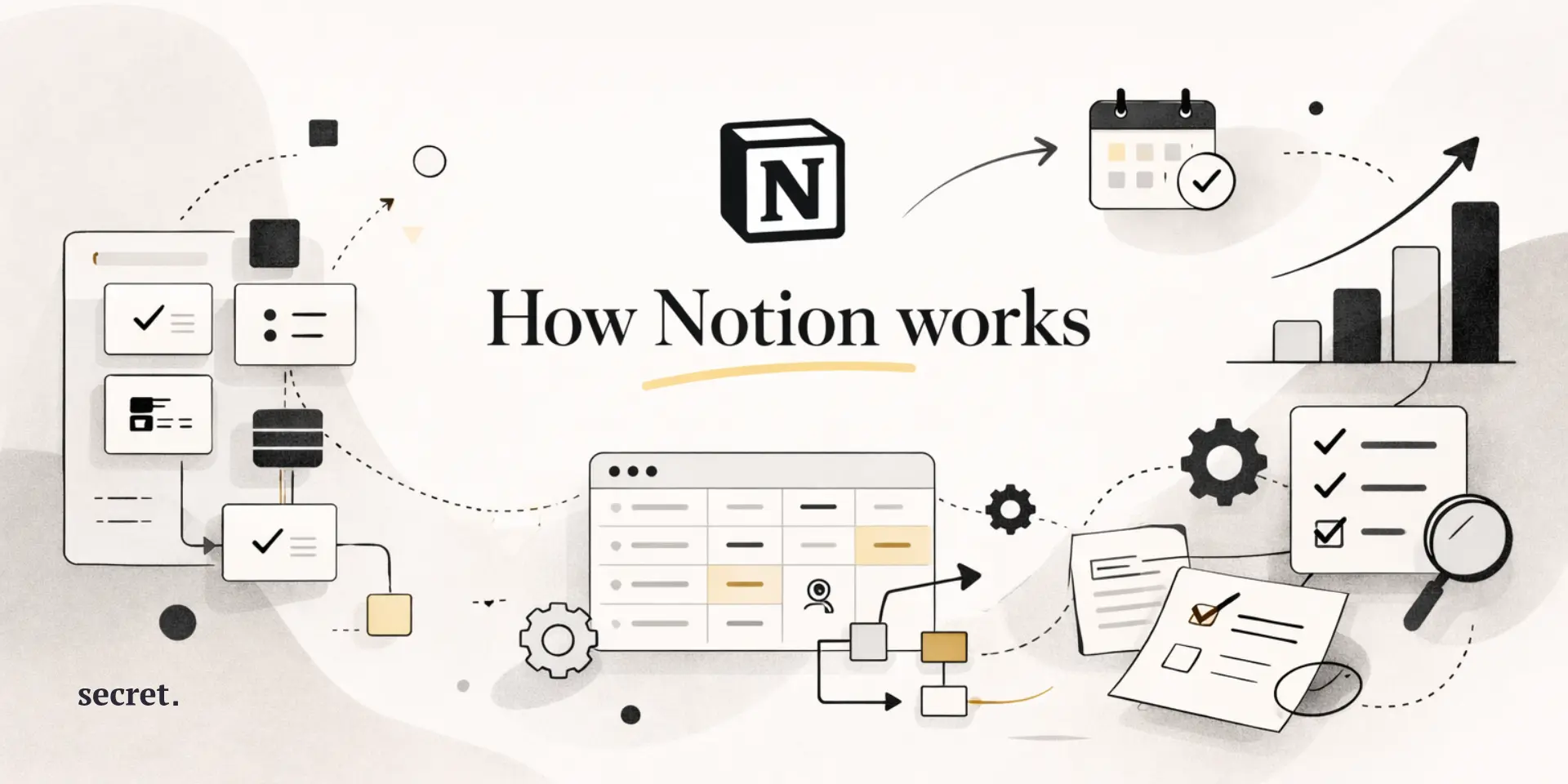
Discover what makes Notion the ultimate all-in-one workspace for individuals and teams alike.
What is Notion?
Notion is a unique, one-of-a-kind, all in one workspace. This platform offers users a way to create tasks, take notes, document information, create databases, collaborate on teams, and many other uses for a workspace. While most of the other products available today are built into very rigid forms of organization, Notion works much more like digital LEGO bricks. Users can create whatever they want.
At its base, Notion is a knowledge management tool that will adapt to how you organize your thoughts and work habits. If you are a freelance worker managing multiple clients, you can use Notion to help you manage each project. If you are part of a start-up working together to develop your company wiki, you can utilize Notion to make this process easier. Likewise, if you are a student who wants to create a learning dashboard to keep track of your studies, Notion is flexible enough to fit the way you learn. What makes Notion stand out is how personal it feels once you start using it. You’re not forced into someone else’s idea of productivity, you get to decide how things are structured, named, and connected.
Because of this flexibility, Notion has grown to be extremely popular. Today there are over 35 million people utilizing this platform to replace all of the other tools in their stack.
How does it work?
Building blocks and pages
The way Notion works is to use the basic idea of blocks as its core design principle; every piece of content in a Notion page is a block: image, video, toggle button, heading, paragraph of text, snippet of code etc. The blocks are interchangeable and can be moved around with drag-and-drop functionality which allows for a very high degree of flexibility in organizing your content. In contrast to many templates where there is limited layout flexibility (and no possibility to create new ones), Notion does not restrict you from customizing your content organization.
In addition to allowing you to create arbitrary hierarchies of pages (a project page may have several levels of sub-pages containing different types of content) the infinite nesting of pages also provides a logical organization of the various components of your content - a project page may have sub-pages for meeting notes, sub-pages for research documentation, sub-pages for task lists etc. The nested nature of Notion pages prevents the problem common to most file systems (folder mazes) - when using Notion, all of your content lives together in a single place and is easily accessed via both breadcrumb navigation or by searching for it.

Databases and views
Here's where Notion truly flexes its muscles. Databases aren't just static tables, they're shape-shifting information hubs. A single database can manifest as:
- A Kanban board for visual project management
- A calendar for deadline tracking
- A gallery for design portfolios
- A timeline for roadmap planning
- A filtered table for detailed analysis
You can link Customer Feedback to Product Features, Meeting Notes to Action Items, and even create Roll-up Calculations to Summarize Data from Multiple Databases. The result is essentially a Lightweight version of Airtable built right into your Workspace without the complexity.

Templates and collaboration
The ability to copy, modify Notion's vast library of templates (that is over 1000) helps to multiply your productivity, by allowing you to focus on your work instead of building a template from scratch. There are also many templates that have been developed in-house at companies, so you are not limited to what is available on the Notion website.
Real time collaboration is seamless with Notion, team members see where each other are moving their cursors, they will be able to see all live changes immediately. The comment feature is used to keep conversations about specific parts of your page organized and allows users to avoid cluttering the content of your page. With permission controls, you are able to allow users to view certain pages in public, prevent users from editing specific databases, or add guests that can edit the same information as the rest of your team.
The @mention function helps to ensure that no one misses a notification, and sends notifications to all devices that are connected.


Top Notion features and benefits
Customizable workspaces
Notion’s biggest strength lies in its No Code customization engine that allows users to customize their own workspace as they see fit. Users are essentially able to build their own customized productivity software without ever needing to write a single line of code. Build a CRM that will track the progression through different deal stages, build a personal Wiki for your Research Notes, or build a Habit Tracker that uses Progress Visualization – the possibilities are endless with Notion!
Not only does this provide an opportunity for customization but also customization of the visual aspect of the workspace as well. Switch between Light Mode and Dark Mode, Change Typography, Add Cover Images, and even Use Emoji Icons to create visual hierarchies within your workspace. This leads to creating a workspace that feels custom made by you, versus feeling generic corporate.
AI-powered assistance
Notions AI is integrated directly into your workspace and is not simply a chatbot that has been bolted onto the interface. When you highlight any text within your workspace it will give you options to assist you with the highlighted text including: Summarize lengthy documents; Translate Content into 14 different languages; Fix Grammar and/or adjust tone from casual to professional. The Brainstorming capabilities of Notion AI truly shine in this area. Writing a Blog Post? Ask Notion AI to Generate Outlines, Expand Bullet Points into Paragraphs, or Suggest Counter Arguments. Essentially, Notion AI is providing you with a writing partner that will never get tired and will always be ready to help.
Cross-platform synchronization
Wherever you go, your Notion workspace goes with you. The Desktop App (Windows, Mac, Linux) has all the functionality of the desktop version of Notion. The Mobile Apps allow you to Capture Ideas wherever you are. And, because Notion has web access, there is Zero Installation Friction when using Shared Computers. Offline Mode has greatly improved, so you can Continue Working Without Internet, and All Changes will Sync Seamlessly Once You Reconnect.
In addition, the Recent Performance Updates have completely Eliminated Sluggishness from Previous Versions, particularly when dealing with Large Databases or Media-Rich Pages.
Integration ecosystem
Notion plays surprisingly well with others. The official API opened floodgates for automation, letting you:
- Sync Google Calendar events automatically
- Push GitHub commits to project databases
- Create Notion pages from Slack messages
- Mirror Jira tickets for cross-functional visibility
Zapier and Make integrations multiply possibilities exponentially. You can now build even more complex Workflows (that may include) creating Client Dashboards from Form Submissions, updating Inventory Databases from an e-commerce platform, generating Weekly Reports from Dispersed Data Sources.
Is Notion right for your business? Pros and cons
Notion is better than most other tools when you want a flexible solution rather than a specialized solution. To the average small team or solopreneur, Notion is the perfect multi-purpose tool as it can replace 5-10 other solutions in a single application. This means you will be able to collaborate on documents, manage projects, store information for a database/knowledgebase, and have a basic Customer Relationship Management (CRM) system at a fraction of the total cost..
The advantages are compelling:
- One tool to rule them all reduces context switching
- Generous free tier supports unlimited personal pages
- Learning investment compounds, master one tool instead of juggling many
- Community resources and templates accelerate implementation
- Regular feature updates without additional costs
But there are legitimate trade-offs:
- The learning curve for Notion may feel like climbing a mountain backwards; while Notion has very powerful features, they are difficult to find through its interface at first
- Large databases (10,000+ items) can bog down performance
- While Notion can provide a wide variety of functions, no single solution will be able to compete with a highly-specialized solution in any given niche; Asana provides a much better solution for pure project management than Notion doesOver-engineering simple workflows becomes an addictive time sink
- Limited formatting options frustrate users coming from Word or Google Docs
Notion is best for those who like flexibility and don’t mind a bit of setup. Once you get used to its structure, it becomes more than a productivity tool; it turns into a workspace that grows with you and adapts to the way you think and work.
Pricing plans
Notion has created an affordable pricing model that is suitable for both individuals and small teams. Notions's Free Personal Plan offers limitless block creation; allows you to share your document with up to 10 guests at no additional cost; allows syncing of your document between your mobile device(s), desktop computer(s) and/or laptop(s); and is one of the most generous plans available from its competitors.
Paid plans :
- The Plus Plan ($12/user/month) offers unlimited uploads of files; and 30 days of version history.
- The Business Plan ($24/user/month) offers Advanced Permissions; SAML SSO; Bulk Exporting and more.

The Free and Plus plans include limited access to Notion AI features such as chat, content generation, autofill, and translation. These features are available on a trial basis so you can explore how AI integrates into your workflow. The Business plan unlocks full AI functionality, while Enterprise users gain additional privacy controls like zero data retention.
Save on Notion with our exclusive promo code
Are you ready to enhance your working environment? Using our exclusive promotional code to get a discounted price from Notion on their yearly plans is an excellent way to save money. New Teams are able to receive a special offer (reducing the cost of the Business plan for the first 6 months to $0) when they use the promo code and at the same time be able to stack it with the education and non-profit pricing options available through Notion, creating additional value for qualifying organizations.
What is the best alternative to Notion for different needs?
Obsidian - For those who have local file storage as their main priority and use Markdown format for taking notes with strong linkages to other files and notes, Obsidian will give you total control over all of your data and has much more complex graphing than Notion. Obsidian’s bi-directional linkage makes it feel like you have a “second brain,” which many knowledgeable workers swear by.

Airtable - For teams using databases that require an easy-to-use user interface that mimics the functionality of spreadsheets, Airtable provides better data handling and automations than Notion does for its databases. Those familiar with using Excel will find the user interface to be more intuitive and the automations offered by Airtable are far more flexible and can do so much more than the basic formulas provided by Notion.
ClickUp - For teams using project management software to help them manage projects, ClickUp provides more specialized project management features (i.e., Gantt Charts, Time Tracking, Goal Management) than Notion’s generalized approach to managing projects. Additionally, the pre-programmed templates for sprint planning and resource management make ClickUp the go-to solution for Agile teams
Coda - For those using software for creating documentation and want to be able to create powerful formulas and document automation, Coda provides far more advanced computational abilities and interactive documentation than Notion’s relatively simple formula system. Consider Coda to be a blend between Google Docs and Airtable but with coding capabilities – a great way for companies to build internal tools without writing code
Monday - For visual project management and team workflows, Monday provides intuitive boards and automation recipes that are more accessible than Notion's learning curve. The colorful interface and pre-built workflows get teams productive in hours, not weeks.
What users love and struggle with in Notion
The Notion community raves about the platform's transformative flexibility. Users consistently highlight how it replaced their scattered tool stack, goodbye to jumping between Evernote, Trello, Google Docs, and Todoist. The clean, minimal interface gets praise for reducing cognitive overhead, while the generous free tier means individuals can build sophisticated systems without spending a dime. The template ecosystem deserves special mention, it's become a thriving marketplace of productivity blueprints.
On the flip side, there is a lot of frustration generated by the steep learning curve. Many new users experience "blank-page paralysis," because they're faced with so many options that they don't know where to start. For those who have large databases, performance issues continue to be a problem, especially for power users that manage tens of thousands of records. Although the mobile app has made significant strides in recent years, it still does not offer the same level of capabilities as the desktop app. Possibly the most frustrating issue reported by users is spending too much time configuring their system and then using the system, Notions flexibility creates a "productivity trap" that is very difficult to escape.
FAQ
Is Notion suitable for beginners?
Learning is part of the Notion journey. While many users will find it easy to learn how to use Notion’s most common functions such as creating notes and setting up to-do lists; however, finding the way to unlock Notion’s full capability – relational databases, filtered views, advanced formulas – will take time. Luckily, there are plenty of resources to help ease the transition. Many of Notion’s best applications come pre-built in the form of “templates” that can be used as training wheels, while also providing hours of video tutorials on YouTube that will walk you through every step of the process. Begin by using one of the many pre-made templates available, and then start customizing them as you gain confidence.
Can Notion handle large teams and enterprises?
Notion can support small to medium sized teams (up to 500) with an array of enterprise level features such as SAML SSO, advanced permissioning, and SCIM provisioning to support larger deployments. Notion also has admin capabilities to manage individual user access, provide a history of all changes made to a page or database, and allows for bulk exporting of data. That being said, performance may begin to suffer with massive databases (50,000 + items) and Notion does not have built-in Gantt charts or resource management features. Therefore, it may be best to look to other project management solutions for large, complex projects.
What makes Notion different from traditional note-taking apps?
The traditional note-taking apps like Evernote or OneNote view each piece of information as a separate item stored away in a folder. Notion views all of its information as connected pieces of a larger puzzle. Your meeting notes can automatically feed action items into your task list, which links to the timeline for your project, and in turn feeds into your quarterly reports. This type of thinking changes the focus from simply storing information to actually managing and linking that information together to create a working system.
Does Notion work offline?
While Notion offers some offline functionality, it comes with limitations. If you previously viewed a page in Notion, you will be able to view that same page while offline, but you will only be able to make edits while offline that will sync once you reconnect to the internet. There is no ability to create new pages or perform a global search while disconnected. Additionally, the mobile app versions of Notion seem to function slightly better when operating without a connection compared to the desktop version of Notion. If offline access is critical, you may want to explore alternative solutions such as Obsidian.
Is Notion secure for sensitive business data?
Notion implements industry-standard security measures including AES-256 encryption at rest and TLS 1.2+ in transit. They're SOC 2 Type 2 compliant, maintain ISO 27001 certification, and offer data residency options for enterprise customers. Two-factor authentication and SSO integration add authentication layers. However, Notion isn't end-to-end encrypted, the company can technically access your data if legally compelled. For ultra-sensitive information, consider self-hosted alternatives or additional encryption layers.
Ready to transform your productivity with Notion?
I have been hopping from one tool to another for many years; after a while, I finally found an all in one platform that can deliver on the 'all-in-one' promise (that's Notion). The first time you use Notion, it may seem like there are too many things going on and at first it may feel like a huge hill to climb; and yes, you will likely spend hours making sure your set up is perfect. However, as soon as you get the hang of everything, you will realize you had been using a multitude of tools to do things you could have done in just one tool.
One of the best things about Notion is that you can build exactly what you want, no more, no less. Start with the free version, grab some templates and let yourself a month to try out what works for you. Over time the productivity gain will add up so much that that first-time learning will turn into a long-term dividend. What keeps users engaged is how Notion grows with them; as your projects evolve, your workspace can evolve too without needing to start from scratch. It becomes a place that reflects how you think, plan, and create, which is rare to find in productivity software. Whether you are working on a project on your own or coordinating a team workflow, Notion has the flexibility to support whatever level of ambition you have.
{{cta-marketplace="/blog-elements"}}