

What is Pipedrive & is it Right for Your Business?

Pipedrive is a sales-focused CRM designed to help teams manage deals through a visual pipeline, prioritize follow-ups, and keep opportunities moving toward closed revenue.

Pipedrive focuses on the specific actions that actually move deals forward. This guide explores how its visual approach helps sales teams stay organized and hit their targets.
Pipedrive is a CRM that many people recommend because it focuses the efforts of sales teams on the things that really drive revenue; namely, getting pipeline moving, keeping up with follow-ups and closing deals. In this article, I will go over what Pipedrive is, how it works in practice, what it excels at (as well as what it doesn't) and what factors to consider in determining if it's the correct CRM for your business.
Most sales tools fail because they feel like a digital filing cabinet where data goes to die, but Pipedrive is built to be an active participant in your workday. It assumes that if you aren’t doing something specific to win a deal right now, you’re essentially just crossing your fingers and hoping for the best.
This focus on movement over static record-keeping is a relief for small teams that need to stay lean and fast. Instead of forcing you to navigate endless menus, it puts your actual money front and center so you always know exactly who needs a phone call before the day ends.
What is Pipedrive?
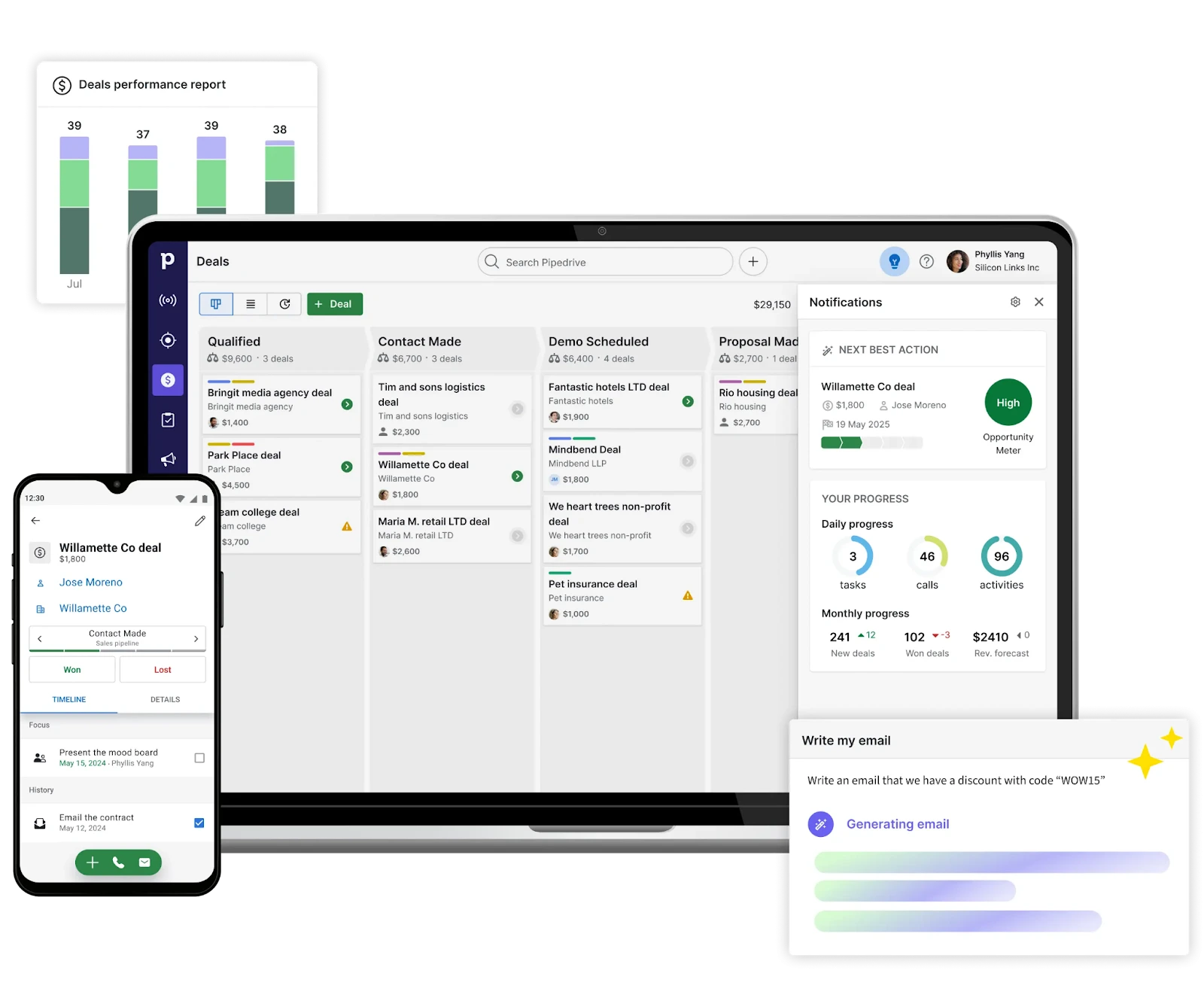
Pipedrive is a CRM that is designed specifically to help sales teams manage leads and deals through a clear and visual pipeline. Rather than trying to bury you under layers of complexity, it creates a sales workflow based on a very simple question: "what is the next thing we have to do to move this deal to the next stage?" Because of this, Pipedrive is a good choice for small businesses and start-ups who want some level of structure, automation and visibility but don't have the budget for an expensive enterprise-level CRM.
Since it was founded in 2010, Pipedrive is a cloud-based SaaS CRM that has been adopted by over 100,000 companies world-wide. Pipedrive is designed by sales people for sales people and has a major focus on adoption, usability and day to day sales execution.
How does it work?
Visual pipelines and deal stages (from lead to won/lost)
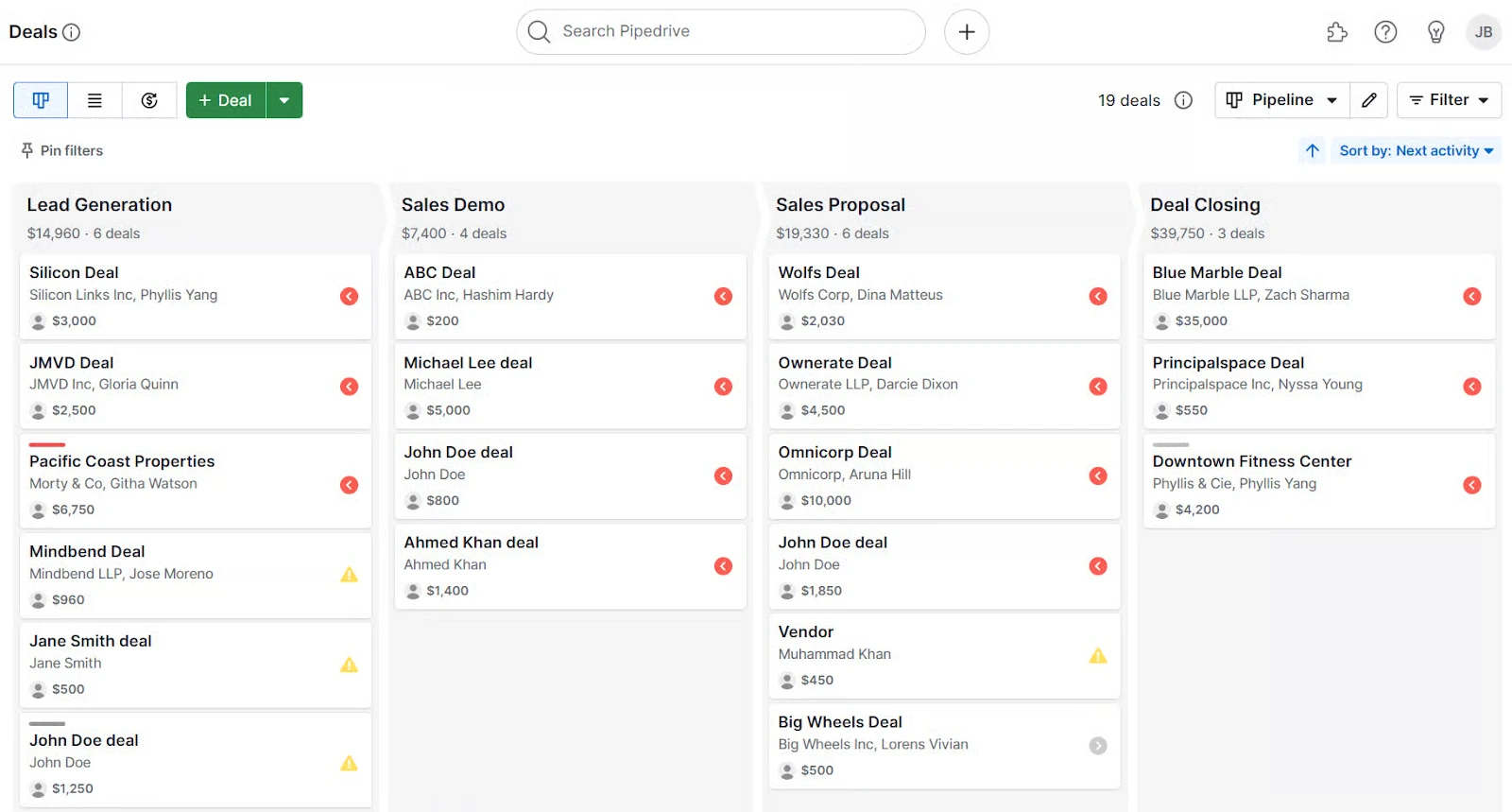
The core idea behind Pipedrive is the visual sales pipeline. You set up stages (for example: Qualified, Demo booked, Proposal sent, Negotiation) and move the deals through the stages as they advance. The goal is not just to organize the deals, but to provide operational clarity; every team member should be able to see where the revenue is being blocked, which deals require the most attention and what success looks like in terms of advancing the deal.
This type of pipeline is perfect for teams that run multiple motions. For example, you can set up different pipelines for inbound leads, outbound prospecting, partnerships and renewals. If you're looking for a CRM that closely resembles the actual sales process rather than trying to force you into a one-size-fits-all framework, this pipeline-first approach is the primary reason why Pipedrive is typically immediately usable.
Activity-based selling: tasks, reminders, and follow-ups that drive revenue
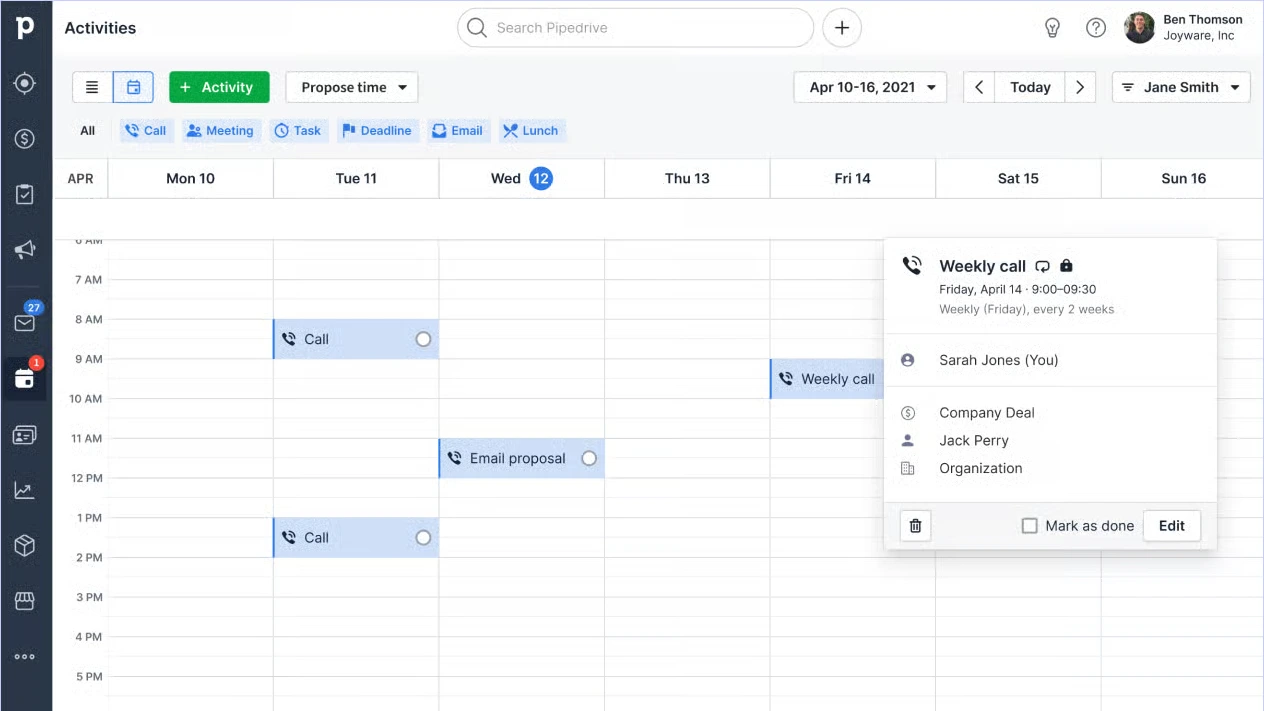
As mentioned above, the pipeline will only be effective if there is a consistent amount of execution. To encourage this, Pipedrive uses an Activity-Based Selling Model: Calls, follow-up emails, meetings, demos and reminders can be logged and scheduled against each deal. This is the biggest cause of missed sales opportunities - a good opportunity goes cold because no one owns the next step.
Here is what good "CRM Hygiene" would look like in Pipedrive (I recommend that teams enforce these habits early):
- Every open deal has a next activity (call, email, demo, etc.).
- Stage definitions are explicit (e.g., “Proposal sent” means proposal delivered + reviewed date set, not “we’ll send it soon”).
- Weekly pipeline review to clean stalled deals and tighten forecasting.
When combined, the Visual Pipeline and Activity Discipline are where Pipedrive generally outperforms generic CRMs for teams that want movement.
Automations, reporting, and integrations (how Pipedrive scales with your stack)
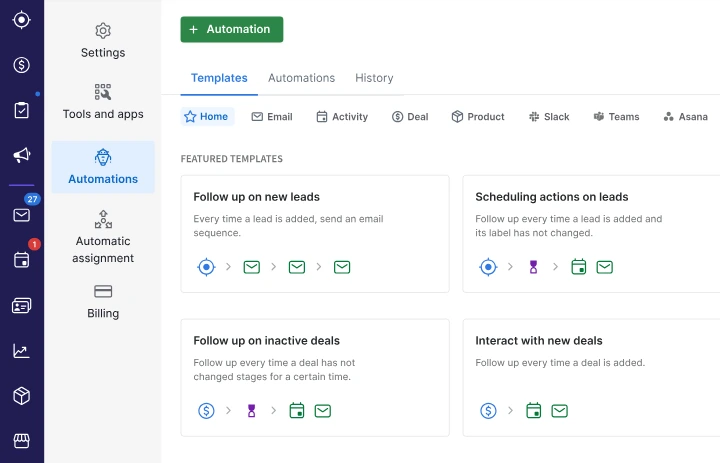
Pipedrive provides workflow automation to minimize redundant administrative tasks. You can automate tasks such as: assign leads, create activities when a stage changes, trigger follow-up sequences or prompt reps when a deal sits idle for too long. The best use of automation in this case is to maintain sales consistency - make sure every lead gets processed quickly and every deal is done in accordance with your sales playbook.
From an analytical perspective, Pipedrive provides reporting to allow teams to track their key performance metrics including: pipeline value, conversion rates by stage, activity volume and deal velocity. One practical method of utilizing the reports is to separate:
- Leading indicators: activities completed, time-to-first-touch, meetings booked.
- Lagging indicators: wins, revenue, cycle length, win rate.
Pipedrive also connects to commonly used business tools (email, calendar, collaboration, automation tools) allowing it to integrate seamlessly into your current technology stack as opposed to requiring you to replace everything.
If you’re considering an all-in-one ecosystem vs a sales-first CRM, our comparison between Pipedrive vs HubSpot can help.

The main features and benefits of Pipedrive
Improved pipeline clarity & better execution of deals
A major advantage of using Pipedrive is the visibility into the deals being worked on by your company. Sales representatives will have immediate visibility into where the focus of the company is regarding the revenue pipeline, whether or not there are areas of the pipeline that have slowed down and what action they need to take next to move forward. This typically results in smaller businesses having a more consistent weekly follow up cycle, less unexpected deals closing and deals moving through the pipeline more quickly.
Automating tasks so that sales reps have less busy work.
Pipedrive is at its best when automating tasks for sales representatives. For example, if a deal moves into the “demo booked” stage you could create an automatic rule to generate a preparation task, set a reminder to follow up with the customer 24 hours after the demo, assign a template for the proposal to send to the customer if the demo was successful. In doing so, you create a repeatable sales process that does not rely on memory.
Reporting and KPI tracking to help with forecasting
Forecasting is not about guessing, it’s about creating instrumentation in your pipeline. Through reporting in Pipedrive, you can measure conversion rates at each stage, how long it takes to get from one stage to the next and how active your sales representatives are. Instead of just wondering how many deals you will close, you will now know “what needs to happen in order for me to reach my target this week?” This is especially valuable for new sales teams that are trying to develop their first predictable sales engine.
Integration with your day-to-day tools (Email, Calendar, Collaboration)
You can be effective in Pipedrive when it has become the single point of truth for all revenue for your team and you also allow them to stay in their normal day-to-day tools (email, calendar, meeting apps, collaboration). Rather than having separate conversations for each account for customers, customer information will remain linked to the corresponding deal; thereby providing a tangible basis for handing off the deal, coaching the sales rep on the pipeline and reviewing the pipeline.
Is Pipedrive right for your business? Pros and cons
Pipedrive fits your company when you place top priority on sales execution, specifically for startups and small-to-medium-sized businesses looking to establish a structured pipeline quickly and have their team begin utilizing it on a daily basis.
Pros
- Easy adoption: fast to learn, visual, sales-first interface.
- Strong pipeline and activity tracking: helps prevent deals from slipping.
- Automation improves consistency: supports repeatable sales playbooks.
- Solid ecosystem: integrates well with common tools and workflows.
Cons
- Not a full all-in-one growth suite: if you want deep native marketing automation and CMS/service tools, you may prefer a broader platform.
- Can feel limiting for very complex orgs: enterprise teams often want deeper customization, advanced permissions, and multi-department workflows.
- No permanent free plan: you’ll typically rely on a trial and then pick a paid tier.
Pipedrive is a good fit for startups and growing SMBs that want a clear, structured sales process their team will actually use. Its visual pipeline and activity tracking help keep deals moving and prevent missed follow-ups. If you need a broader all-in-one platform or highly complex enterprise customization, you may outgrow it.
If you’re weighing a simple sales CRM against a more flexible, modern option, Attio is a strong contender. Here’s how Attio compares to Pipedrive.
Pricing plans
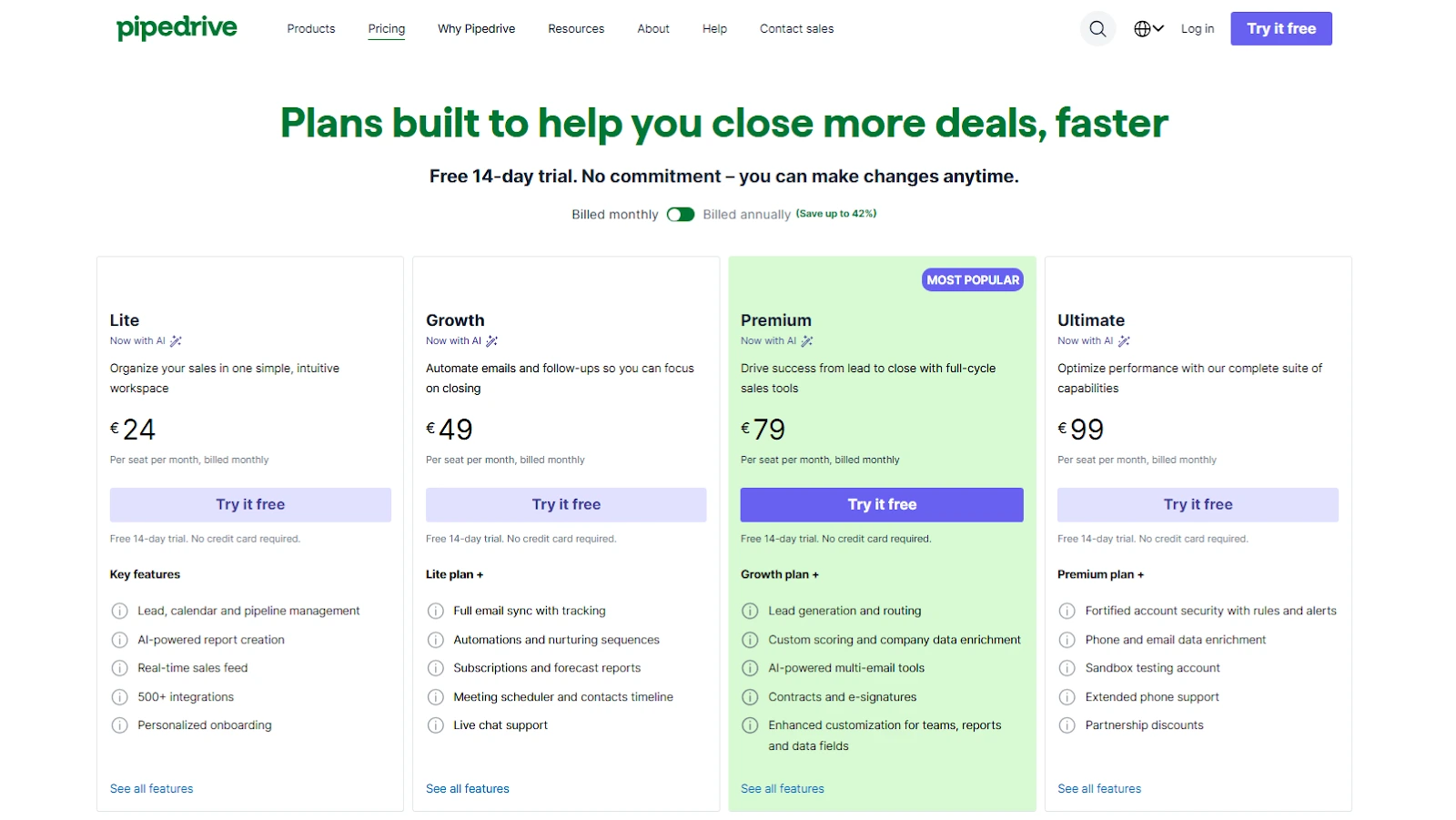
Pipedrive’s pricing is typically structured per user/month with multiple tiers designed for different levels of automation, reporting depth, and team governance. In 2026, most teams choose a plan based on:
- Automation needs (how much you want to standardize follow-ups and routing)
- Reporting requirements (forecasting, custom dashboards, visibility by team/rep)
- Sales motion complexity (one pipeline vs multiple pipelines, multiple products, multiple segments)
- Support expectations (faster support channels may depend on tier)
For the most accurate and up-to-date plan details, always verify on the official pricing page: Pipedrive pricing.

Save on Pipedrive with our exclusive promotion
If you’re planning to test Pipedrive seriously (not just click around), start with our exclusive Pipedrive promo code. We’ve negotiated a deal that gives you 30% off for 12 months and includes a free trial, a practical way to validate adoption and ROI before committing long-term.
How to use our Pipedrive promo code
- Open our offer page
- Sign up through the dedicated link
- Start your trial and follow the redemption instructions on the page
Who is eligible? This discount is typically designed for new Pipedrive customers who haven’t held a paid subscription before.
If you’re also comparing tools, you can browse more offers here: CRM software deals.
What is the best alternative to Pipedrive for CRM?
While Pipedrive works well for "pipeline-driven" organizations, it's not the right fit for all sales organizations. Below are strong CRM alternatives with some advantages depending on your organization's needs.
To explore more options and see the full shortlist, you can also visit alternatives for Pipedrive .
Salesforce Sales Cloud
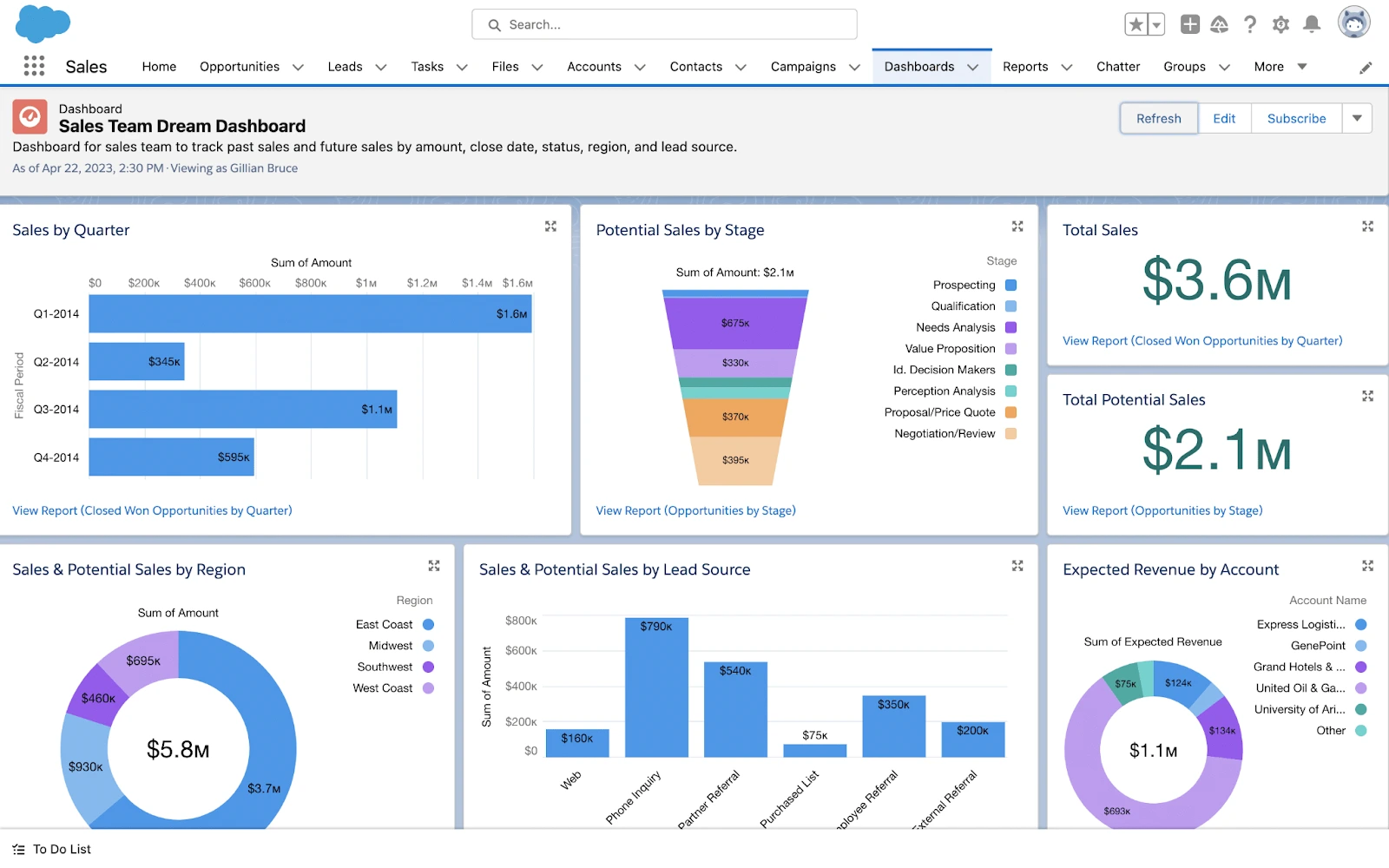
Use Salesforce Sales Cloud if you need to customize your CRM to fit your company's processes, or need to manage complex workflows with multiple teams and geographies. While Pipedrive takes a "keep it simple" philosophy, Salesforce offers more flexibility when your organization requires a CRM to be customized for your company's unique processes, data models and advanced revenue operations.
monday Sales CRM

Choose Monday Sales CRM if you need to connect your CRM to your workflow and project management. This can be particularly useful for sales organizations where implementation, onboarding and delivery of products and services occur within the same environment so you don't have to use separate tools after closing a sale.
Freshsales Suite
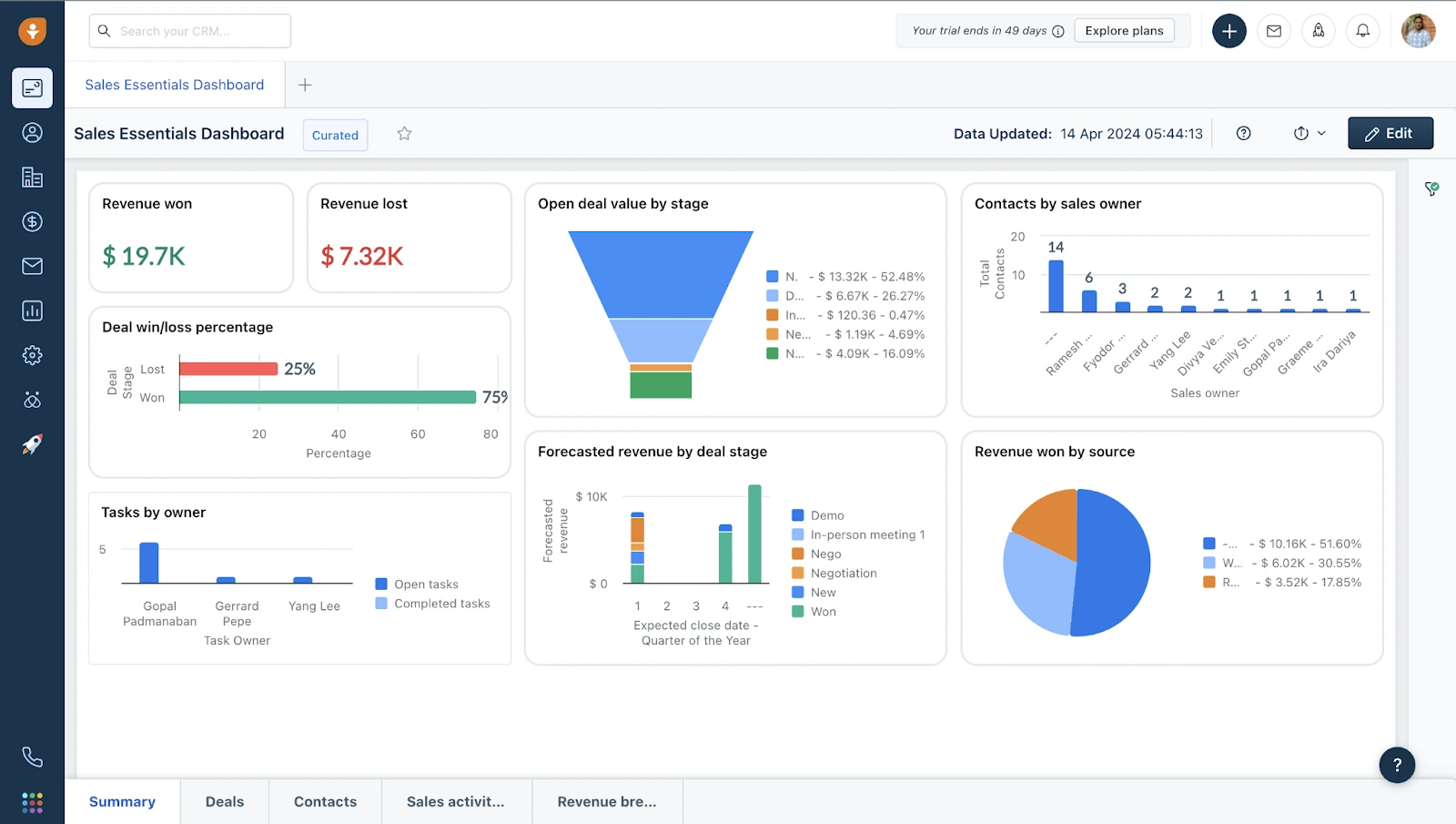
Choose Freshsales if you're looking for a strong, SMB-friendly CRM that offers both user friendly sales pipeline management and customer facing capabilities. A great option for organizations that require sales pipeline management, customer service and other customer facing functions beyond just sales pipeline management.
Close
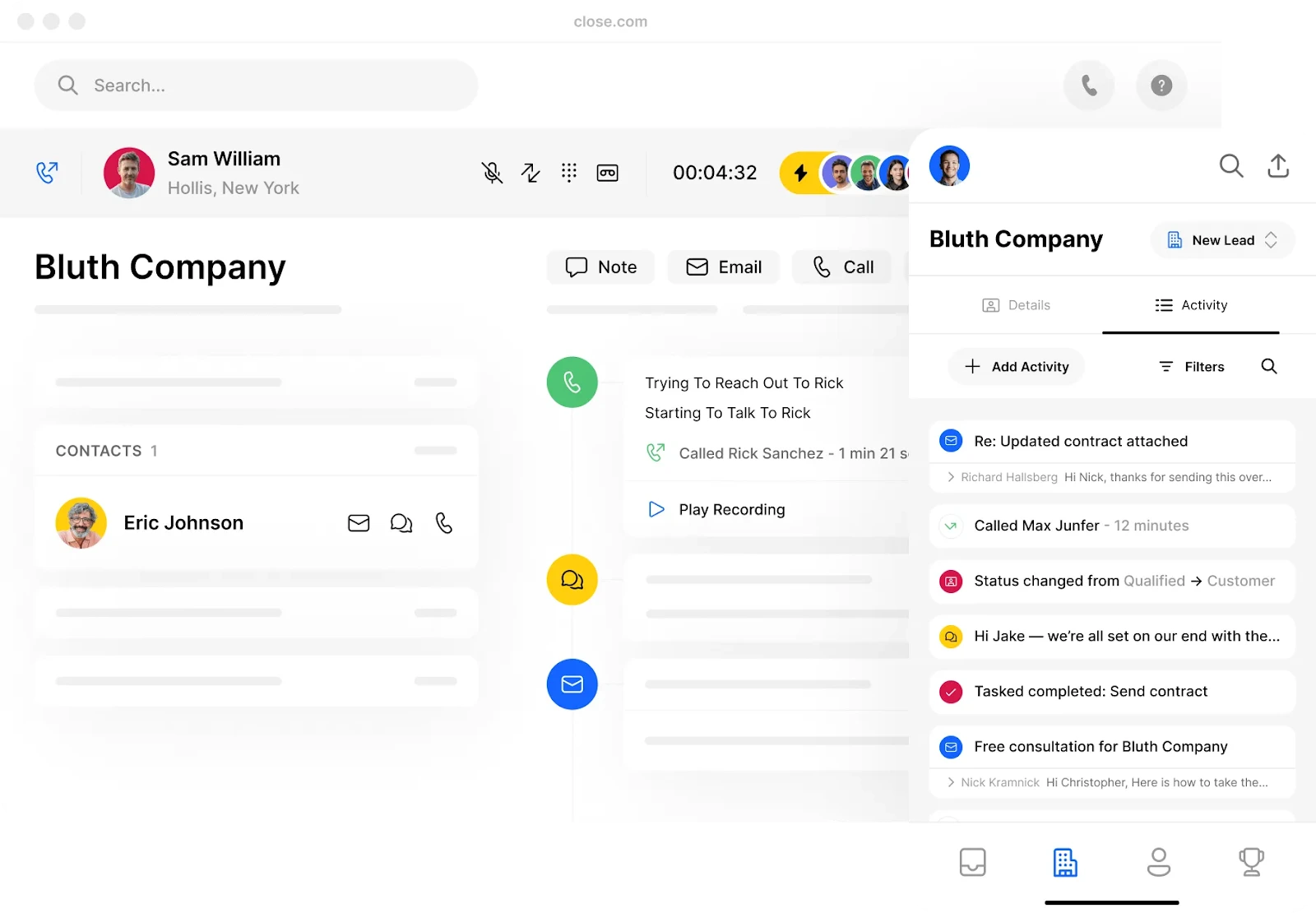
Choose Close if your sales team consists of primarily inside sales reps who spend most of their time making phone calls and sending emails. Close is typically chosen when speed of outreach and communication centric workflows matter as much as or more than pipeline configuration.

Zoho CRM
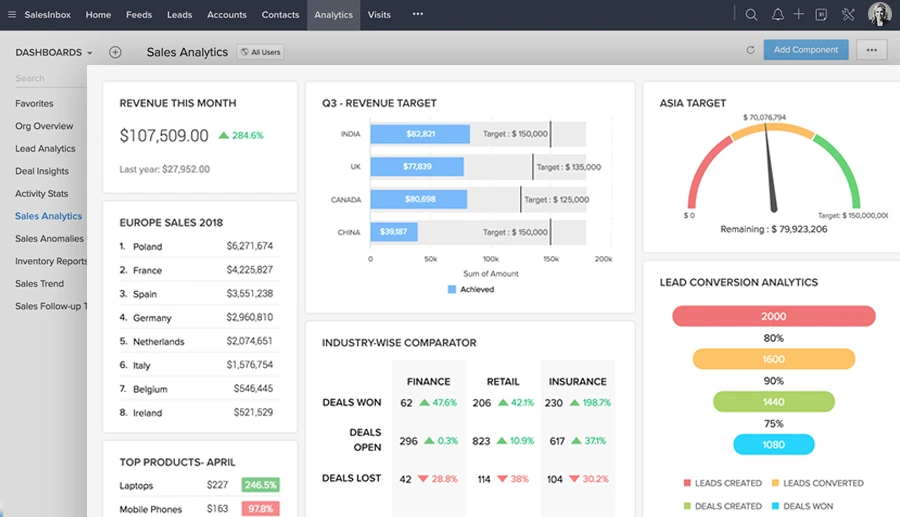
Choose Zoho CRM if you're trying to save money and would like to take advantage of a larger ecosystem of business applications (beyond CRM) under one roof. Can be a great option for organizations that want to integrate multiple business applications and keep costs low as the organization grows.
If you’re actively comparing Pipedrive with a broader growth platform, this guide helps: Pipedrive vs HubSpot. If you’re debating a more flexible, collaborative CRM approach, see: Attio vs Pipedrive.
What customers say about Pipedrive
The things that people generally like about Pipedrive:People have always praised Pipedrive for being easy to use, quick to get started with and extremely functional for sales teams that want a clean pipeline and consistent follow-up process. Many teams tell us that Pipedrive is the first CRM they've ever kept current , because entering information and moving deals through the pipeline isn't a chore.
The things people generally dislike about Pipedrive:The main reason people give Pipedrive poor marks is that it is designed as a sales-focused product. If your organization wants native marketing automation, a complete customer experience platform, or enterprise-level customization, you'll probably find limits and you'll probably end up needing add-ons, integrations or a CRM in a completely different category.
Before signing up, make sure to see whether our Pipedrive discount can reduce your first‑year cost , you get 20% off for 12 months.
FAQ
Is there a Pipedrive promo code available?
Yes, we have a Pipedrive promo code to help you save money on your Pipedrive subscription. You can redeem it directly with our Pipedrive promo code.
What do teams typically use Pipedrive for?
The majority of teams use Pipedrive to operate a structured sales process: manage deals through a visual pipeline; schedule call and follow-up activities; track rep activity and review the pipeline health each week to enhance conversion and improve the accuracy of forecasting.
What type of CRM is Pipedrive?
Pipedrive is a sales-focused CRM designed around pipeline management and activity execution. If you’re looking for a broader “marketing + sales + service” platform, you’ll typically compare it with all-in-one suites (for example, see Pipedrive vs HubSpot.
Pipedrive vs Salesforce: what’s the practical difference?
Practically speaking: Pipedrive has won the battle of being simple and fast , it was created to enable sales teams to quickly implement a pipeline and keep it clean. On the other hand, Salesforce tends to win when an organization requires enterprise level customization, advanced governance, and complex workflow processes across various business units.
Is Pipedrive easy to use for non-technical teams?
Generally yes, within many small and medium-sized businesses , adoption is normally good due to the visual nature of the user interface and the workflow is rooted in actual sales actions (what is the next action? What is the stage I am moving into? Review of pipeline). The best way to roll out Pipedrive would be to begin with one pipeline, define the stages clearly and require every deal to have a "next step."
What CRM do startups use the most?
There isn’t one universal answer, startups choose CRMs based on sales motion, budget, and how much they want an all-in-one suite. Many startups start with a sales-first CRM like Pipedrive to build a predictable pipeline, then consider broader platforms or more flexible CRMs as their go-to-market and reporting needs evolve. If you want a quick comparison path, review Attio vs Pipedrive and also compare Pipedrive vs HubSpot.
Should you choose Pipedrive for your sales team?
If your priority is building a reliable, repeatable sales process, with a pipeline your team will actually maintain, Pipedrive is one of the most pragmatic CRMs you can pick. It’s especially strong for SMBs and startups that want fast adoption, clear deal visibility, and enough automation to keep follow-ups consistent.
My advice: if you’re on the fence, run a real two-week test with live deals and real follow-ups. (not a sandbox). Pay attention to whether your reps naturally log activities and move deals without being chased. If the system fits, usage will feel straightforward and the pipeline will stay clean without constant policing from management.
And before you commit, make sure you claim our Pipedrive promo code to reduce the cost of that first year: Get the Pipedrive deal
{{cta-marketplace="/blog-elements"}}