
Top 5 Xero Competitors for Small Business in 2026

Thinking about switching from Xero in 2026? Here’s a practical, no-fluff breakdown of the top five alternatives for small businesses, based on pricing, real-world usability, and how well each tool fits your daily workflow.
Choosing accounting software is a business decision, not just a tech one. See which Xero competitors actually support how you run your company.
You've probably liked what Xero does on paper – easy bookkeeping, seamless bank feeds, good reporting -- but you're still not sure if it's going to be the best fit for your small business in 2026. I understand why you would think that way. Whether it's pricing, "add-on death," or the feeling you're fighting with the software rather than running your business, there are plenty of valid reasons to explore other options.
In this guide, I'll help you learn about the top 5 Xero competitors for small businesses in 2026 – including those that are cheaper, those with a free plan, and those that excel in areas such as service invoicing, contractor payments, or expanding your finance functions. I also looked at how each of these solutions performs in real-world usage, not just their features lists, because those small workflow annoyances that pile up throughout the year are usually what causes founders to switch.
Have you ever spent an entire afternoon correcting categories, or chasing down missing transactions? If so, you already know how quickly small friction builds up.
Why Look for an Alternative to Xero?

Xero is a strong accounting platform, but it’s not universally “the best.” Here are the most common (and very practical) reasons small businesses switch.
- Pricing pressure: Xero’s entry plan starts at $29/month, and the common “small business” tiers sit around $50–$75/month depending on plan and region. That’s before you layer in payroll, payments, or specialized add-ons.
If price is your main concern, take advantage of our big discount on the Xero accounting tool. - Lower Tier Limitations: With the lower tier plans, there are caps (such as invoice/bill limits) that can cause you to go to a higher tier sooner than you expect to.
- Complexity of the Add-On Stack: Many businesses end up creating a mini-ecosystem around Xero (payroll, inventory, approvals, time tracking) and it can function well until your monthly bill and workflow sprawl gets out of hand.
- Every type of business has different "centers of gravity" that dictate how they do things. For example, a creative agency might care more about proposals, retainers, and how long it takes them to send invoices. A product company will care more about their inventory, COGS, and purchasing orders. Rarely is there one accounting application that excels in all areas.
- Expectations of Support and Implementation: During month-end close, or tax season, you want to get answers fast and clearly. If you're not getting that kind of response, it can make you tempted to switch — especially if you have a lean team.
Ultimately, switching away from Xero is usually based on finding a better fit for how you operate your business, not necessarily if Xero is "good" or "bad". If your costs are increasing, your workflow relies on multiple add-ons, or your business model simply does not align with how the platform was created, it makes sense to look at other options.
5 Best Alternatives to Xero
Based on what small businesses actually need on a day-to-day basis (reliable invoicing, bank reconciliations that don't feel like digging for artifacts, clear reporting, logical automation, and a pricing structure that won't punish you for growing), I chose the following solutions.
Alternative #1 : QuickBooks Online
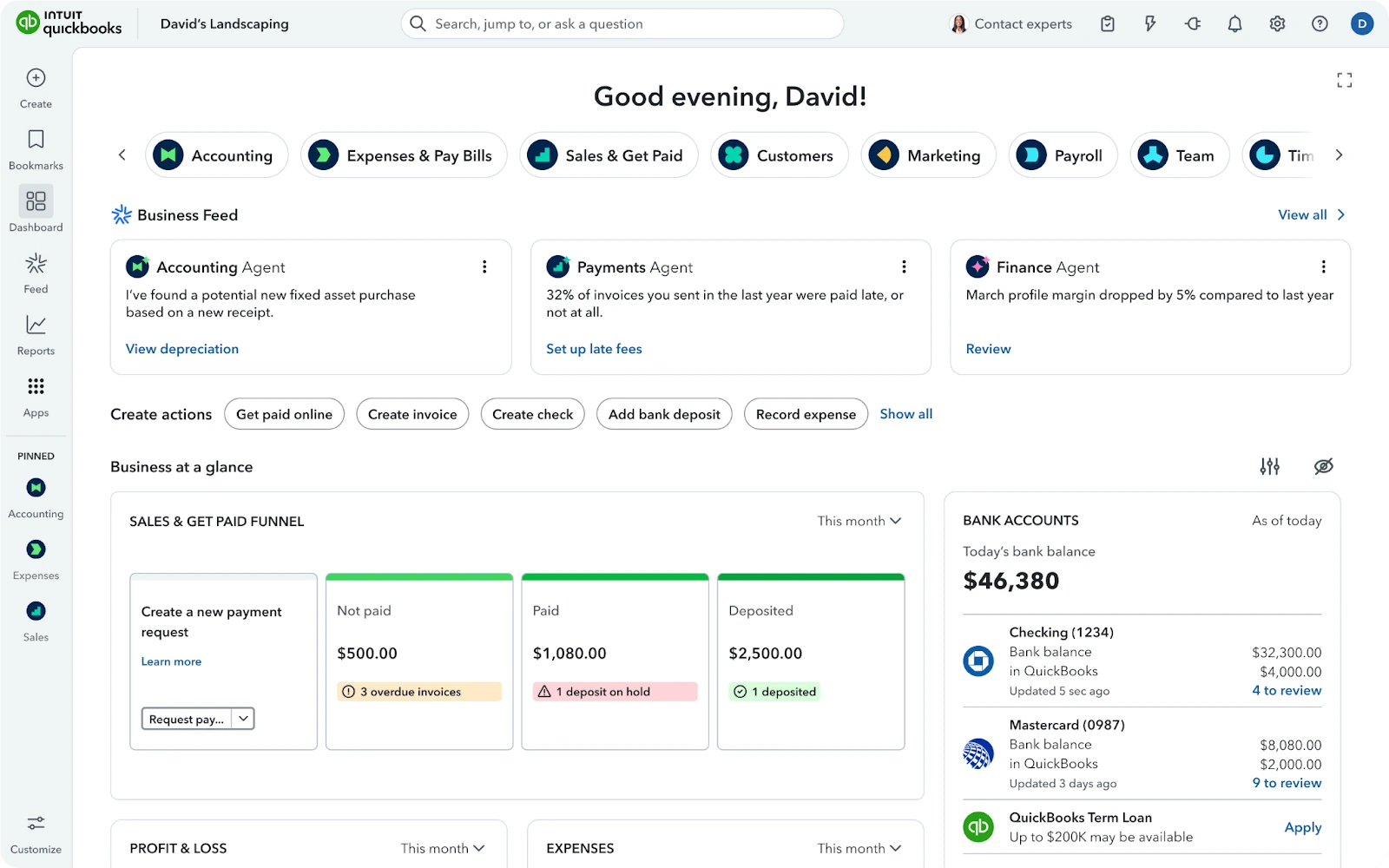
TL;DR: The most widely used Xero competitor — an excellent overall accounting platform for small businesses that want a mainstream, robust offering with a ton of support from accountants.
Pricing: QuickBooks Online pricing typically begins at approximately $38 per month for the Simple Start plan, and then continues to increase for the Essentials/Plus/Advanced plans.
More details on QuickBooks pricing official page
Pros:
- Strong “default” choice if you want wide market adoption and a huge ecosystem.
- Easy to hire around: plenty of bookkeepers and accountants already know it.
- Solid coverage of common workflows: invoicing, bank feeds, expense categorization, and standard reports.
Cons:
- Costs can rise quickly as you move up tiers or add payroll and extra seats.
- If you hate “tier gating” (features locked behind pricier plans), you’ll feel it here too.
Best for: small businesses that want a mainstream accounting platform with deep third-party integrations and broad accountant availability.
Example use case: a 5-person company running recurring invoices, tracking expenses by class/location, and needing clean reports for lenders—without stitching together five separate tools.

Alternative #2 — FreshBooks
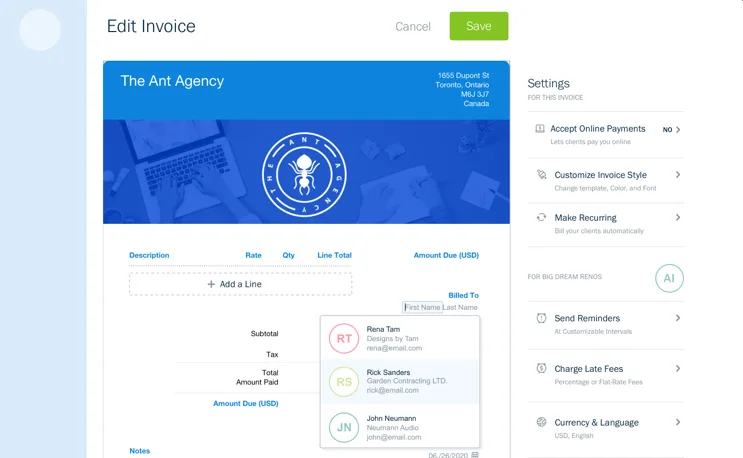
TL;DR: A leading option for service-based firms: client-friendly estimating, invoicing, and billing workflows that feel like they were designed to get paid.
Pricing: FreshBooks plans commonly start around $23/month (Lite) with higher tiers as you add clients and advanced capabilities.
More details on Freshbooks pricing plans
Pros:
- Estimating and invoicing are polished — ideal for client-facing firms.
- Ideal for retainerships, recurring invoices, and flows from proposal to invoice.
- Smaller learning curve for entrepreneurs that do not wish to "be an accountant" all day.
Cons:
- Not the best choice for firms that require complex accounting scenarios (multi-entity, approvals, etc.)
- Scaling the team can result in increased costs (i.e. additional user fees as an add-on).
Best for: freelancers, agencies, consulting firms, and service-based SMBs where invoicing speed and cash collection are significantly more important than the complexity of accounting.
Example Use Case: An agency sends a proposal, converts it to an invoice, collects an ACH/card payment, and tracks expenses related to a project — without using spreadsheets.

Alternative #3 — Zoho Books
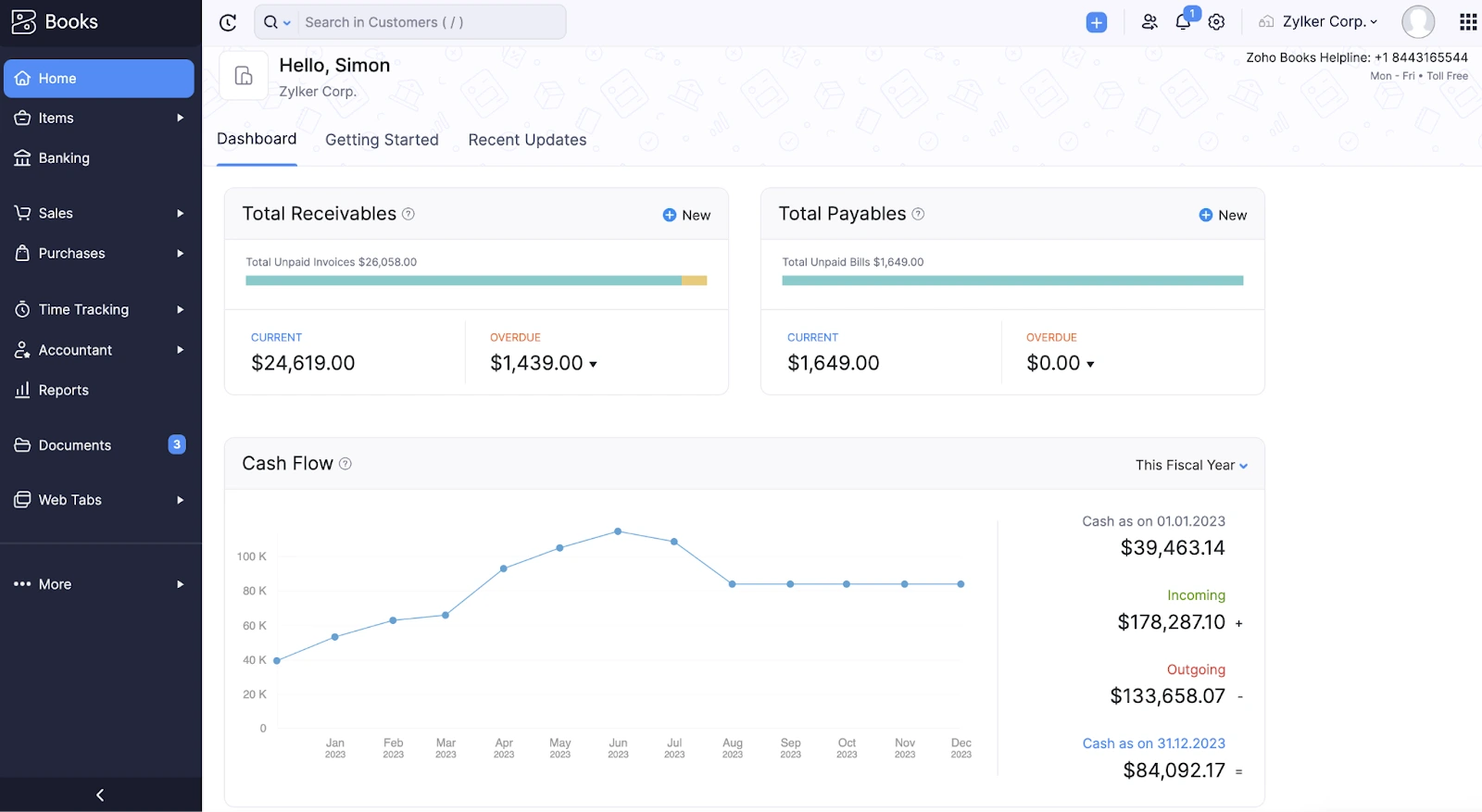
TL;DR: One of the top value Xero alternatives — particularly if you appreciate tight workflows, automation, and (optional) the larger Zoho suite of products.
Pricing: In the United States, Zoho Books provides a Free plan for solo entrepreneurs/micro businesses, and then charged plans beginning at approximately $15/month (Standard, annual) with higher levels of plans for projects, inventory, and automation.
Check official Zoho Books pricing page
Pros:
- Free plan exists (huge for brand-new businesses).
- Strong automation for reminders, recurring invoices, and structured workflows.
- Compelling economics if you already use Zoho tools (CRM, subscriptions, expenses).
Cons:
- Best experience often comes from leaning into the Zoho ecosystem (which is a plus or a minus depending on your taste).
- Some businesses may prefer the UX conventions of QuickBooks/Xero.
Best for: budget-conscious small businesses, founders who like automation, and teams that want a more “suite-friendly” path without runaway add-ons.
Example use case: a small studio uses the free or low-cost tier to run invoices and reconciliation, then upgrades later to track project profitability or inventory as they grow.

Alternative #4 — Wave Accounting
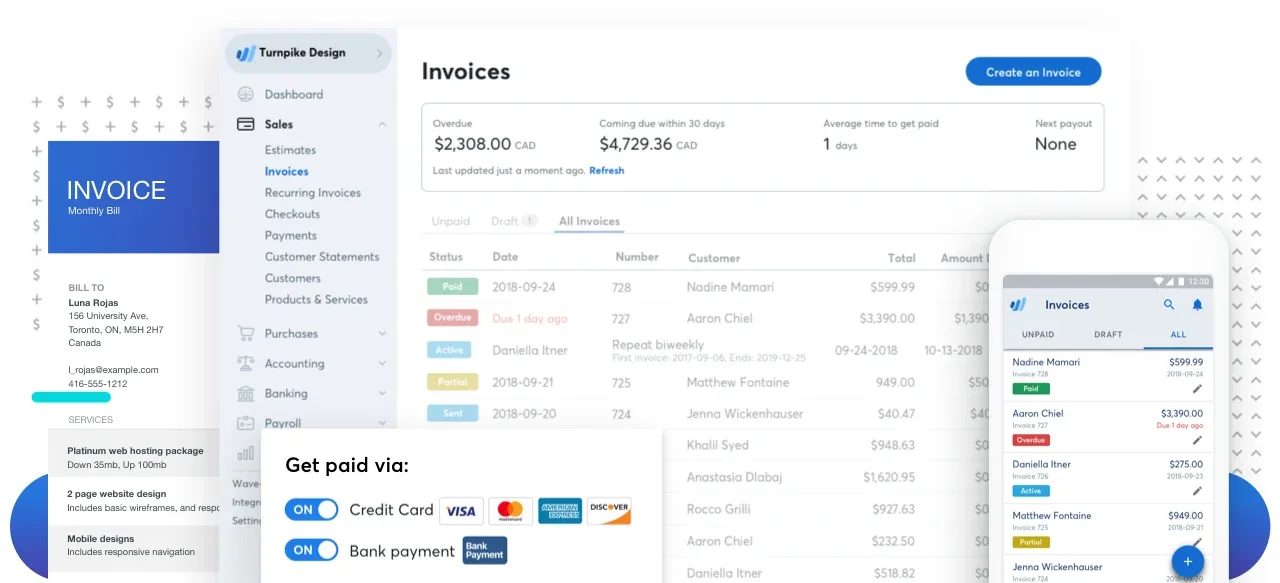
TL;DR: A practical Xero competitor with a true $0 starter option—ideal when you need the basics and want to keep overhead near zero.
Pricing: Wave offers a $0 Starter plan and a Pro plan around $19/month, with add-ons for receipts, payroll, and bookkeeping services.
Check the pricing details for Wave Accounting on the official website.
Pros:
- Free plan for core tasks (invoices, estimates, bills, bookkeeping records). ([waveapps.com](https://www.waveapps.com/pricing?utm_source=openai))
- Low barrier to entry for brand-new businesses.
- Upgrade path to Pro if you want more polished automation.
Cons:
- Not built for complex accounting scenarios (multi-entity, advanced approvals, heavier reporting).
- Add-ons (payroll, receipt capture) can change the cost equation depending on your needs.
Best for: solopreneurs and very small businesses that need invoicing + basic bookkeeping without committing to a monthly subscription right away.
Example use case: a side business runs invoices and tracks expenses in Wave Starter, then moves to a paid product only once revenue is steady enough to justify it.
Alternative #5 — Sage Accounting

TL;DR: The “grown-up” alternative when your small business starts behaving like a mid-market company (multi-entity, tighter controls, deeper finance operations).
Pricing: Typically quote-based (implementation and modules vary).
Learn more about Sage Accounting plans.
Pros:
- Better alignment for businesses that need stronger financial processes than lightweight bookkeeping tools.
- More scalable architecture for complexity (entities, approvals, audit readiness).
- Great option when you feel you’ve truly outgrown “SMB-first” accounting.
Cons:
- Higher total cost of ownership than most small-business tools (and usually a heavier rollout).
- Overkill if you mainly need invoicing + reconciliation.
Best for: growing companies with increasing transaction volume, more stakeholders, and a need for finance-grade controls.

Xero Alternatives Comparison Table (Pricing, Best Feature & Best Fit)
Note: pricing can change—always confirm on the vendor’s official pricing page before you buy.
How to Choose the Best Xero Alternative for Your Small Business
The first thing you should do is have a blunt and honest conversation with yourself about what you truly require. If you want the most well-known "safe" option that will make it simple for you to find an accountant, QuickBooks Online is difficult to pass up. If you live and die based on your ability to bill clients (e.g., retainer, proposals, customer invoices), FreshBooks is likely going to be the fastest and easiest to use. If budget is your top concern and you prefer to automate processes, Zoho Books is probably a good option for you especially with the free plan. If you are extremely small and just need basic accounting functions without ongoing monthly charges, Wave is probably the simplest and most direct approach. And if your complexity is increasing (i.e., additional entities, approval, and governance requirements), Sage Intacct is the "grown-up" version of this.
Wave: Best Free Alternative for Small Business Bookkeeping
If "Free" is your only requirement, Wave is the cleanest alternative on this list because they offer a completely free $0 Starter plan that allows you to manage the following types of tasks: Unlimited Estimates and Invoices, Bills, and Bookkeeping Records.
In practice, that means you can run a very lean workflow: Send Invoices, Track Expenses, Keep your Books organized enough for tax season and only pay when you determine that you need upgrades (Pro features or Add-on's).
The things you can do for free in Wave (typical): Run your Invoicing and Bookkeeping Processes without having a recurring subscription -- whereas with Xero you're usually starting at a paid level on Day One ($29/month).
Things to Be Aware of When Using Wave: If you need advanced reporting, more robust controls, or more complex operational accounting, you may quickly grow out of Wave and wish to move to something similar to QuickBooks, Xero or a higher tier Zoho Books plan.
Zoho Books: The Cheapest Alternative to Xero
When the main objective is "spend less money and still receive legitimate accounting," Zoho Books is one of the most attractive Xero competitors in 2026. The math is pretty simple: Xero typically begins at around $29 per month, while Zoho Books provides a free plan and then a standard plan for approximately $15 per month (annually billed).
Trade-offs: The Xero Ecosystem and your team's familiarity with the system may be worth paying for. Conversely, if your workflow is relatively standard (i.e., invoicing, bank reconciliations, general reporting) and you enjoy the thought of structured automation, Zoho Books can be a wiser cost base -- especially in the early stages of your company.
QuickBooks Online: The Best Value for Money (for Most Small Businesses)
While "best budget-friendly" is not equivalent to "the cheapest," for most small businesses, QuickBooks Online is the "best value" because it minimizes hidden costs: fewer workflow hacks, simpler hiring of bookkeeping professionals, and a system that addresses virtually every potential edge case you'll encounter as you grow.
Yes, QuickBooks Online can become quite costly as you go through the different levels (Simple Start ~$38/month, etc.). However, the benefits show themselves when you're not creating your own finance operating systems using duct tape -- particularly when your accountant has experience working within the QuickBooks ecosystem.
FAQ about Xero Alternatives
What’s the best accounting software for a small business in 2026?
There is no single accounting program that stands above the rest as the absolute best. If you desire widespread acceptance in the marketplace and easy access to accounting personnel, QuickBooks Online is likely to be your safest bet. If your business relies heavily on services and you would like to develop a smoother quote-to-cash workflow, FreshBooks is typically the better experience. If you are looking for an affordable way to operate (i.e., "tight budget"), Zoho Books and Wave are both viable options -- Wave for "starting free", Zoho for "growing with low-cost tiers". If your business is expanding into the realm of more comprehensive financial management, Sage Accounting will begin to come into play.
Is QuickBooks better than Xero for small businesses?
This question largely depends upon how you define "better." As a mainstream standard, QuickBooks is frequently stronger when it comes to attracting bookkeepers and integrating niche applications. Xero is often cited as having streamlined bookkeeping workflows and bank reconciliations. If you are primarily concerned with ecosystem and talent availability, QuickBooks will likely win the contest. If you are primarily concerned with the style of Xero's workflow and you are currently utilizing it, Xero may still provide a smoother experience.
Why do many accountants still recommend Xero?
Many accountants still recommend Xero because it supports clean, everyday bookkeeping practices: consistent reconciliation, transparent transactional history and smooth collaboration that doesn't feel cumbersome. Accountant recommendations can also be influenced by what type of tools they are most comfortable and efficient in. What ultimately matters is usability and total cost to you as the end-user, not simply whether or not the accountant recommends it.
Why does Xero feel more expensive than it used to?
Two factors tend to contribute to this perception: First, as you generate more invoices and your operational needs expand, you will inevitably need to move into higher priced tiers as your needs grow. Second, your stack expands (payments, payroll, project management, inventory, reporting, etc.) -- even when the base plan appears reasonably priced, the total price can escalate significantly once you've added multiple levels. An easy way to identify areas of unnecessary expense is to conduct an audit of what you are actually utilizing and compare it to lower-priced alternatives. Of course, we also offer a special discount on Xero.
Of course, you can take advantage of our exclusive discount on Xero.
Is Zoho Books a good Xero alternative for very small companies?
Yes, very often, especially if you want to begin with a low-cost entry point and have the flexibility to upgrade later. Zoho Books' Free Plan was created specifically for Solopreneurs and Microbusinesses, and their paid plans remain more economical compared to many of the other competing products. If you need a highly specialized ecosystem, or your accountant prefers a different product, it's always a good idea to complete a brief trial to confirm compatibility.
Choosing the Right Xero Competitor With Minimal Regret
If I had to boil it down to three: QuickBooks Online is the best "default" option for the majority of small businesses, FreshBooks is the preferred method for Service-Heavy Businesses who are invoicing driven, Zoho Books is my favorite option for a more affordable, automation-friendly path (including a free plan), and Wave is obviously the best starting point for those wishing to limit their costs to $0 until the business generates a stable income. If your business is advancing towards the realization of true financial operations, Sage Intacct is a serious upgrade.
One practical step to take is to map out your current month-end process and check which tool eliminates the most manual labor, since that is the area in which teams tend to realize the greatest amount of daily relief. Additionally, you may wish to consider which platform your accountant/bookkeeper prefers, as seamless collaboration is often a more important factor than one or two more features on paper.
Before you decide, I strongly recommend checking our dedicated “Xero alternatives” hub page with the full list of competitors—and don’t forget to look for a promo code or discount deal on the short-list. It’s one of the easiest wins you can get this quarter.
{{cta-marketplace="/blog-elements"}}