
Best Simple Payments Software for Small Businesses

Picking the right payment software can make or break a small business. The best tools simplify checkout, reduce fees, and give customers a smooth, secure experience.
Learn how the right payment tools can save time, reduce stress, and keep your cash flow strong.
Choosing the best payment processing software may not only be challenging and confusing; but it is also an essential step for any entrepreneur or small business. When a payment processing software is easy to use and reliable, it helps ease the payment process, creates a better customer experience, reduces friction which can increase conversion and ultimately foster business growth. Whether you are starting as a freelancer, a 1-to-1 e-commerce store, or running a physical retail shop, the best simple payments software will affect your revenue stream, your customer satisfaction rates, and your day-to-day running of a business.
Making the right choice with the best payments software is not only about collecting payments; it is about making your processes easier so that you do not incur any unnecessary fees and allow your customers a level of confidence that their purchase is handled securely.
This practical guide will review what we consider the best simple payments solutions on the market for small businesses. We have compared these software tools by how easy they are to use, their fee structure, transparent policies, integrations, reliability, and additional features that benefit a small enterprise.
Let's dive in!
How Did We Choose Our Simple Payments Software Selection?
The payments solution landscape is broad and confusing. To clarify and build trust in our recommendations, we leveraged our research around some categories directly related to small business needs:
- Ease of Use: Simple user interfaces, great UX, little barriers to understanding
- Cost-Efficiency and Pricing Transparency: Every transaction detail provided without surprises
- Strong Security Measures: Strong encryption methods and anti-fraud technology
- Integrations: Connectivity with other everyday business apps e.g. eCommerce and CRMs
- Flexible Payment Options: Versatile payment methods including credit cards, digital wallet and face to face payments
- Customer Reviews and Reputation: Trustworthy feedback from actual business users.
Taken together, these criteria help narrow the breadth of payment solutions that may not only be feasible but are truly viable for the purpose of running a small business.
Extensive Review of the Best Simple Payment Software for Small Businesses
Stripe
Stripe is best known for its flexible online payments infrastructure made for growing online businesses.
Ideal for: eCommerce stores, tech-savvy startups, SaaS businesses.
Main features:
- Rich API and plugin integration with Shopify, WooCommerce, Magento and others.
- Comprehensive reporting dashboards.
- Payment support for cards, Google Pay, Apple Pay transactions.
- Advanced anti-fraud measures.
Pros:
- Highly scalable, with strong functionality.
- Excellent range of integrations with top e-commerce platforms.
Cons:
- Moderate learning curve reported by users.
- Ambiguous handling-fund fees occasionally flagged by users.
Pricing:
Stripe’s pricing is built for transparency, so businesses know exactly what they’ll pay without surprises. Most fees are transaction-based, with no monthly or setup costs:
- Domestic cards: 1.5% + 25c per successful card payment
- SEPA direct debit: 35c
- International card fees: 3.25% + 25c, +2% if currency conversion applies
- Custom rates: Available for high-volume or unique business models
- No hidden fees: No setup, monthly, or cancellation charges

From my experience, Stripe is one of the best options for small businesses with aspirations to dynamically grow their e-commerce site. Its strong e-commerce integrations and versatile payment solution easily warrant the slight upfront complexity. For those companies looking to scale, Stripe's payment infrastructure can handle everything online checkouts, to point-of-sale.

Square
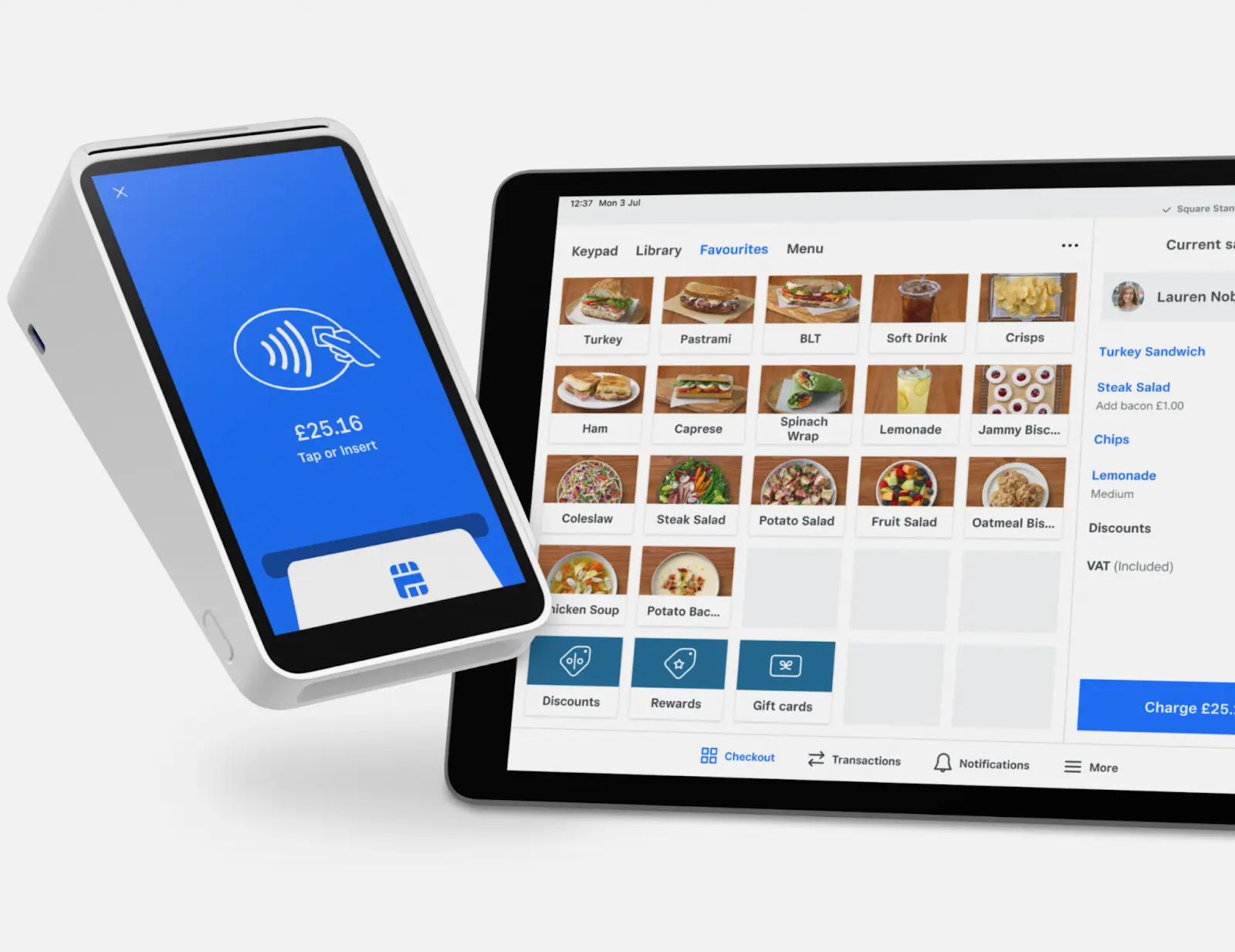
Square provides affordable, versatile point-of-sale functionalities that are great for physical retail stores and lightly digital retail outlets.
Ideal for: Small retail stores, physical shops, farmers markets and freelancers selling products in-person regularly.
Main features:
- Seamless POS and online payment processing integration.
- Simplified reporting tools and lease or gift card processing abilities.
- User-friendly hardware like card readers and payment terminals.
- Invoicing functionality included with ease.
Pros:
- Straightforward fee structure and signup.
- User-friendly retail hardware and mobile-card interface.
Cons:
- Slightly higher per-transaction fees for certain offline setups.
- Limited customization available for billing/invoices.
Pricing:
Most of Square’s fees are transaction-based, and there are no monthly or setup charges for its core payment services.
- In-person payments: 1.75% + VAT per transaction
- Online transactions (UK and non-EEA cards): 2.9% + 25c + VAT per transaction
- Manual card entry: 2% + VAT per transaction
- No monthly fees for core features: Basic POS, invoicing, and virtual terminal included
- Optional add-ons: Subscription costs for advanced tools like payroll or marketing

Square truly stands out as an ideal solution if your small business relies on face-to-face customer interactions. With uncomplicated software and hardware options provided free of charge under certain conditions, Square notably streamlines costs and administrative annoyances, improving your overall retail operations.

PayPal Business
PayPal significantly simplifies acceptance and settlement of international transactions, instantly offering credibility and trust.
Ideal for: Small businesses regularly transacting across international borders or online freelancers requiring ease with client invoicing.
Main features:
- Recognizable trusted brand globally (high conversion across ecommerce websites).
- Multi-country transaction versatility across 230 regions.
- Customizable digital invoice management.
Pros:
- Consumer familiarity enhancing trust and reducing shopping-cart abandonment.
- Strong international currency mandates handled smoothly.
Cons:
- Internationally inclined transaction fees higher.
- Unpredictable payment holds flagged as an occasional concern.
Pricing:
PayPal’s pricing is clear, with most fees being tied directly to transactions. There are no setup or monthly charges for standard accounts, making PayPal a flexible option.
- PayPal Checkout: 3.49% + fixed fee
- QR code transactions: 2.29% + fixed fee
- Credit and debit card payments: 2.99% + fixed fee
- PayPal Pay Later: 4.99% + fixed fee
PayPal has a well-earned reputation for helping businesses close sales with international customers who might be hesitant of unfamiliar checkout pages. However, currency conversion fees and higher transaction charges can add up quickly for businesses with significant global sales.

Wise (formerly TransferWise)
Known originally for easy, clear currency transactions, Wise stands out in currency-centric functionalities for small businesses.
Ideal for: Small businesses invoicing or transacting extensively in multiple foreign currencies regularly.
Main features:
- Highly competitive currency exchange rates (low fees).
- Clear cost transparency with real-time preview.
- Fine security and advanced authentication features.
Pros:
- Firms up immediate cross-border clearance without hidden charges.
- Absolute front-facing clarity of charged rates and exchange losses.
Cons:
- Primarily useful for international transactions and forex payments.
- Reduced functionality when compared directly as ecommerce transactional processing leader.
Pricing:
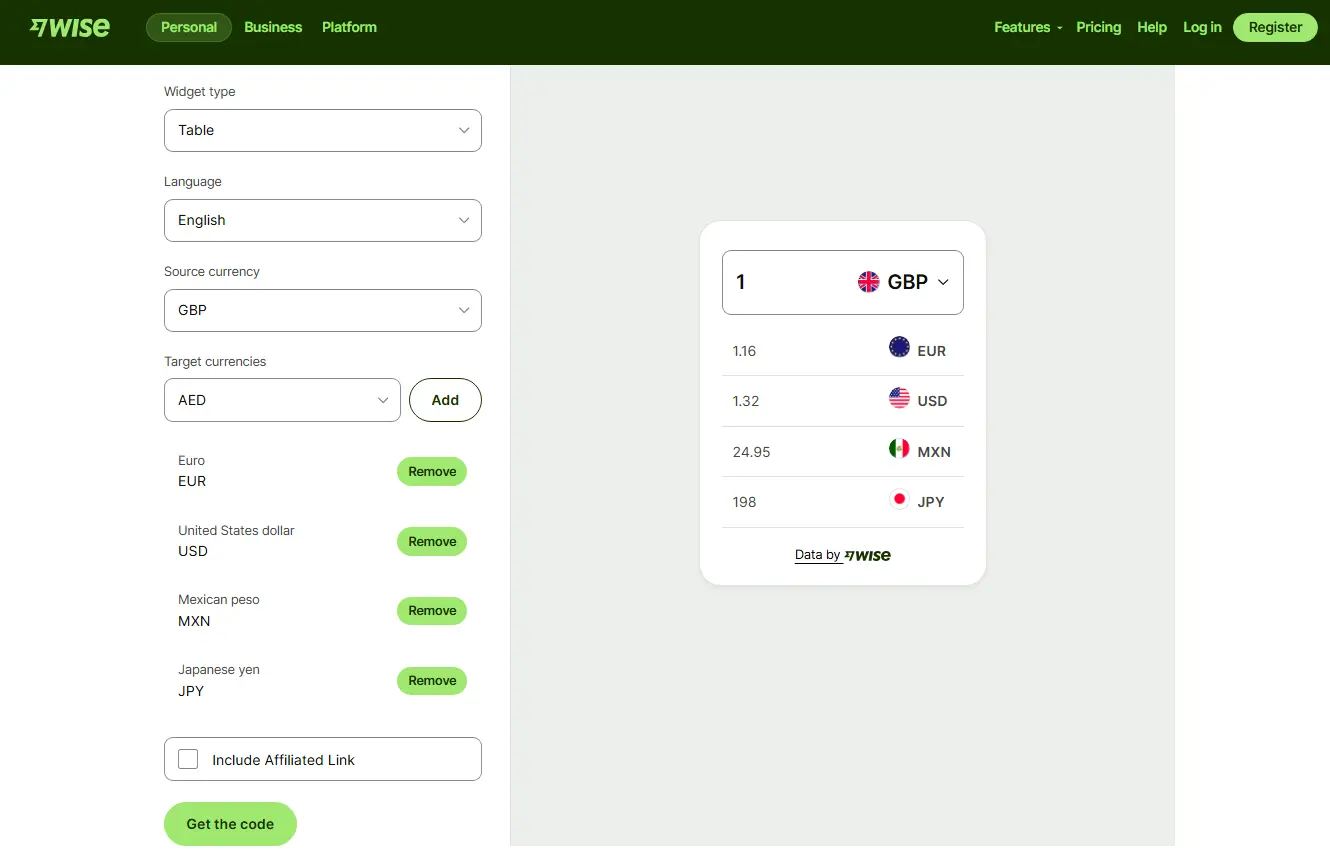
Instead of hidden markups, Wise uses the real mid-market exchange rate and charges a small, clearly listed fee so you know exactly what you’re paying for your transactions.
- Domestic payments: Free
- USD wire and Swift payments: $6.11
- GBP Swift payments: £2.16
- EUR Swift payments: €2.39

From my first-hand experience, Wise is an easy recommendation for businesses that want to protect their margins when speeding frequent cross-border invoices. For small business owners engaging extensively in global operations, the lower fees and fair exchange rates can have a real impact on overall profitability.

Payoneer
Payoneer simplifies freelance payment relationships bridging several countries across speedy global channels.
Ideal for: Primarily Freelancers, digital agencies connecting worldwide client bases.
Main features:
- Globally rapid freelance-based transactions processing with fast currency conversion options.
- Simpler repetitive payments management with issued Payoneer card.
- Immediate smooth payout available.
Pros:
- Easily managed, quick payments budgeting of freelancers partnering on cross-country assignments.
- Emergency payout capabilities even for remote collaborators.
Cons:
- Higher fees for currency conversion and certain withdrawals
- Not all countries support full Payoneer services or card access
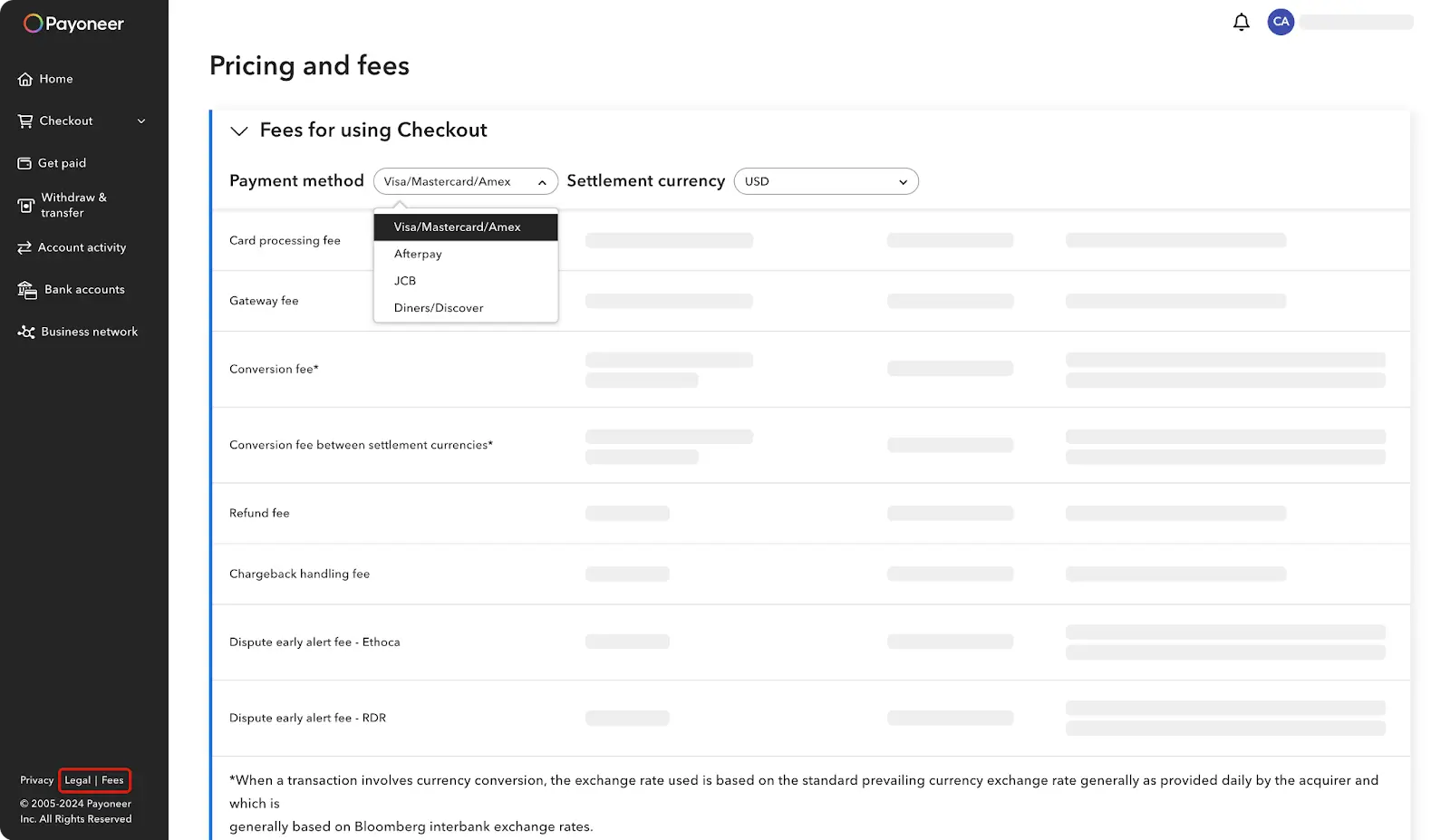
Pricing:
Payoneer’s pricing involves no setup or monthly fees for a basic account, and most costs are tied to transactions, making it a flexible option for global payouts and currency management.
- Credit card (all currencies): Up to 3.99%
- ACH bank debits (US only): 1%
- PayPal (US only): 3.99% + 49c

If quick credibility and the simplicity of paying international freelancers is high priority, Payoneer no doubt emerges as a demanded and adapted solution ranked for its straightforward approach to managing multiple currencies without unnecessary complications.
Alternatives Worth Exploring:
If you prefer alternatives worth exploring, less popular but smart niche builders include:
- Authorize.Net (Strong security, a higher fee structure).
- Helcim (clean pricing-experience transparent heavily improving SMB financial suite offerings).
- Amazon Pay (Streamlining Integration with your Amazon-centric clientele base).
Comparison Table: Best Payment Software for Small Business
Practical Advice for Choosing Your Small Business Payment Software
Below you'll find concrete, experience-backed insights designed specifically to help you handle real-world scenarios effectively.
Prioritize Transparent Transaction Fees to Protect Your Margins
Fees can quickly eat away small business profits if not well-handled, causing budget overruns and profit erosion. Always select payment providers that clearly detail their fee structure upfront.
In this regard, Wise (formerly TransferWise) clearly stands out. Wise offers total transparency on foreign exchange transactions, clearly showing exact charges every step of the payment.
On the contrary, PayPal often frustrates small businesses due to occasionally unclear or higher-than-expected international fees and surprise payment-holds affecting cash-flow. Be cautious and examine fees carefully for your business habits.
If your business frequently engages customers or contractors abroad, taking advantage of Wise ensures consistent profitability due to lower charges and predictable exchange rates.
Consider the Versatility of Supported Payment Methods
Customers enjoy flexible payment possibilities. Offering a straightforward and wide set of payment methods contributes directly to higher sales conversions.
Square excels significantly if your small business blends convenient in-store experiences with straightforward online channels.
In contrast, Wise usually supports fewer versatile payment experiences, better serving niche scenarios involving extensive cross-border activities rather than in-person or casual purchases.
Physical store owners and hybrid businesses regularly confirm to me how Square specifically simplifies credit card and mobile payment acceptance, reducing friction on POS experience and engaging more returning customers.
Don’t hesitate to explore alternatives to Square or software options that rival Wise
Manage International Payments Carefully to Maintain Efficiency
When venturing into international trade and dealing with frequent global client relationships, focus specifically on payment speed, ease, and affordability.
Here, in practical scenarios I've faced, Payoneer drastically eases freelance payments and cross-border payouts thanks to fast payouts and multi-currency support. (Explore available Payoneer promo codes here to minimize setup costs when trialing initially.)
Comparatively, services such as Square fall slightly flat on global payout scenarios due to the lack of effective international multi-currency handling mechanisms.
If you’re hesitating between these 2 SaaS, my Wise vs Payoneer comparison lays out the differences in fees, FX rates, and payout workflows
Numerous freelancers and small agencies I've guided reported a noticeable improvement in cash flow reliability upon moving repetitive international transactions (receipts and supplier payments) to Payoneer, saving considerable time and complex intermediaries.
Keeping these simple yet vital guidelines in mind when you assess a payments software helps naturally position you toward solutions that genuinely improve your small business usability, profitability, and overall efficiency.

FAQs about Small Business Payments Software
Which small business payment software is easiest to get started with?
If you're looking for sheer simplicity, I often recommend Square as the easiest software to get started with. Its intuitive user interface, immediate plug-and-play hardware system (such as card readers and POS terminals), and quick account setup make it straightforward, even if you've never used any payments solution previously.
What is the cheapest simple-payment method for small businesses?
Generally, the cheapest payment software depends on your usage type. Stripe typically offers competitive rates for online businesses (1.5% + $0.25 per transaction), whereas Wise provides some of the lowest transaction fees and currency conversion rates available, making it optimal if you're frequently processing payments in different currencies internationally.
Stripe or PayPal: Which is best suited for small startups?
For tech-savvy startups and SMB online merchants who seek scalability, Stripe often wins thanks to easier customization, superior API integration, and a better feature suite tailored for growth. However, startups that rely heavily on global customer familiarity and consumer trust might still prefer PayPal initially, due to higher customer conversion rates worldwide.
What payment tools transfer money instantly?
Most modern payment tools offer fast payouts, but the quickest I've personally tested are PayPal Business and Payoneer. PayPal transfers usually appear instantly within the PayPal ecosystem, while Payoneer also provides near-immediate access to funds on prepaid MasterCards and quick bank account withdrawals, ideal for entrepreneurs valuing transactional speed and liquidity management.
Final Recommendation & Conclusion
From the personal perspective, small businesses are able to truly take advantage of fee transparency, some business focus, and ease of use. Stripe is still MY favorite software for scaled, automated payments for the rapidly growing SMEs, especially with its dynamic ecommerce solutions.
For easy retail management, few things beat the out of the box ease of use of Square. Each platform adds value in their own way, dependent on how your business functions and what kind of customers you interact with. Always be cognizant and perform your own clarity, niche focus, and dependent scope positioning impact assessment before selecting.
A wise choice now will keep you out of unnecessary changes later. This will allow you to focus on building your relationships and revenues rather than fixing one-off payment issues. By choosing wisely, payment software becomes your partner, not a painful recurring headache, but an integration to support your growth instead.
{{cta-marketplace="/blog-elements"}}